
Security add-on
Google reCAPTCHA for WordPress: stop spam registrations
Stop spam registrations and bot attacks on your WordPress login, registration, and checkout forms by implementing Google reCAPTCHA.
- Login
- Registration
- Checkout
Included in Standard, Plus, and Agency plans
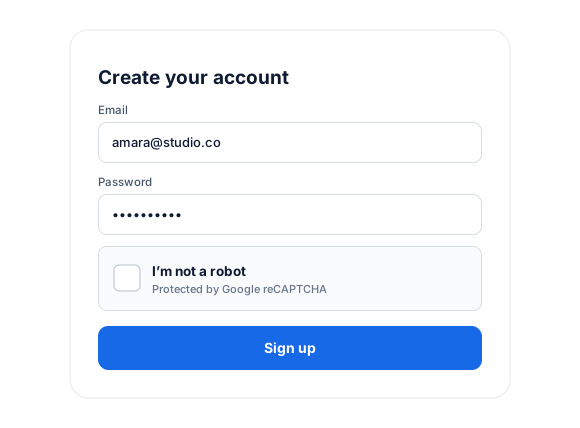
WordPress Forms Protection Against Spam
Do you want to stop spam bots from filling out your form? You can add reCAPTCHA to your WordPress forms to protect against spam and other types of automated abuse.
Google reCAPTCHA determines whether a user is human or a bot and prevents bots from submitting forms.
This addon lets you add reCAPTCHA to your WordPress login, password reset, edit profile, and registration forms created with ProfilePress.
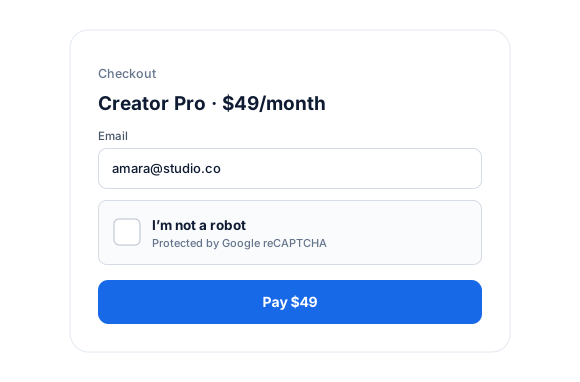
Stop Spam Checkout
Protect your WordPress checkout page powered by ProfilePress with reCAPTCHA against credit card fraud, card testing, and other ecommerce and checkout fraud.
reCAPTCHA Types Support
This addon supports reCAPTCHA versions 3 and 2 (“I’m not a robot” Checkbox).
V2 requires the user to click a checkbox indicating they are not a robot.
V3 verifies if an interaction is legitimate without any user interaction. It will never display a CAPTCHA like version 2; rather, users will only see a badge in the lower right corner of the screen.
Google reCAPTCHA for WordPress
Everything included.
Google reCAPTCHA is part of ProfilePress, so there’s no extra plugin to install, configure, or keep updated.
Block bots and spam
Stop automated spam submissions before they reach your WordPress site.
Protect your forms
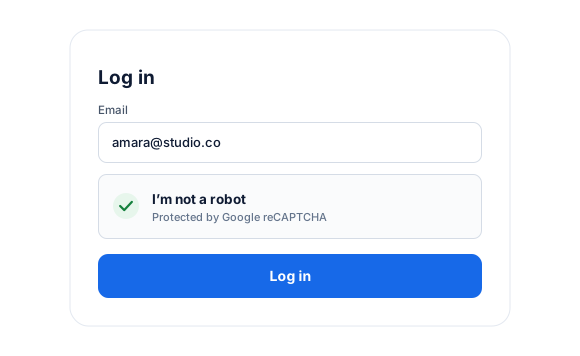
Add reCAPTCHA to login and registration forms built with ProfilePress.
Checkout protection
Protect your membership checkout against spam and abuse.
Google reCAPTCHA, up close.
01
Keep bots out of your forms
Add Google reCAPTCHA to ProfilePress login and registration forms to stop automated submissions in WordPress.
02
Protect your checkout
Add reCAPTCHA to the membership checkout to block spam and bot abuse before it costs you.
03
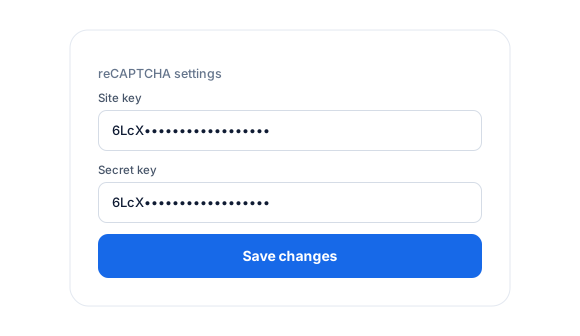
Quick setup with your keys
Paste your reCAPTCHA site key and secret key into ProfilePress, then add reCAPTCHA to your forms.
Up and running in minutes.
No code required. Read the full Google reCAPTCHA guide.
1
Switch it on
Go to ProfilePress › Add-ons and switch on Google reCAPTCHA.
2
Configure
Paste your reCAPTCHA site and secret keys into the settings.
3
Go live
Add reCAPTCHA to your forms and checkout.
Google reCAPTCHA FAQ
Still unsure? Talk to our support team.
Is Google reCAPTCHA included with ProfilePress?
Yes. Google reCAPTCHA is included in every ProfilePress premium plan: Standard, Plus, and Agency. Activate it from ProfilePress › Add-ons—there’s no extra plugin to install.
Do I need to know how to code?
No. Everything is configured from the ProfilePress settings in your WordPress dashboard.
Can I try ProfilePress first?
Yes. Explore most features on the live demo, and every plan comes with a 14-day money-back guarantee.
Related add-ons
Security & spam protection.
Pair add-ons together to build exactly the membership experience you want.
Two-Factor Authentication
Authenticator apps · Recovery codes
Cloudflare Turnstile
Login · Registration
Akismet
Spam registrations · Bot signups
All add-ons
41+ ways to extend ProfilePress
Keep bots out of your WordPress forms and checkout.
Protect WordPress forms on your website against bot attacks and spam registrations, logins, and checkouts with Google reCAPTCHA.