
Monetization add-on
PDF receipts for every WordPress checkout order
Let customers view, print, and download their order receipts as PDFs after payment in WordPress via ProfilePress.
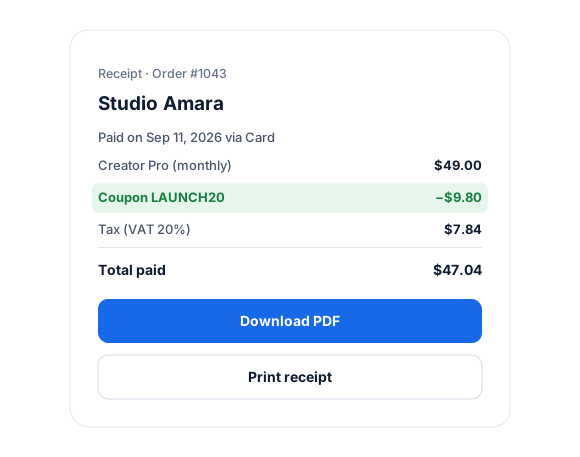
- View
- Download as PDF
Included in Plus and Agency plans
Quick Setup in WordPress
The PDF receipt addon has few settings and, thus, is easy to set up and get working in WordPress.
As administrator of your website, you can always view and download the PDF receipt of any order from the admin order listing page.
My Account Page Integration
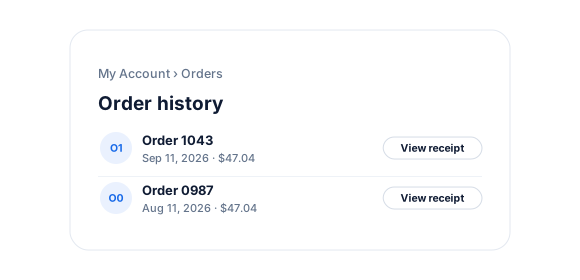
Your customers can view their order receipts from their My Account page in WordPress, where they can print and download their order receipts as PDFs.
PDF Receipts add-on
Everything included.
PDF Receipts is part of ProfilePress, so there’s no extra plugin to install, configure, or keep updated.
Receipts in My Account
Customers open, print, and download receipts for their orders from the My Account page.
Admin access to every receipt
View and download any order’s receipt from the order edit screen in WordPress.
Links in order emails
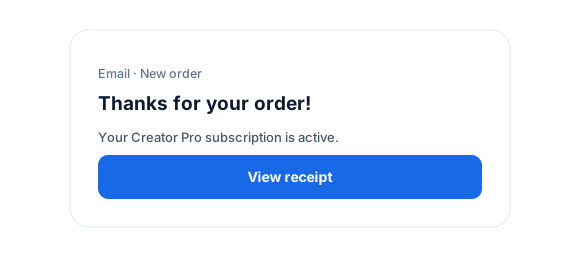
Include a receipt link in new order, renewal, and other ProfilePress order emails.
Your logo and details
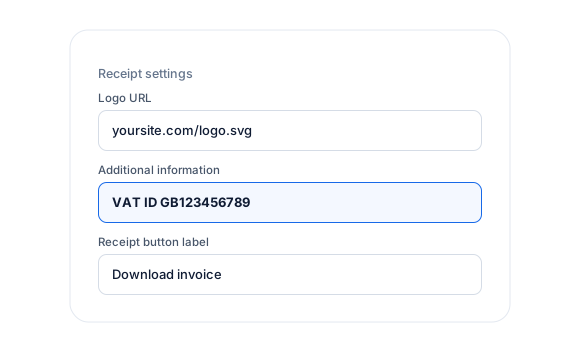
Add your logo and extra information, such as tax or legal notes, to the bottom of every receipt.
Skip free orders
Choose not to generate receipts for free orders.
Custom button label
Change the “View Receipt” button text to match your site.
PDF Receipts, up close.
01
Receipts in My Account
Customers view, print, and download a PDF receipt or invoice for every order from their My Account page.
02
Your branding on every receipt
Add your logo and extra information such as tax details or legal notes to the bottom of each receipt, and rename the “View Receipt” button.
03
Links in emails, access for admins
Include receipt links in new order and renewal emails, and view or download any receipt from the order screen in WordPress.
Up and running in minutes.
No code required. Read the full PDF Receipts guide.
1
Switch it on
Go to ProfilePress › Add-ons and switch on Receipt.
2
Configure
Under Settings › Payments › Receipt Settings, add your logo and extra details.
3
Go live
Customers can now view and download receipts from My Account.
PDF Receipts FAQ
Still unsure? Talk to our support team.
Is PDF Receipts included with ProfilePress?
Yes. PDF Receipts is included in the ProfilePress Plus and Agency plans. Activate it from ProfilePress › Add-ons—there’s no extra plugin to install.
Do I need to know how to code?
No. Everything is configured from the ProfilePress settings in your WordPress dashboard.
Can I try ProfilePress first?
Yes. Explore most features on the live demo, and every plan comes with a 14-day money-back guarantee.
Related add-ons
Monetization & billing.
Pair add-ons to build the exact membership experience you want.
Pay What You Want
Memberships · Digital products
Fixed Subscription Expiration
Specific end date · Set duration
Auto-Renewal Checkbox
Opt-in renewals · Checkout checkbox
All add-ons
41+ ways to extend ProfilePress
Give every customer
a proper receipt.
Customers can view, print, and download PDF receipts from My Account, and you can download any order’s receipt from the admin.