Content Dripping for WordPress

Our Content Dripping addon releases protected content in WordPress to members gradually: a set number of days, weeks or months after they subscribe or register.

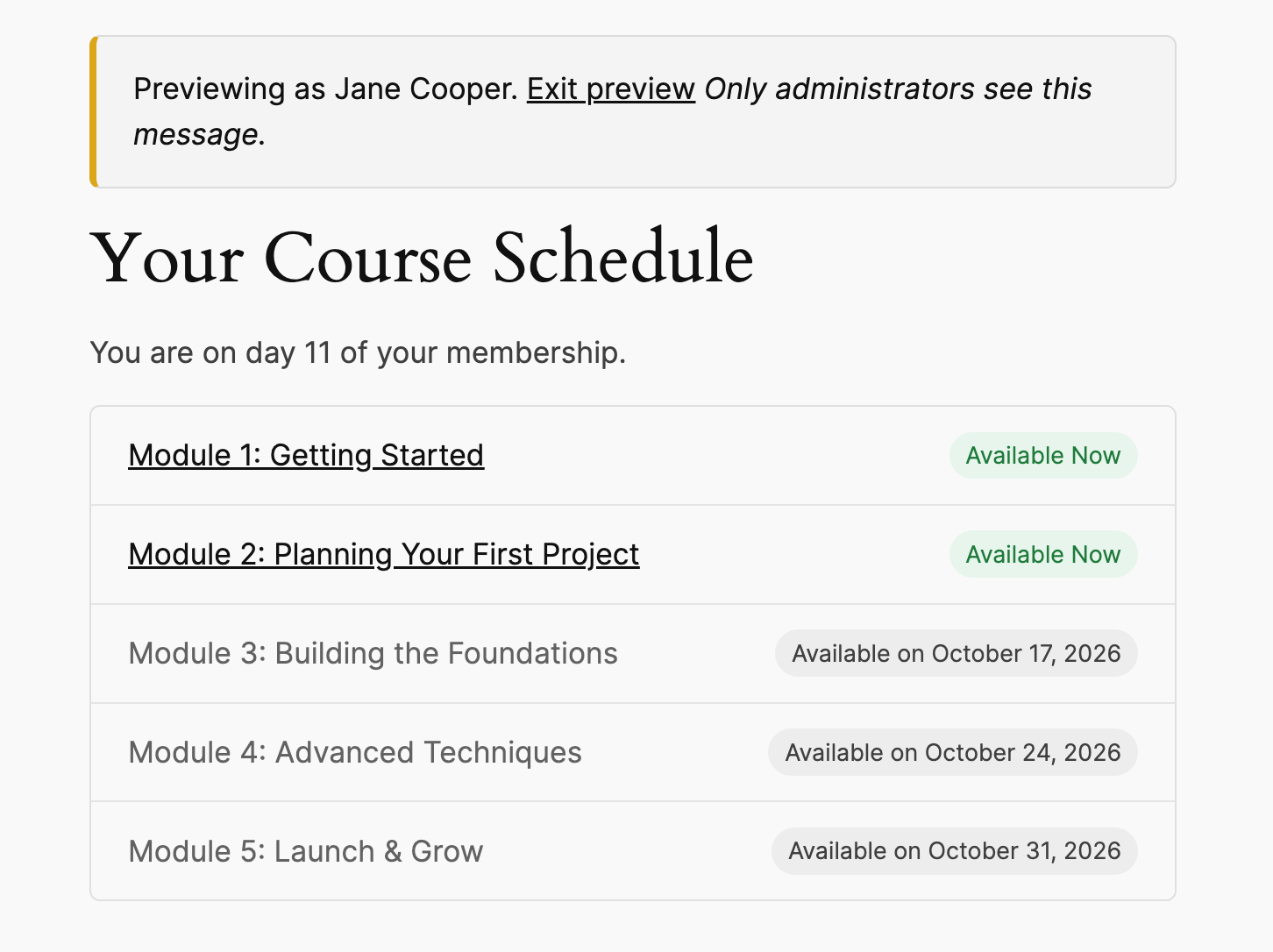
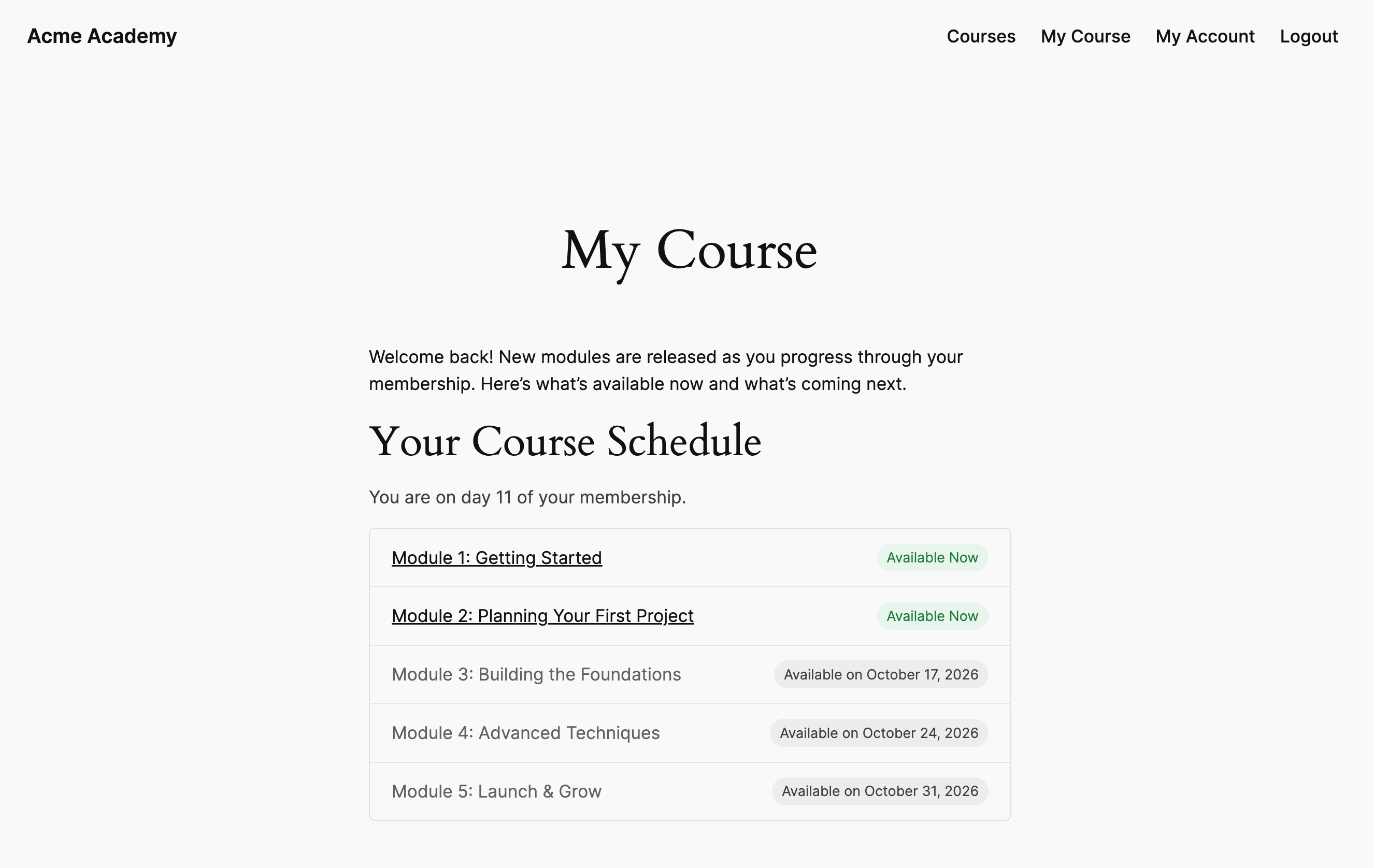
Member course schedule showing modules available now and the dates upcoming modules unlock

Instead of giving new members of your WordPress membership website everything on day one, drip-feed your posts, articles, courses, lessons, and premium content on a schedule. Members get a steady reason to come back, and they can’t download everything and cancel in the first week.

Content Dripping works with ProfilePress content protection rules, so you can drip any posts, pages, custom post types, or categories a rule protects.

Each member’s schedule starts from the day they joined, so someone who signs up today and someone who joined last month each move through the content at their own pace.

Note that dripping applies to protection rules restricted to logged-in WordPress users. Administrators always see all content.
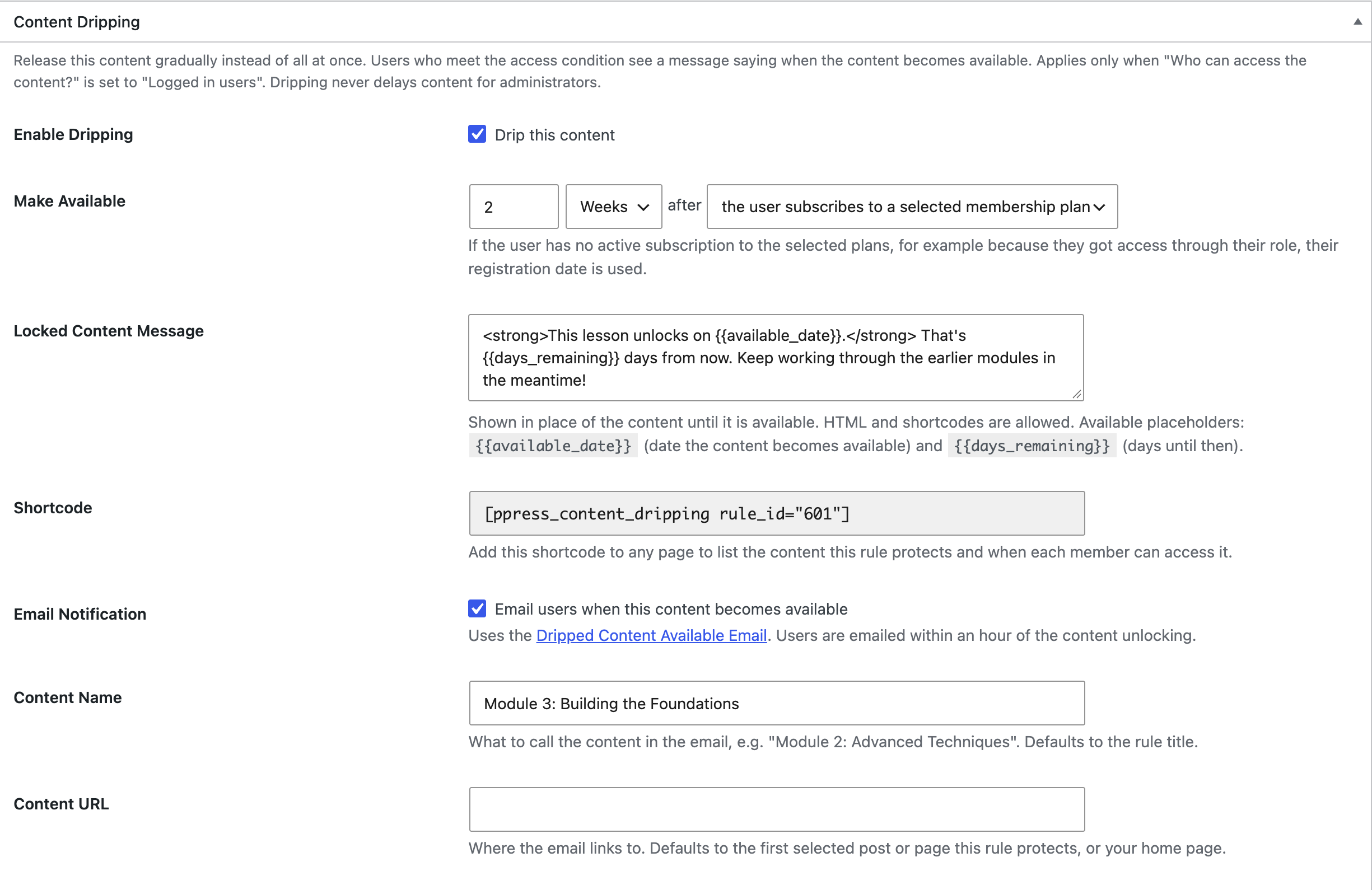
Content Dripping settings on a ProfilePress content protection rule in WordPress

Drip Content on Your Own Schedule

Turn on dripping for any content protection rule and choose when its content becomes available. For example, 3 days, 2 weeks or 6 months after the member:

  • subscribes to one of the rule’s membership plans, or
  • registers on your WordPress site.

Create a rule for each module or lesson with a longer delay each time, and you have a full drip schedule for your online course or membership site. If a member got access through their user role instead of a plan, their registration date is used.

Tell Members When Content Unlocks

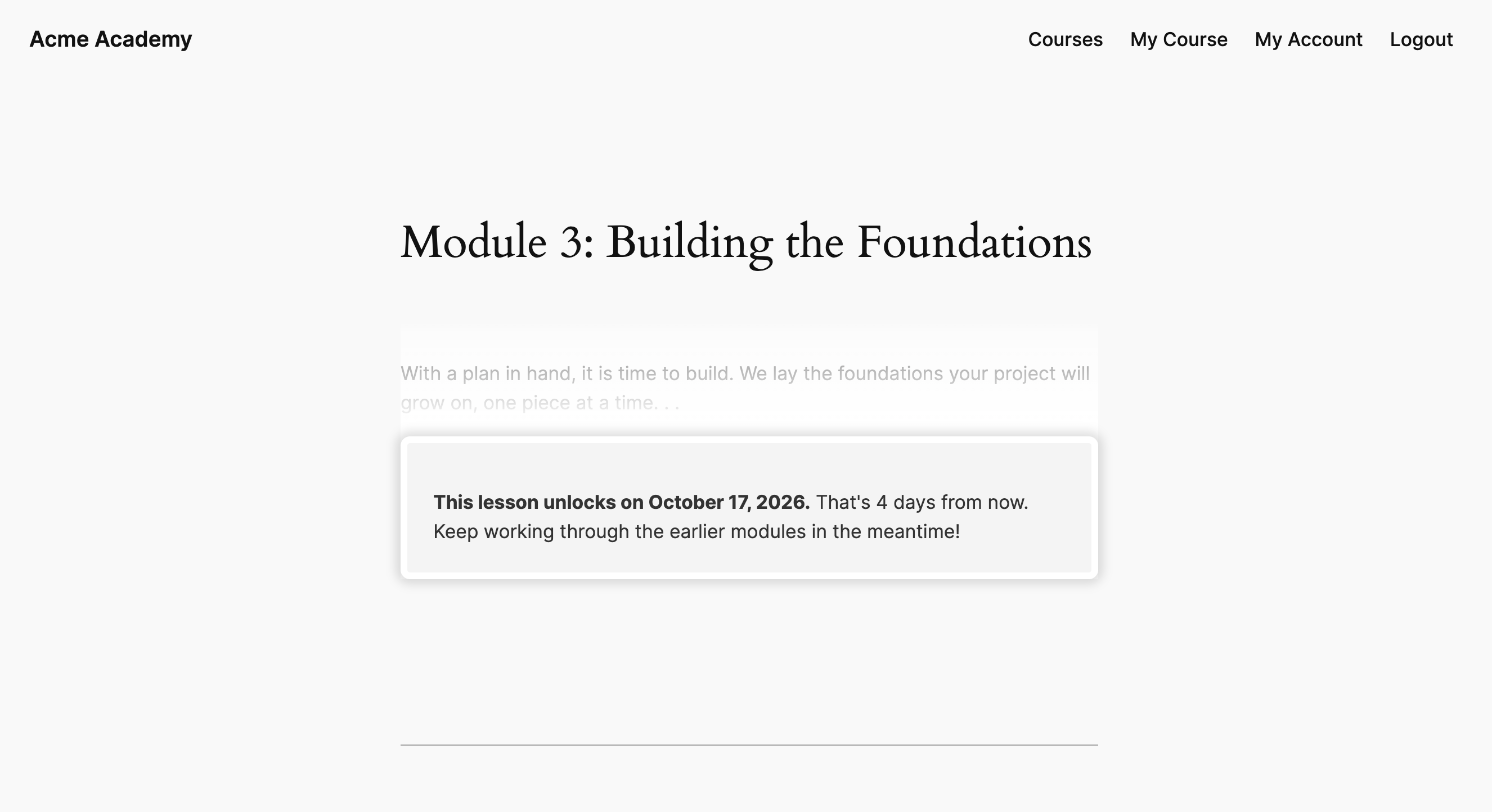
Members who open content in WordPress that hasn’t dripped yet aren’t redirected away or shown an “access denied” page. They see a message telling them exactly when it becomes available.

Write your own message using HTML and shortcodes, with the {{available_date}} and {{days_remaining}} placeholders filled in for each member. If the rule shows a post excerpt to users without access, the excerpt stays as a teaser above the message.

Dripped lesson showing a message with the date the content unlocks
Content schedule shortcode previewed by an administrator as a specific member

Show Members Their Content Schedule

Add the [ppress_content_dripping] shortcode to any WordPress page to show members everything in a series: what they can open now and the date each upcoming item unlocks for them.

List one rule or combine several, like every module in a course, into a single schedule sorted by release date.

As an administrator, you see all content, so the shortcode includes a preview mode. View the schedule as a brand-new member or as any specific user to check exactly what they see.

Email Members When New Content Unlocks

Notify members as soon as new content is available and ready.

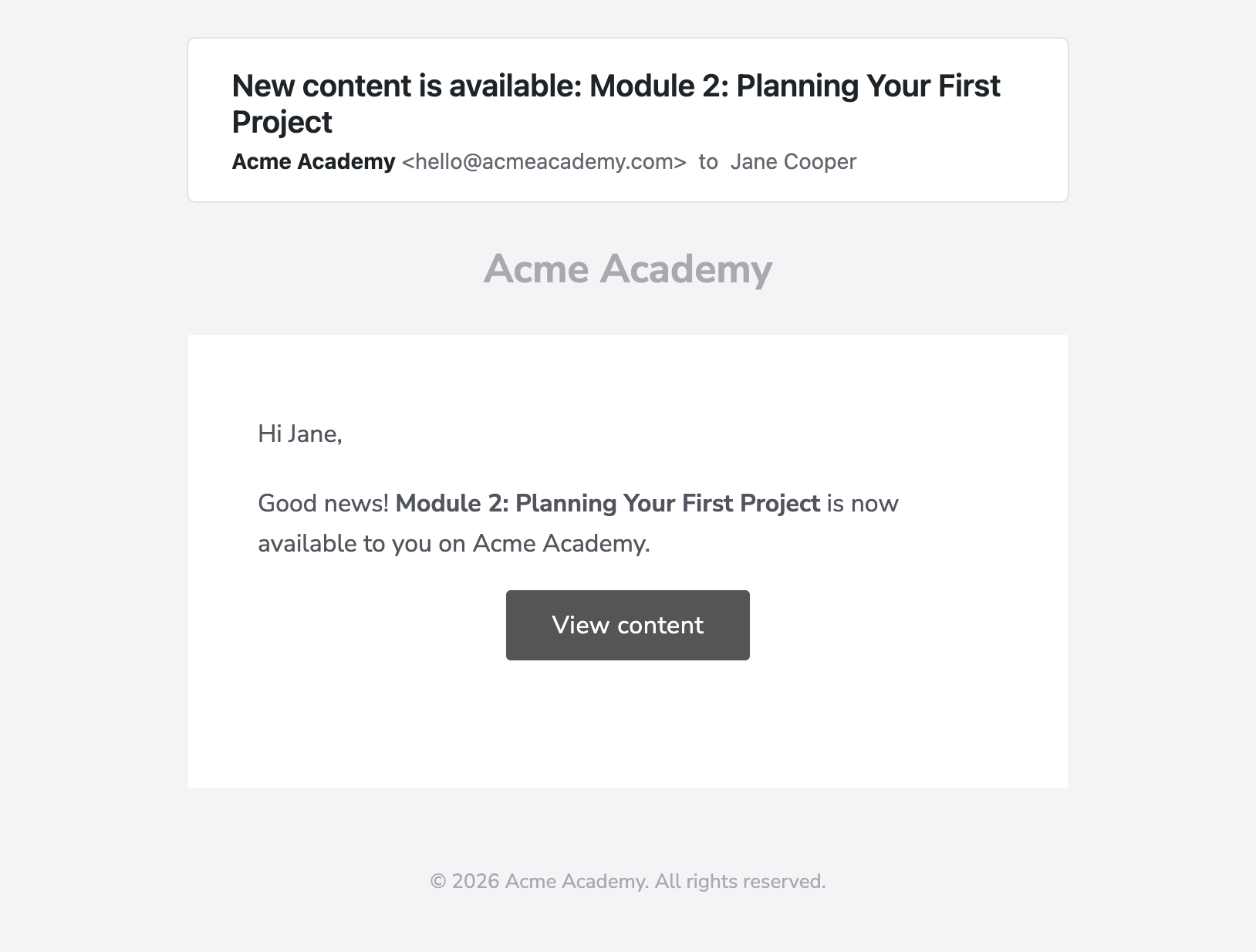
Turn on email notifications for a rule, and each member receives an email within an hour after their content unlocks.

Edit the email subject and message in the ProfilePress email settings. Placeholders cover the content name and link and the member’s name, and you can change the content name and link used for each rule.

Email sent to a member when dripped content becomes available
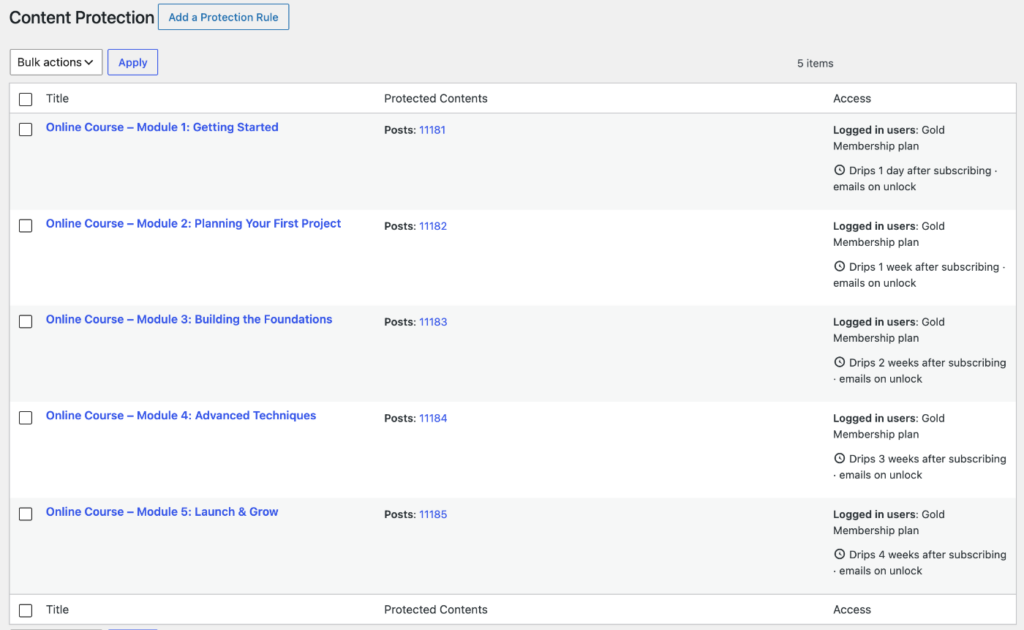
ProfilePress content protection rules list showing each rule's drip schedule

See Your Drip Schedule at a Glance

Every rule’s drip schedule is shown on the content protection rules list in WordPress, so you can check how and when each piece of content is released without opening the rules one by one.

Get ProfilePress with all Addons Today!

Start building a WordPress membership site with ProfilePress and release your courses and premium content to members on a schedule.