
Registration & login add-on
WordPress user moderation: approve users before login
Manually approve or reject newly registered WordPress users before they can log in. You can also block and unblock users whenever you want.
- Approve or reject
- Block and unblock
- Email notifications
Included in Plus and Agency plans
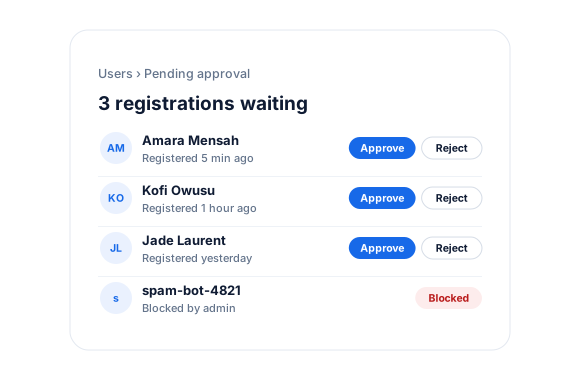
Stop Spam Registrations in WordPress
Allowing users to register on your WordPress site can open the door to spam user registrations. While you can fight spam user registrations, wouldn’t it be better to moderate users in WordPress so you can approve only the ones you want on your website?
Login Security
When a user who is blocked or yet to be approved tries to log in, they are locked out of your WordPress website.
As an admin, you can approve pending users and block or unblock user accounts in WordPress.
Customizable Triggered Notifications
You can customize the content of the WordPress email sent when a user is approved, rejected, blocked, or unblocked, as well as the admin notification when a user is pending approval.
User Moderation For WordPress
Everything included.
User Moderation is part of ProfilePress, so there’s no extra plugin to install, configure, or keep updated.
Pending until approved
New user accounts stay pending in WordPress and can’t log in until you approve them.
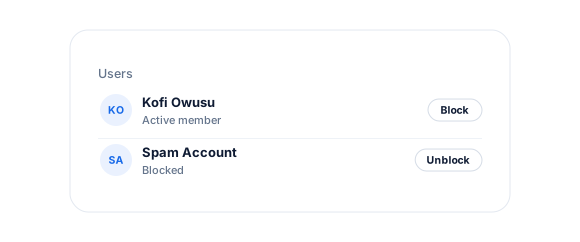
Block and unblock anytime
Lock out members instantly and restore access later, without deleting their account.
Admin notifications
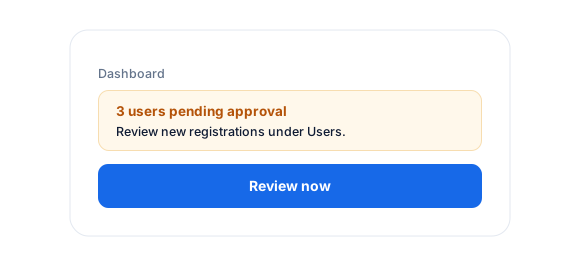
Get an email and a dashboard notice whenever a user is waiting for approval in WordPress.
Status emails to users
Customize the emails sent when a user is approved, rejected, blocked, or unblocked.
Custom error messages
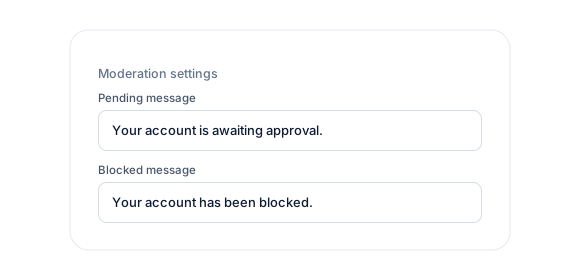
Set the messages pending, rejected, and blocked users see when they try to log in.
User Moderation, up close.
01
Review every signup
New accounts stay pending until you approve them, with an email and a WordPress dashboard notice whenever someone is waiting.
02
Block without deleting
Lock a user out instantly and restore access later, keeping their account and history intact.
03
Emails and messages you control
Customize the emails users get when they’re approved, rejected, blocked, or unblocked, plus the messages they see at login.
Up and running in minutes.
No code required. Read the full User Moderation guide.
1
Switch it on
Go to ProfilePress › Add-ons and switch on User Moderation.
2
Configure
Customize the moderation messages and emails.
3
Go live
Approve or reject pending users from Users › All Users.
User Moderation FAQ
Still unsure? Talk to our support team.
Is User Moderation included with ProfilePress?
Yes. User Moderation is included in the ProfilePress Plus and Agency plans. Activate it from ProfilePress › Add-ons—there’s no extra plugin to install.
Do I need to know how to code?
No. Everything is configured from the ProfilePress settings in your WordPress dashboard.
Can I try ProfilePress first?
Yes. Explore most features on the live demo, and every plan comes with a 14-day money-back guarantee.
Related add-ons
Registration & login.
Pair add-ons together to build exactly the membership experience you want.
Custom Fields
Registration · Checkout
Email Confirmation
Confirmation link · Auto-login
Social Login
Google · Facebook
All add-ons
41+ ways to extend ProfilePress
Approve every member
before they get in.
Get started with user registration approval in WordPress using our User Moderation addon.