
Registration & login add-on
WordPress email confirmation: verify users before login
Ensure newly registered users confirm or verify their email addresses before they can log in to WordPress.
- Confirmation link
- Auto-login
- Spam cleanup
Included in Standard, Plus, and Agency plans
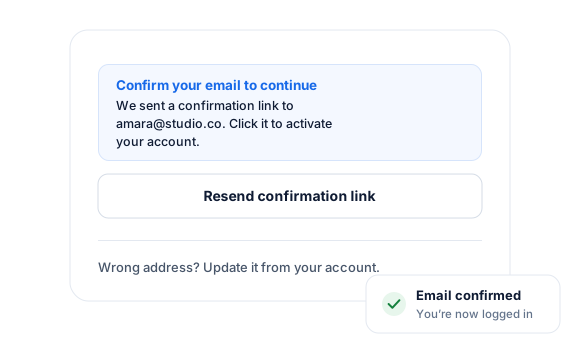
Quick Setup in WordPress
Get the WordPress Email Confirmation addon up and running in minutes. No tearing out of hair. It’s a promise.
WordPress Login Security
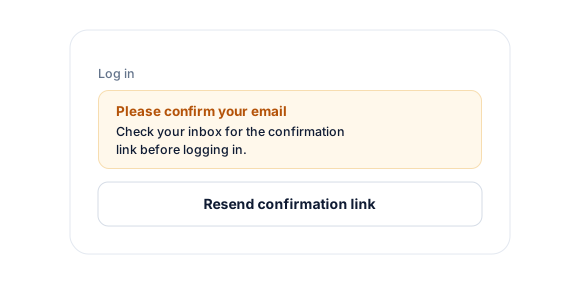
When a user who hasn’t confirmed or verified their account email address tries to log in to WordPress, they are locked out.
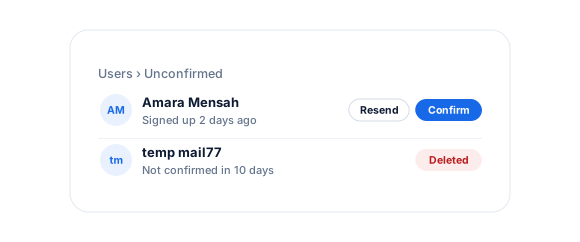
Administrators can manually confirm unverified users from the WordPress admin dashboard.
Customizable WordPress Email
You can customize the content of the email confirmation email sent to WordPress users to your heart’s content.
WordPress Email Confirmation add-on
Everything included.
Email Confirmation is part of ProfilePress, so there’s no extra plugin to install, configure, or keep updated.
Confirmation before login
New users receive a link and must confirm their email address before they can log in to WordPress.
Expiring links
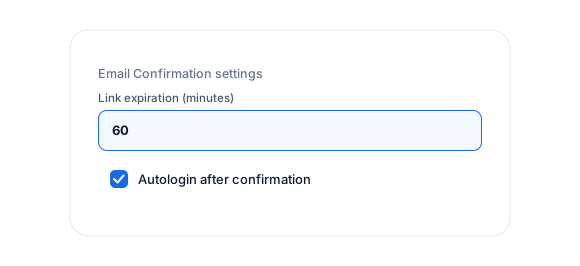
Set confirmation links to expire after a number of minutes if they aren’t used.
Auto-login after confirming
Log users in automatically to WordPress after they confirm their email.
Delete unconfirmed users
Automatically remove accounts that aren’t confirmed within a set number of days.
Resend confirmation
Users can request a new link, and admins can resend it or manually confirm users.
Your messages
Customize the confirmation email and every success and error message.
Email Confirmation, up close.
01
Only confirmed users can log in
New users receive a confirmation link and must verify their email address before they can sign in to WordPress, whether through the login form or social login.
02
Expiring links and auto-login
Decide how long confirmation links are valid, and automatically log users into WordPress as soon as they confirm.
03
Clean up unconfirmed accounts
Automatically delete users who don’t confirm within a set number of days (10 by default). Admins can also resend the email or manually confirm users.
Up and running in minutes.
No code required. Read the full Email Confirmation guide.
1
Switch it on
Go to ProfilePress › Add-ons and switch on Email Confirmation.
2
Configure
Set the link expiration, auto-login, and cleanup options.
3
Go live
Customize the confirmation email under Settings › Emails.
Email Confirmation FAQ
Still unsure? Talk to our support team.
Is Email Confirmation included with ProfilePress?
Yes. Email Confirmation is included in every ProfilePress premium plan: Standard, Plus and Agency. Activate it from ProfilePress › Add-ons—there’s no extra plugin to install.
What about users who registered before I turned it on?
Existing users are treated as already confirmed, so they can keep logging in as normal.
Do I need to know how to code?
No. Everything is configured from the ProfilePress settings in your WordPress dashboard.
Can I try ProfilePress first?
Yes. Explore most features on the live demo, and every plan comes with a 14-day money-back guarantee.
Related add-ons
Registration & login.
Pair add-ons together to build exactly the membership experience you want.
Custom Fields
Registration · Checkout
Social Login
Google · Facebook
Passwordless Login
One-time link · Email login
All add-ons
41+ ways to extend ProfilePress
Make sure every WordPress user
is real.
Require new users to confirm their email address before they can log in to your WordPress website, and keep fake accounts off.