
Integration add-on
Create a membership affiliate program with SliceWP
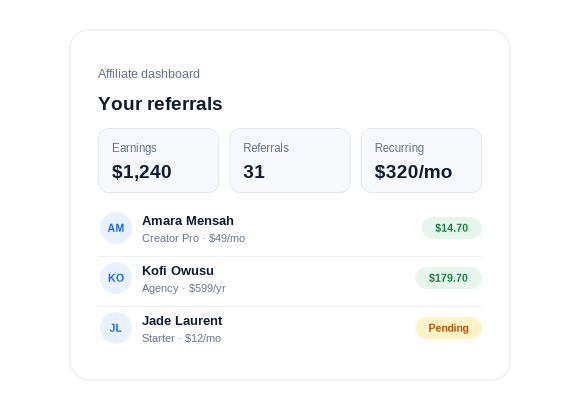
ProfilePress integrates with SliceWP to help you launch an affiliate program for your WordPress membership sites. Affiliates can earn commissions through their referral links or their own coupon codes.
- Commissions
- Recurring commissions
- Lifetime commissions
- Affiliate coupons
Included in Plus and Agency plans
About SliceWP WordPress Affiliate Plugin
SliceWP is a WordPress plugin that allows you to create and manage your own affiliate program directly on your WordPress website. It enables you to recruit affiliates who promote your products or services in exchange for commissions, tracking their referrals, sales, and performance all within your WordPress dashboard.
Key benefits include complete control over your affiliate program without relying on third-party networks, automated commission tracking and payments, customizable commission structures, real-time reporting, and branded affiliate dashboards. This self-hosted solution eliminates ongoing network fees, protects your data privacy, and helps grow your business through performance-based marketing while maintaining full ownership of your affiliate relationships.
Easy Setup
Integrating ProfilePress with the SliceWP affiliate plugin is easy, letting you set up an affiliate program for your membership website.
All you need to do is enable the SliceWP addon in ProfilePress and enable ProfilePress as an integration on the SliceWP settings page.
Affiliate Coupon Codes
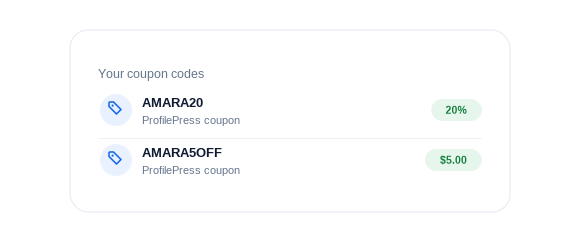
Many affiliates prefer to share a code like “AMARA20 for 20% off” instead of a link. Link any ProfilePress coupon to a SliceWP affiliate, and every order that uses the code credits that affiliate with the commission, even if the customer never clicked their referral link.
Affiliates see their codes in the Coupons tab of their SliceWP affiliate account. Affiliate coupons need SliceWP Pro with its Affiliate Coupons add-on switched on.
Disabling Commissions for Plans
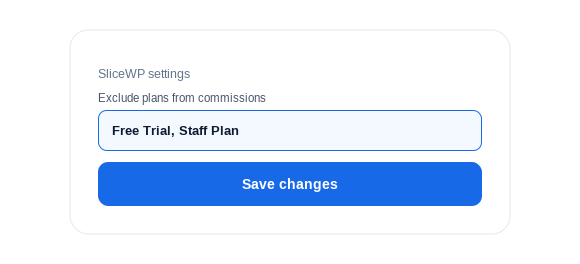
Don’t want specific membership plans in ProfilePress to generate commissions for affiliates? Our SliceWP integration addon includes a setting to do just that on your WordPress website.
SliceWP add-on
Everything included.
SliceWP is part of ProfilePress, so there’s no extra plugin to install, configure, or keep updated.
Commissions on memberships
Referred customers who subscribe generate commissions for their affiliate.
Recurring commissions
Reward affiliates for renewal payments with the SliceWP recurring commissions add-on.
Lifetime commissions
Support for SliceWP lifetime commissions for long-term partners.
Affiliate coupon codes
Link a coupon to an affiliate, and every order that uses it pays them commission.
Codes in the affiliate account
Affiliates find their working coupon codes in their SliceWP affiliate account.
Exclude plans
Stop specific membership plans from generating commissions.
SliceWP, up close.
01
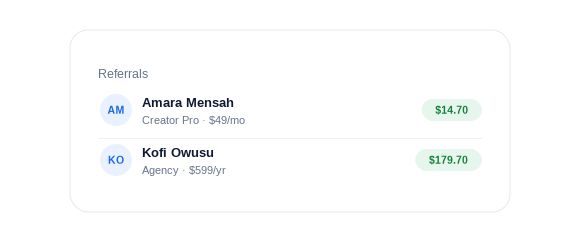
Commissions on every membership sale
When a referred customer subscribes to a membership plan, SliceWP automatically records the commission for their affiliate.
02
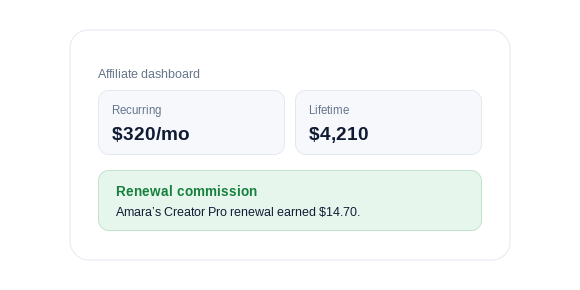
Recurring and lifetime commissions
Reward affiliates for renewals with SliceWP recurring commissions, and support lifetime commissions for long-term partners.
03
Affiliate coupon codes
Pick an affiliate on any ProfilePress coupon. Customers who check out with that code get their discount, and the affiliate gets the commission, with or without a referral link. Affiliates see their codes in their SliceWP account.
04
Exclude specific plans
Don’t want some plans to pay commission? Exclude them in the SliceWP integration settings.
Up and running in minutes.
No code required. Read the full SliceWP guide.
1
Switch it on
Install and set up SliceWP.
2
Configure
Go to ProfilePress › Add-ons and switch on SliceWP.
3
Go live
Share affiliate links or coupon codes—commissions are tracked automatically.
SliceWP FAQ
Still unsure? Talk to our support team.
Is SliceWP included with ProfilePress?
Yes. SliceWP is included in the ProfilePress Plus and Agency plans. Activate it from ProfilePress › Add-ons—there’s no extra plugin to install.
Can affiliates use coupon codes instead of referral links?
Yes. Link a ProfilePress coupon to an affiliate from the coupon’s edit screen. Orders that use the code credit that affiliate, even without a referral link. This needs SliceWP Pro with its Affiliate Coupons add-on switched on.
Do I need to know how to code?
No. Everything is configured from the ProfilePress settings in your WordPress dashboard.
Can I try ProfilePress first?
Yes. Explore most features on the live demo, and every plan comes with a 14-day money-back guarantee.
Related add-ons
eCommerce, affiliate & more.
Pair add-ons together to build exactly the membership experience you want.
WooCommerce
Memberships · Member discounts
AffiliateWP
Referral tracking · Commissions
Polylang
Login · Registration
All add-ons
41+ ways to extend ProfilePress
Grow with an affiliate
program powered by SliceWP.
Reward affiliates for every membership they refer by link or coupon code, track commissions in your dashboard, and exclude the plans you choose.