
Core feature
Protect premium content and turn visitors into members
Restrict posts, pages, custom post types, categories, menus, and page-builder blocks to logged-in users, specific membership plans, or user roles—then show the right upgrade message.
- Posts & pages
- Categories & taxonomies
- Menus
- Page builders
Included in ProfilePress Lite and every premium plan
Popular with publishers and newsrooms →
Content protection
Everything you need, built in.
No extra plugins to install, configure, or keep updated.
Rules for any content
Protect pages, child pages, posts, custom post types, categories, tags and taxonomies.
Access by plan, role or login
Allow logged-in users, members of specific plans, or users with certain roles.
Upgrade messages or redirects
Show a targeted message with a preview, or redirect visitors to your pricing page.
Menu visibility
Show or hide navigation menu items for logged-in, logged-out, or specific members.
Page builder visibility
Control who sees content in the block editor, Elementor, and Beaver Builder.
Site-wide access control
Restrict the whole site, hide the admin bar, block dashboard access, and stop account sharing.
Content protection, up close.
01
Precise rules in a few clicks
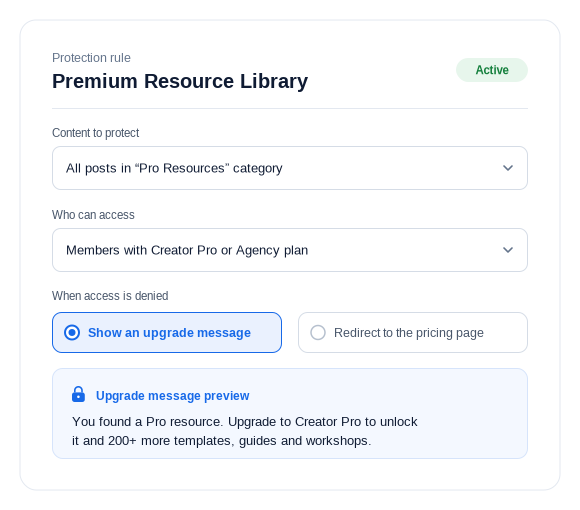
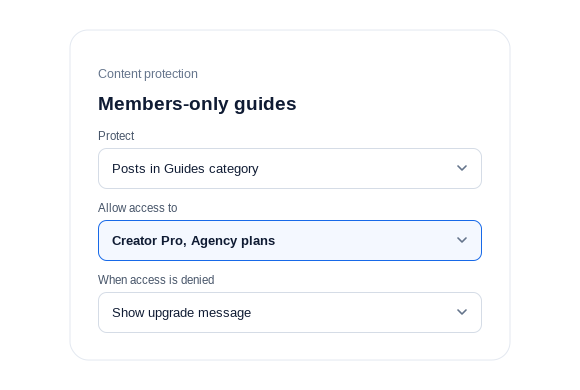
Choose what to protect and who can see it. Protection rules cover single items, whole post types, and entire categories or taxonomies.
- Logged-in users, plans or roles
- Exclude specific items
02
Turn restricted content into sales
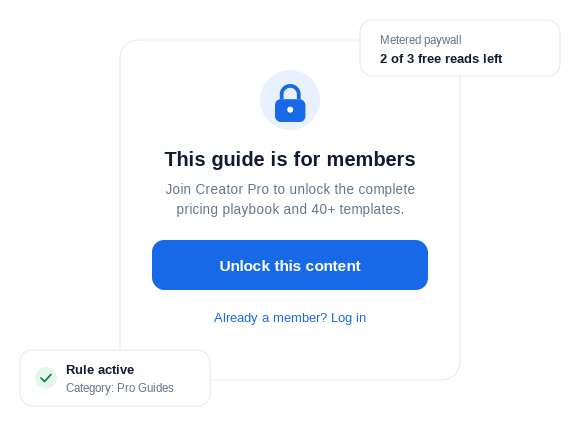
Instead of a dead end, show a preview and a targeted upgrade message that invites visitors to join the right plan.
03
Menus and blocks that adapt
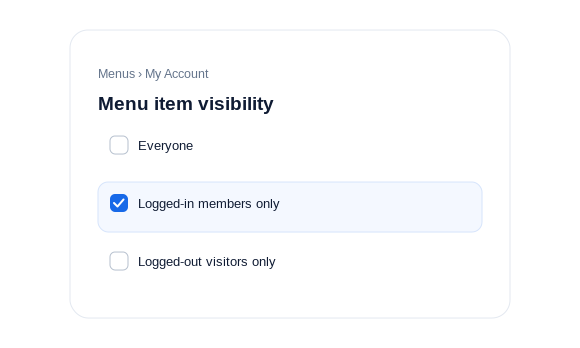
Show different navigation menu items to members and visitors, and control visibility of blocks and page-builder sections.
- Block editor
- Elementor and Beaver Builder
04
Lock down your whole site
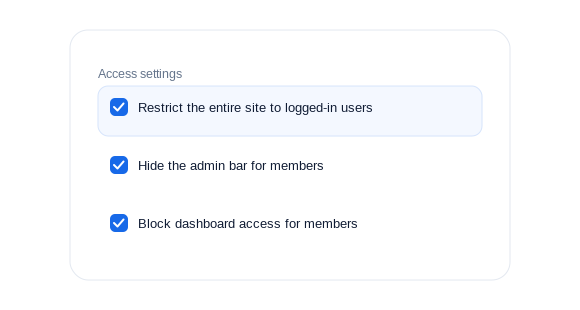
Make the entire site members-only, hide the WordPress admin bar, block dashboard access, and prevent concurrent logins.
05
Drip content over time
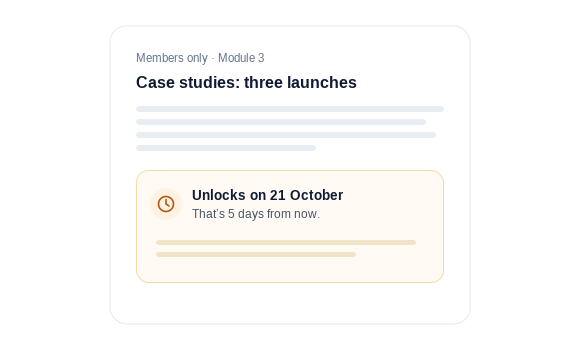
With the Content Dripping add-on, protected content unlocks a set number of days after someone subscribes or registers. Members see when it opens and get an email when it does.
Trusted by 100,000+ WordPress sites.
“The content restriction feature is straightforward and works reliably. Tested with different user accounts and membership levels, and access was always enforced correctly. No fuss. No confusing setup.”
Jose Garcia · WordPress.org reviewer
“The content protection rules we added worked as intended and the support is always fast to respond. It’s really impressive how easy it is to navigate.”

Abdul · WordPress.org reviewer
“I’m in the process of launching a new podcast and want to manage my own memberships rather than use Patreon or similar. Overall this is a (so far) underrated gem.”

Stephen Gordon · Podcaster
Content protection FAQ
Still unsure? Talk to our support team.
Can I protect content for logged-in users without charging?
Yes. Rules can allow any logged-in user, users with specific roles, or members of free or paid plans.
Will search engines still see my protected content?
Protected content is hidden from visitors without access. With the Metered Paywall add-on, search engines can still crawl and index protected content.
Is this included in the free version?
Yes. This is a core ProfilePress feature, available in ProfilePress Lite and every premium plan. Premium plans add more add-ons and remove the extra 2% Stripe fee.
Do I need to know how to code?
No. Everything is configured from the ProfilePress settings in your WordPress dashboard.
Pairs well with.
Extend this feature with add-ons and other ProfilePress features.
Metered Paywall
Free article limits
Payments & memberships
Sell the plans that unlock content
WooCommerce
Members-only products
LMS integrations
Protect and sell courses
Build a better membership
site this week.
No revenue share. No member limits. No code required.