
Payment gateway add-on
Mollie checkout for WordPress: cards, iDEAL, SEPA and more
Accept one-time and recurring payments with Mollie in WordPress via Credit Card, iDEAL, SEPA Direct Debit, Apple Pay, PayPal, Klarna, Bancontact, Bank transfer, Gift Card, and more.
Supported payment methods
- Credit card
- iDEAL
- SEPA Direct Debit
- Apple Pay
- PayPal
- Klarna
- Bancontact
- Bank transfer
- Gift cards
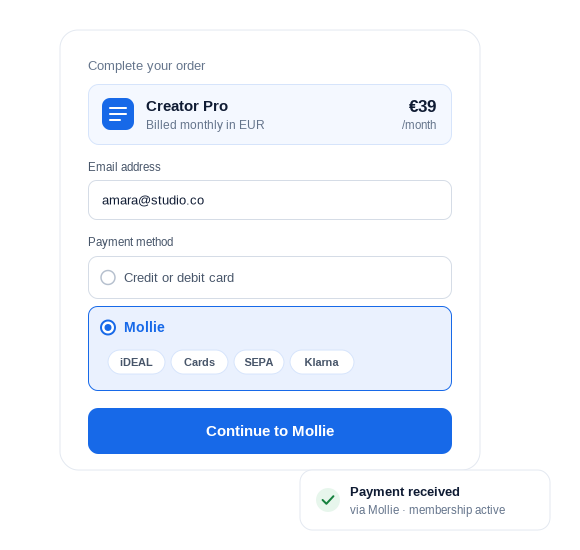
Mollie Checkout for WordPress Features
You can accept all major payment methods through Mollie on your WordPress site within minutes.
Quick and easy to set up and use, all features and services are available in the Mollie dashboard, helping you run your business as efficiently as possible.
Top Mollie features include:
- Transparent Fees – Benefit from transparent pricing and only pay when you make a successful transaction – no fixed or hidden fees, minimum costs, and no surprises on your invoice.
- User-Friendly Dashboard – Access all your payment details and info from one intuitive dashboard. Quickly search your data to find customers’ names, order numbers, or amounts paid, giving you powerful payment insights.
- Advanced Security – Mollie provides advanced security to ensure your customers’ data and transactions are safe. From PCI-DSS to PSD2, Mollie has you covered.
Easy Mollie Setup in WordPress
Setting up the Mollie addon to start collecting payments from a WordPress checkout is easy.
Mollie + ProfilePress
Everything you need to get paid with Mollie.
The Mollie add-on connects your Mollie account to ProfilePress checkout so that you can sell memberships, courses, and digital downloads without extra plugins.
Every major payment method
Offer the ways Europeans prefer to pay—from iDEAL and Bancontact to SEPA Direct Debit.
Transparent fees
Mollie charges only for successful transactions, with no fixed or hidden fees.
Advanced security
Mollie keeps payments safe and compliant, from PCI-DSS to PSD2.
One-time and recurring payments
Charge once, or bill members automatically on a recurring schedule with Mollie.
Free trials & sign-up fees
Set trial periods and one-off sign-up fees on any membership plan.
Checkout that creates the account
New customers get a member account automatically when they pay—no separate registration step.
Mollie, up close.
01
The payment methods Europe prefers
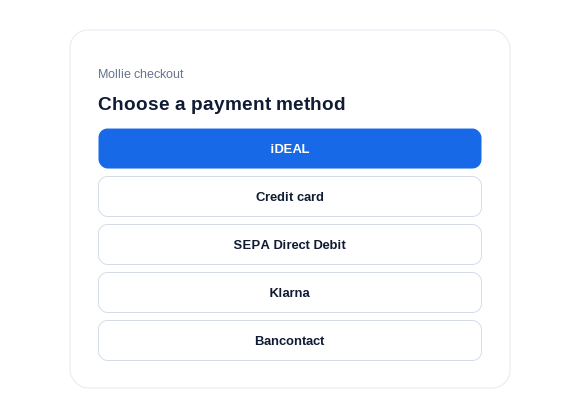
Mollie’s hosted checkout lets customers pay the way they know, from iDEAL and Bancontact to SEPA Direct Debit, Klarna and gift cards.
- Credit cards, Apple Pay and PayPal
- iDEAL, Bancontact and SEPA Direct Debit
- Klarna, bank transfer and gift cards
02
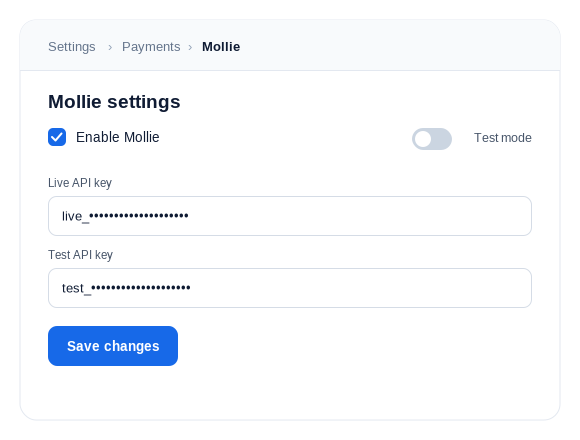
Just paste your API key
Mollie only needs your live or test API key from Developers › API keys. Turn on test mode in ProfilePress to try purchases before going live.
- Live and test API keys
- Test mode for safe trial runs
03
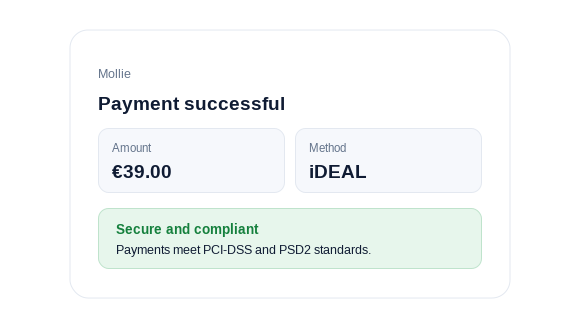
Transparent fees, advanced security
Mollie charges only for successful transactions, with no fixed or hidden fees, and keeps payments compliant with PCI-DSS and PSD2.
Start accepting Mollie payments in minutes.
No code and no developer needed. Connect your Mollie account once, and every membership plan can use it.
1
Activate the add-on
Go to ProfilePress › Add-ons and switch on Mollie. There’s nothing else to install.
2
Connect your Mollie account
Paste your live or test API key from Developers › API keys in your Mollie dashboard. That’s all ProfilePress needs.
3
Start selling
Run a test purchase in test mode, then share your plan’s checkout link or add it to your pricing page.
Mollie add-on FAQ
Still unsure? Talk to our support team.
Is the Mollie add-on included with ProfilePress?
Yes. Mollie is included in every ProfilePress premium plan: Standard, Plus, and Agency. Activate it from ProfilePress › Add-ons—there’s no extra plugin to install.
Can I offer Mollie alongside Stripe and other payment methods?
Yes. Enable as many payment methods as you like, and customers choose their preferred option at checkout.
Does it support recurring subscriptions?
Yes. Create recurring membership plans in ProfilePress and Mollie bills your members automatically on each renewal.
Can I test payments before going live?
Yes. Turn on test mode in ProfilePress, add your Mollie test credentials, and run a test purchase before going live.
Does ProfilePress charge transaction fees?
No. Paid ProfilePress plans never take a percentage of your sales. You only pay Mollie’s own processing fees.
More payment gateways
Offer every way your customers want to pay.
Stripe comes built in. Mix and match gateways, and let each customer choose at checkout.
PayPal
100+ currencies
Paystack
Cards, transfer, USSD
Razorpay
UPI, cards & wallets
Paddle
Merchant of record
All add-ons
41+ ways to extend ProfilePress
Start accepting Mollie
payments in WordPress today.
Get ProfilePress with the Mollie add-on and launch your membership site this week.