
Checkout Form Shortcode
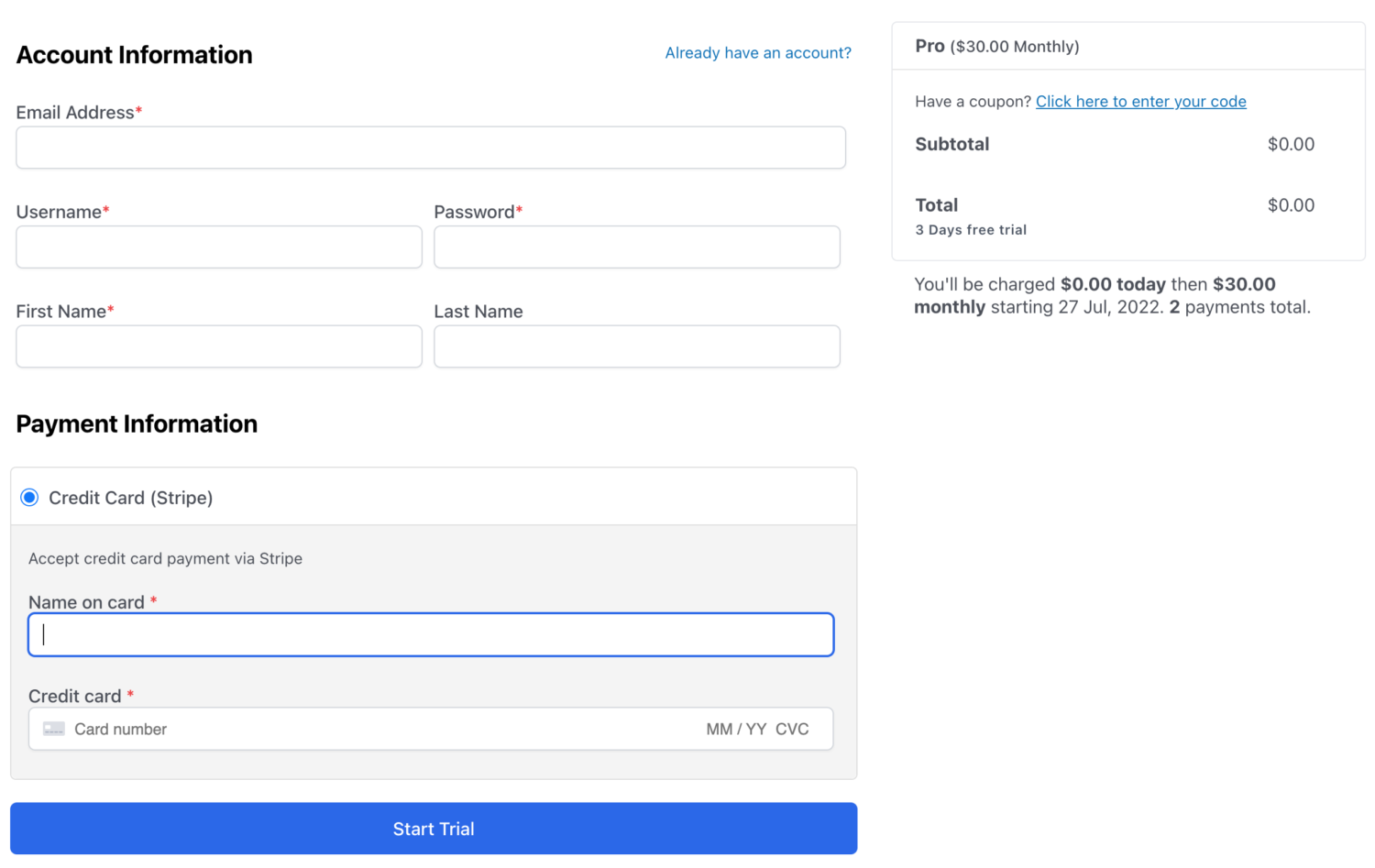
The [profilepress-checkout] shortcode is used to display the checkout form on a page.
The shortcode will also output the payment gateway selection menu so that users can choose how they wish to pay (if multiple gateways are included).
Below is a screenshot of a typical ProfilePress checkout.
It’s important that you create a checkout page with the checkout shortcode and then go to ProfilePress > Settings > Pages.
Scroll to the “Payment Pages” section and select the “Checkout Page”.
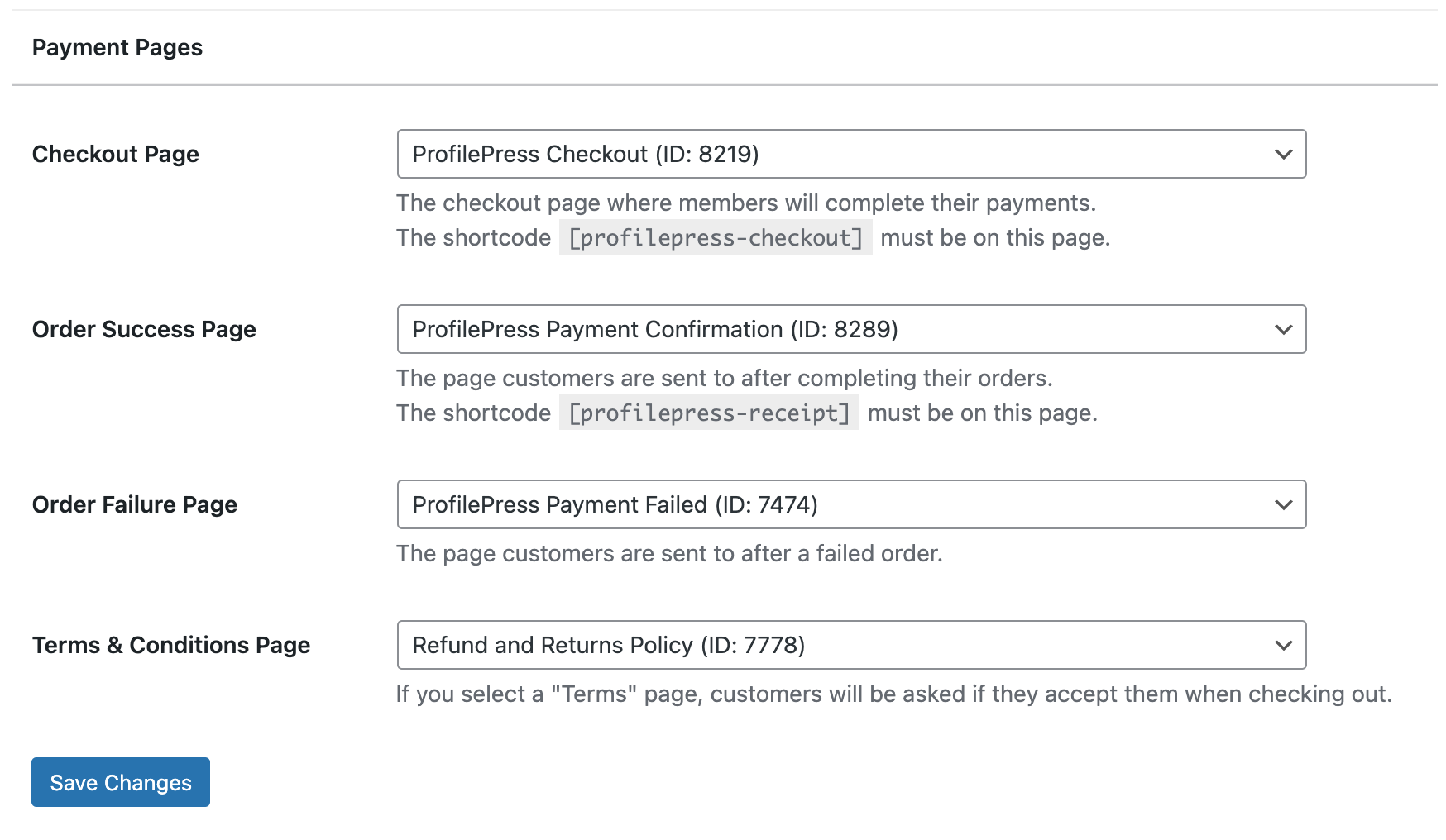
Don’t forget to save your changes.
When the Checkout Page Is Opened Without a Plan
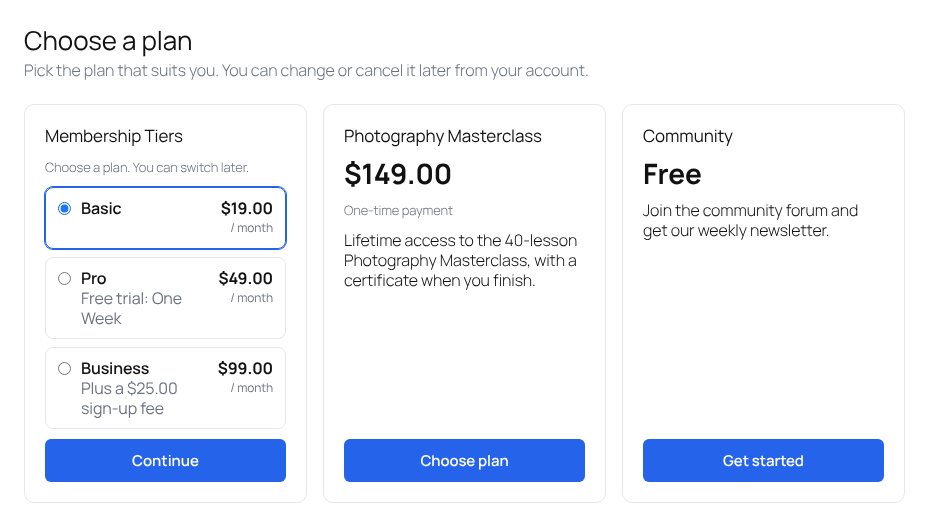
The checkout page normally opens with a plan already chosen, from a plan’s or a plan group’s checkout link. If someone opens it without one, for example from a “Pricing” link in your menu, ProfilePress shows your plans as cards to choose from, instead of an empty cart. You can change what it shows, or switch to a list layout, in the Checkout Without a Plan and Plans Layout settings. See Pages Settings.
Showing Plans on Other Pages
To show the same plan cards on a pricing page or any other page, use the [profilepress-plans] shortcode. See How to Show Membership Plans on Any Page.