
How to Build a Profitable WordPress Care Plan Service With WP Umbrella
Managing a WordPress website doesn’t stop once it’s developed and goes live. After the launch, a website still needs ongoing maintenance that includes regular backups, plugin and theme updates, performance checks, and protection against evolving security threats.
Most site owners don’t have the time or the expertise to do all this themselves. That’s why they often turn to their WordPress service provider and sign up for a WordPress care plan.
A WordPress care plan is an ongoing service package offered by agencies and freelancers to maintain and support a website after it goes live, keeping it secure, updated, stable, and performing well.
For agencies, care plans create recurring monthly income, reduce emergency problems, and position them as trusted partners to their clients rather than one-off vendors.
But maintaining multiple websites at once can be very challenging. Doing everything by hand takes a lot of time, and small mistakes – like forgetting a backup – can cause big problems.
This is where WordPress maintenance platforms like WP Umbrella help. In this article, we’ll show how WP Umbrella gives agencies all the tools they need to run WordPress care plans successfully.
What is WP Umbrella?
WP Umbrella helps WordPress agencies and freelancers centralize all maintenance tasks in one dashboard, making it easier and more profitable to manage multiple sites at once. Its features cover every essential aspect of care plans, including:
- Automatic backups to prevent data loss.
- Safe bulk updates for plugins, themes, and WordPress core.
- Uptime and performance monitoring with instant alerts.
- Security scanning and protection to catch problems early.
- Smart client reports to easily show the value of your work.
Next, we’ll break down in more detail the 7 things that make WP Umbrella a must-have for WordPress agencies.
Centralized Dashboard for an Organized Portfolio
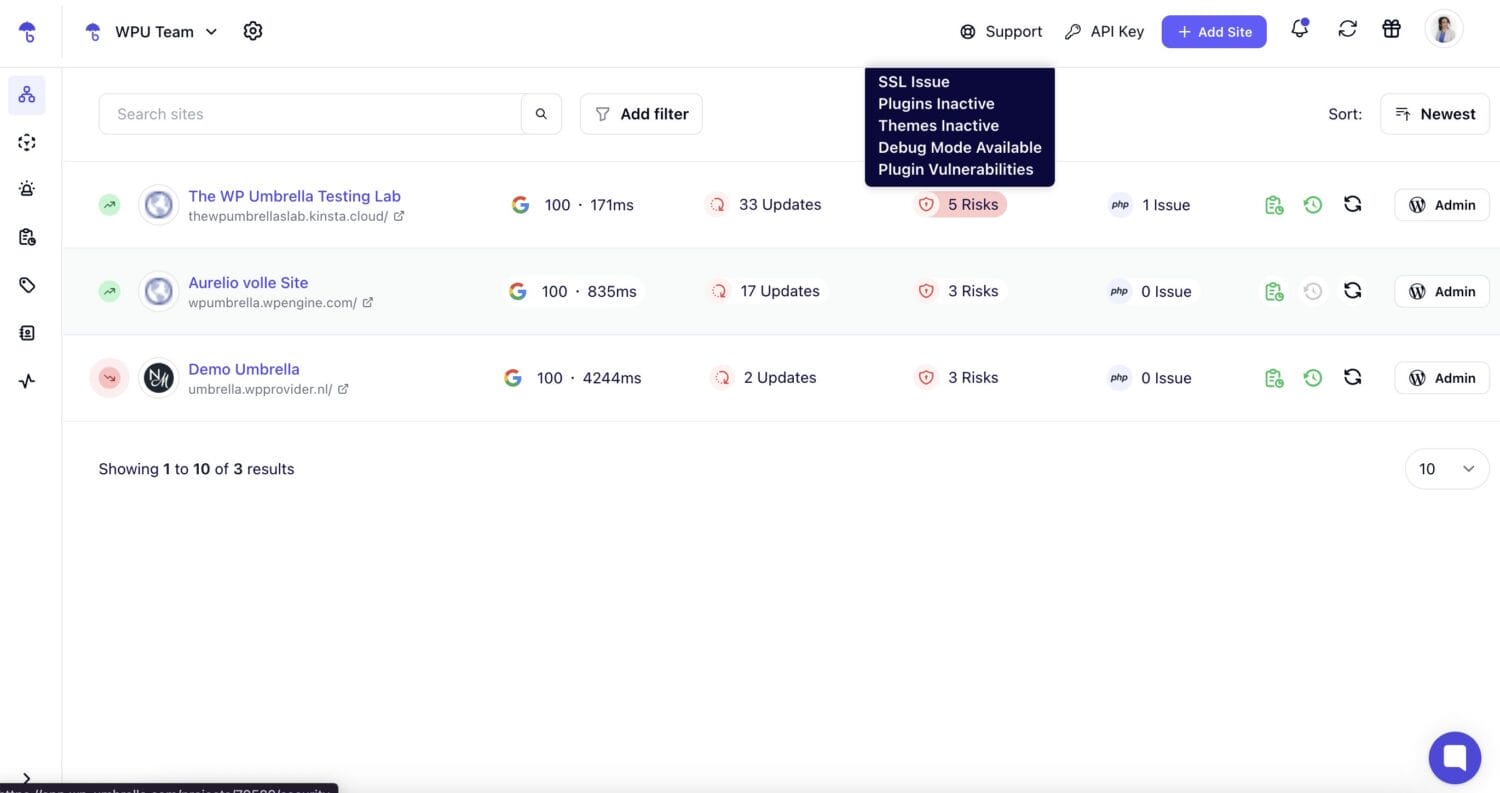
WP Umbrella’s dashboard gives agencies and freelancers a complete overview of their entire WordPress portfolio from a single, intuitive interface.
Every site you manage is visible at a glance, with key metrics like:
- Uptime,
- Available updates,
- Security risks,
- PHP issues,
- Backup status,
- And more.
Filtering options, color-coded labels, and tags are also available for easy portfolio organization and task prioritization.
By consolidating all critical information and management tools into one place, WP Umbrella reduces mental fatigue, speeds up daily workflows, and ensures nothing slips through on your to-do list, even when managing hundreds of client websites.
Safe Automatic Updates and Bulk Management
Anyone managing multiple WordPress sites knows that regular updates are one of the most important parts of a reliable care plan. But one wrong update can break a site or mess up its layout.
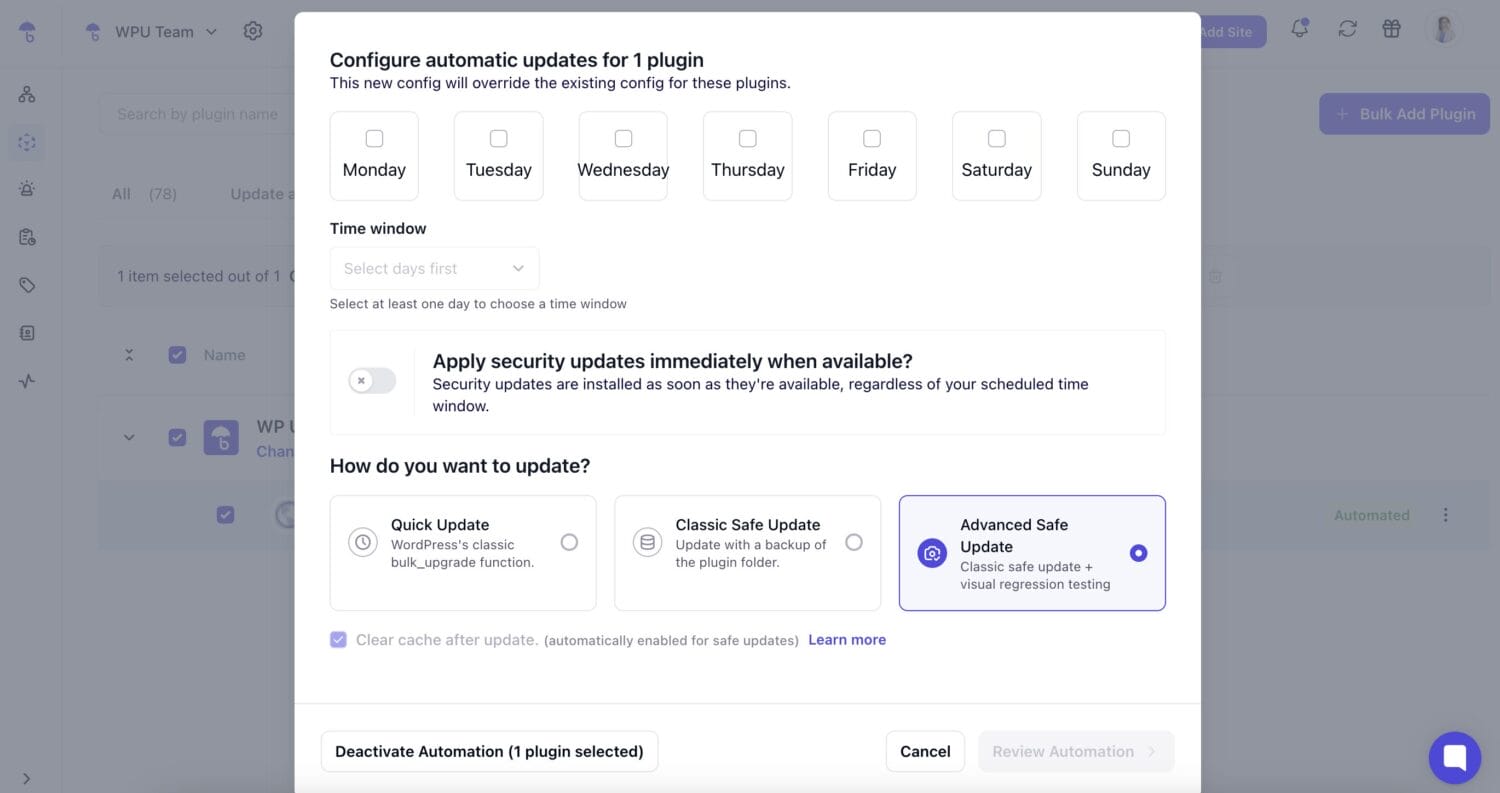
WP Umbrella’s Safe Automatic Updates takes the worry out of this process by acting as a safety net with checks, backups, and rollback mechanisms. It lets you view all available updates across your sites, exclude specific updates you don’t trust, or pick a number of updates you want to update automatically.
It also provides three update modes:
- Quick Update – Basic, fast update, no safety checks or backups (similar to WordPress default). Good for small or low-risk plugins where you trust compatibility.
- Classic Safe Update – Creates a backup of the plugin folder and rolls back automatically if something breaks (e.g., a 500 error). Requires (S)FTP credentials. Cache clearing is included by default.
- Advanced Safe Update – This is the safest option because it adds visual regression testing (before/after screenshots + comparison), so you can catch potential layout/design issues if it comes to that. Gives the option for manual review or automatic rollback.
Upon automating the process, you also have the option to pick the day(s) and time when the updates should be completed – ideal for running them outside of business hours, safely and efficiently, while reducing human error and downtime.
Automated Backups That Are Fully GDPR-Compliant
WP Umbrella is a great choice for agencies that aim to follow the 3-2-1 backup rule: 3 copies of your site, on 2 different storage types, and 1 off-site backup.
For WordPress, that usually means: the live site, a backup stored with your hosting provider, and a separate off-site backup with WP Umbrella that you can access even if your hosting server fails or gets compromised.
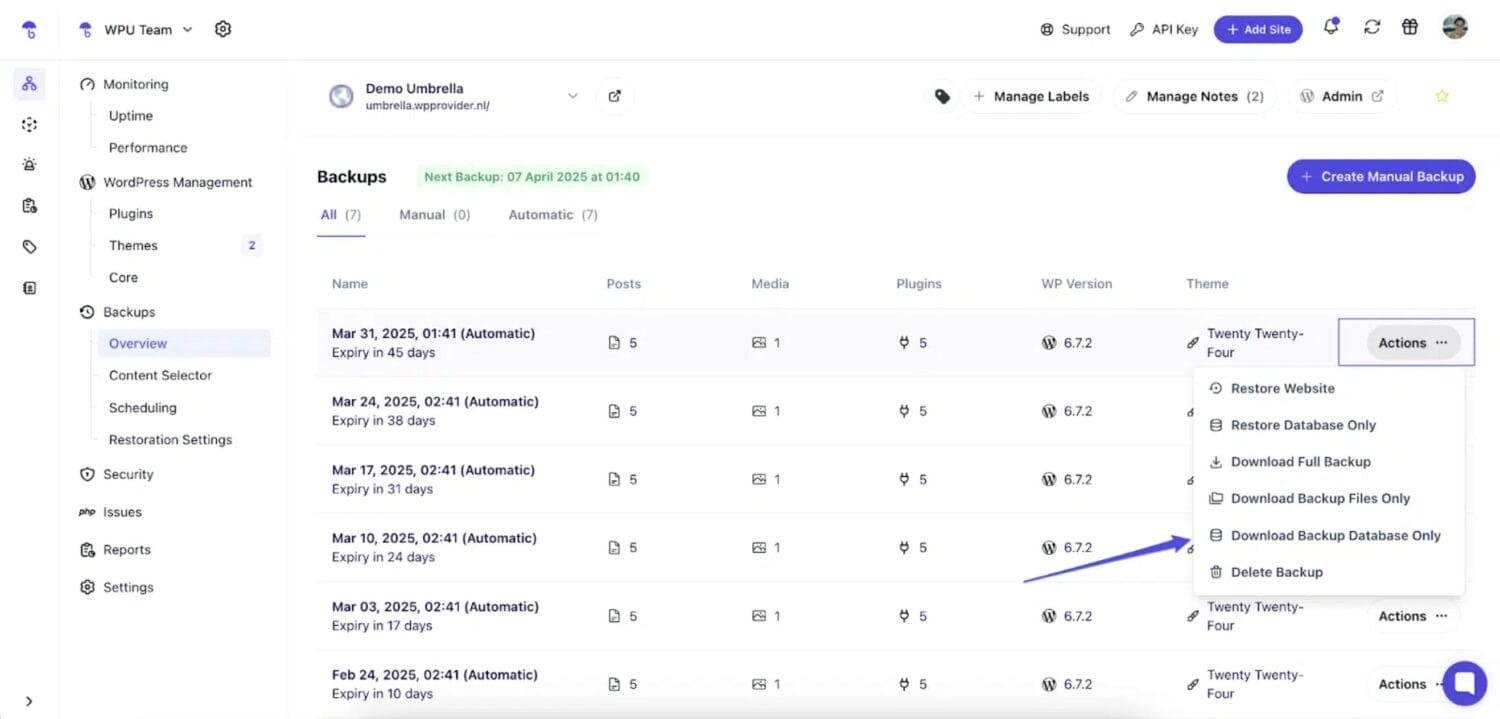
In the regular subscription, WP Umbrella includes fully encrypted, daily, weekly, and monthly backups. For high-activity sites, you can even upgrade to an hourly frequency.
The system is smart and efficient, designed to create one full backup at the start, and then switch to incremental backups. A full backup copies an entire site, but it can be heavy and slow to run frequently. However, incremental backups are lighter and faster because they capture only the latest changes, making them ideal for sites that update often. This approach keeps sites protected without slowing them down or consuming unnecessary server resources.
Restoring a site is just as simple. With 1-click restore, you can bring a site back to a previous version in seconds. All data is stored in France under strict GDPR regulation.
Real-Time Uptime and Performance Monitoring
The whole point of an effective performance and uptime monitoring system is very simple: you need to know the second something breaks, not two hours later when a client calls you.
WP Umbrella’s monitoring system does five things for both desktop and mobile versions of your sites:
- Tracks important performance metrics, such as: TTFB, FCP, Speed Index, TTI, and Core Web Vitals.
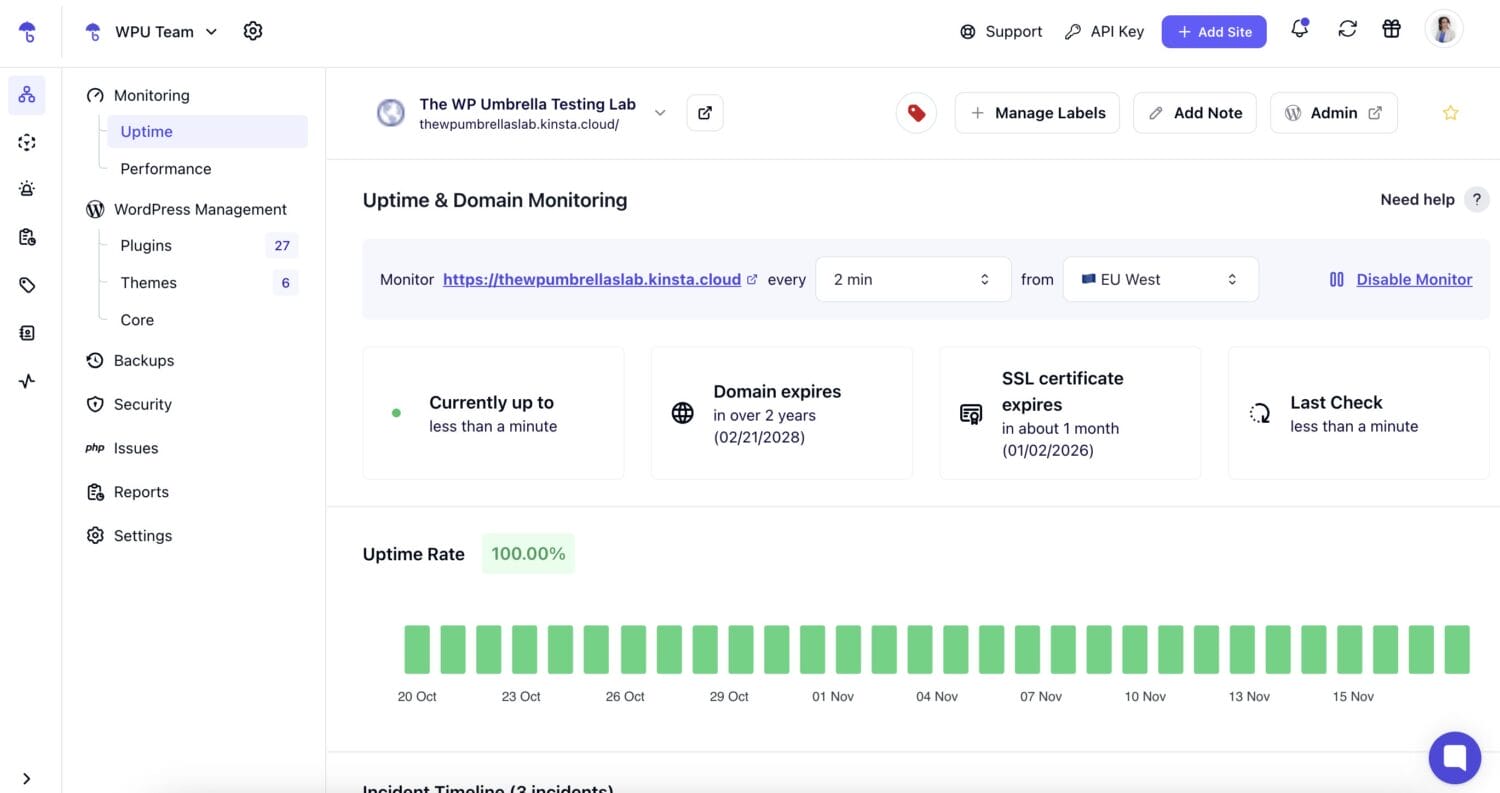
- Checks uptime constantly, letting you define your monitoring location across the globe and decide on the frequency, starting at every 2 minutes.
- Alerts you instantly, via email or Slack, if your attention is needed. This way, you know a site has a problem before your client does.
- Shows everything over time, so you can see trends and diagnose recurring issues.
- Integrates directly with Google Analytics and lets you automatically put everything into client-ready reports, so you can show your work without spending two hours building screenshots.
Security Scanning and Proactive Protection
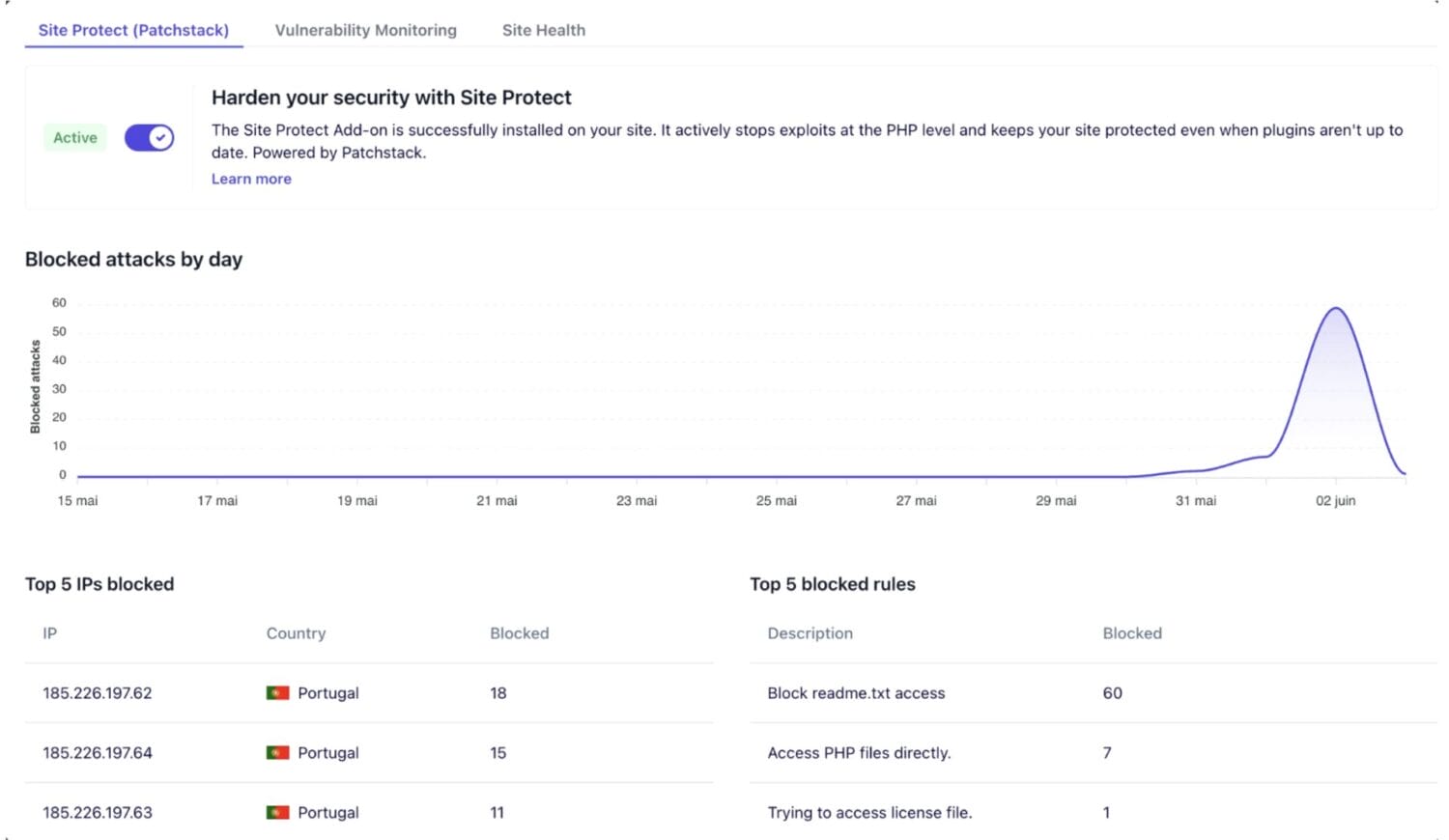
WP Umbrella supports a three-pillar security system: Vulnerability Monitoring, Site Health Check, and Security Hardening.
These pillars work together to help you identify threats early, fix weak points, and automatically apply protections without compromising your site’s performance.
- Vulnerability monitoring – lets you see if any plugins, themes, or the WordPress core have known vulnerabilities, what their severity level, update status, and any recommended next steps. This lets you react before attackers can exploit these issues.
- Site Health Check – flags potential security risks related to your hosting environment or WordPress settings, such as SSL certificate status, WordPress & PHP version warnings, Inactive plugins/themes, WP_DEBUG status, and more. You also get actionable recommendations for fixing each issue.
- Security Hardening – through Site Protect, WP Umbrella’s add-on powered by Patchstack, you can strengthen protection even further with industry-leading virtual patching. This means that you get proactive, preventative security baked into your maintenance toolbox rather than relying solely on heavy, reactive security plugins.
Smart Client Reports That Showcase Your Work
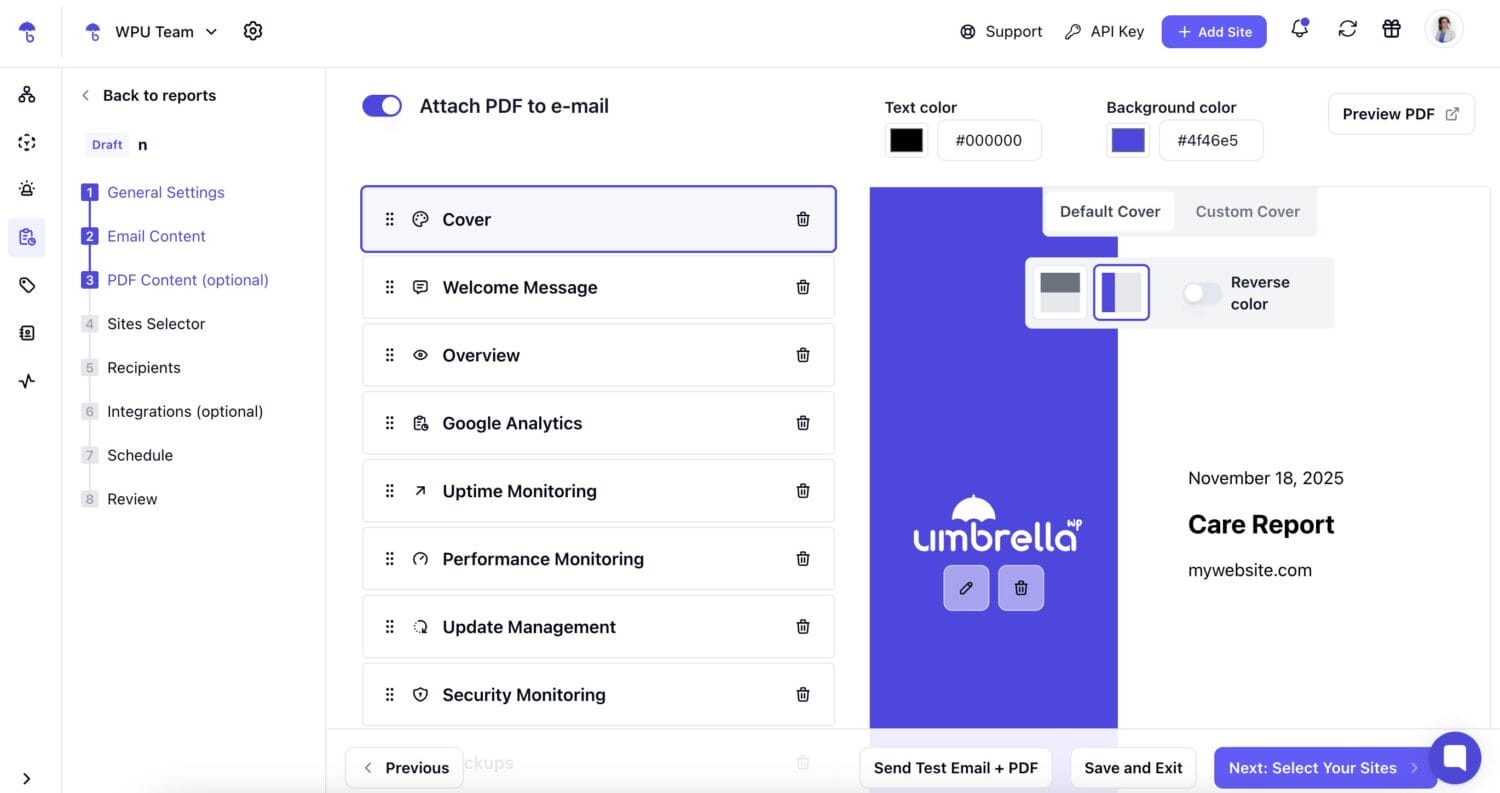
WP Umbrella’s Client Reports make it easy to show clients all the work you do behind the scenes in a white-labeled, personalized report.
You start by setting up a report template with your logo, style, and the metrics you want to include. You can even add notes about extra tasks you’ve done, and connect it with Google Analytics for more detailed insights. WP Umbrella automatically tracks everything that happens on your sites and, on a schedule you choose (weekly, monthly, or manually), it creates a PDF or email report and sends it to your clients using an email address of your choice.
This saves you hours of manual reporting, keeps your clients informed, and shows the real value of your WordPress care services.
Top-Notch Support and the Ability to Influence Future Features
WP Umbrella places a strong focus on reliable, responsive support. Whenever you face an issue, their team is available to provide fast and effective solutions, ensuring your workflow stays problem-free. Users consistently highlight their top-notch support, as reflected in high ratings on G2 and the WordPress Repository.
WP Umbrella’s team also maintains a public roadmap, allowing users to suggest new features, vote on improvements, and stay informed about what’s coming next.
These soft features, on top of the great UX, make WP Umbrella a truly user-driven platform.

Why This Matters for WordPress Agencies and Freelancers
WP Umbrella is built to do one thing exceptionally well: help WordPress agencies and freelancers deliver reliable, comprehensive care plans.
With it in your tech stack, you can eliminate “update anxiety,” knowing that plugin, theme, and core updates won’t break client sites.
You can also safely scale tasks, performing bulk actions across multiple sites without manually checking each one. This allows you to grow your care plan subscriptions without adding extra team resources.
At the same time, the 24/7 monitoring and instant alerts will minimize downtime and security risks, so you can keep sites live without constantly monitoring them.
Finally, professional, branded care reports will inform clients exactly why your work matters, strengthening the trust and their loyalty.
All of this saves time, reduces repetitive manual work, and helps with recurring revenue – making WP Umbrella a true partner in running a stress-free, profitable WordPress maintenance business.
You can test it for 14 days for free. No credit card required.