
Allow Users to Join BuddyPress/BuddyBoss Groups on Registration

Do you want users to be able to select BuddyPress/BuddyBoss groups to join during registration on your WordPress website?
Allowing users to join a public group after registration can significantly boost interaction and community involvement from the start.
In the past, we received a support request from a customer who wanted to allow registering users to select BuddyPress/BuddyBoss groups to join. This request inspired the development of the BuddyPress/BuddyBoss addon.
In this tutorial, I will guide you through adding checkboxes or a select dropdown menu of BuddyPress/BuddyBoss groups that registering users can choose to join.
Steps to Implement Group Joining on Registration
First, install and activate the ProfilePress plugin, then enable the BuddyPress/BuddyBoss addon. Here’s how to enable addons.
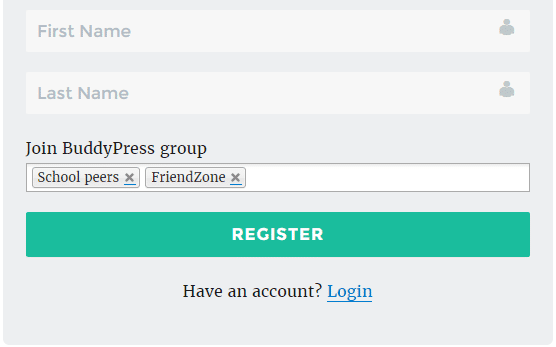
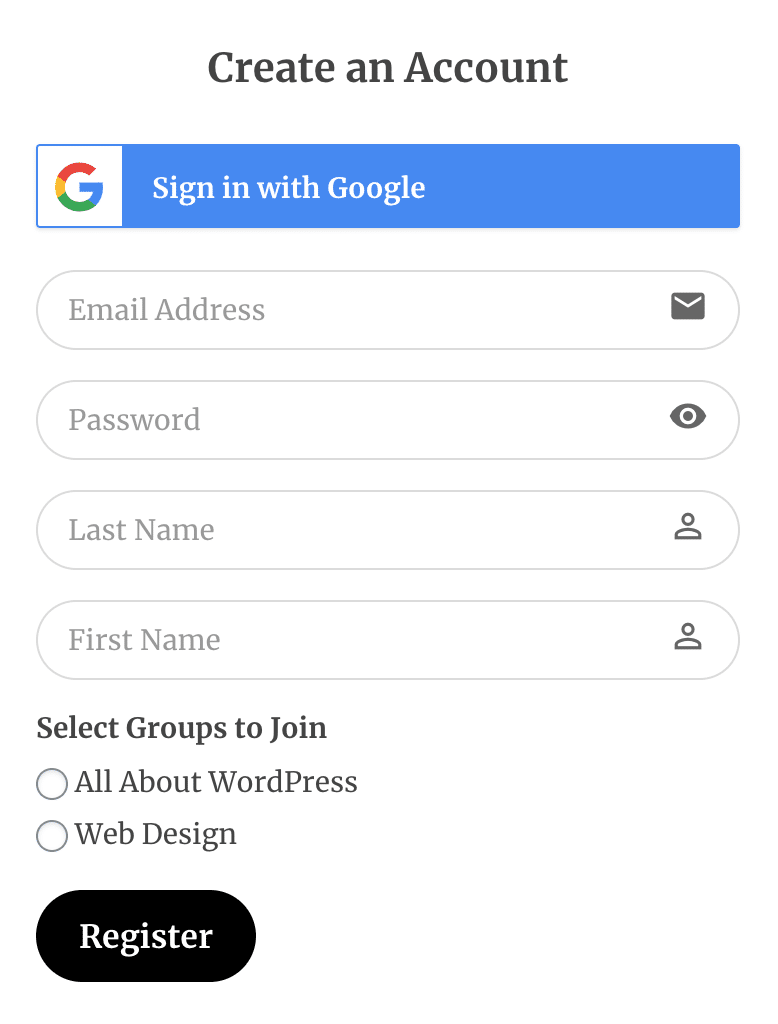
Upon registration, users have two options to select the public groups they wish to join:
1. Select Dropdown
2. Checkboxes.
Select Dropdown
Checkboxes
Customize Registration Form
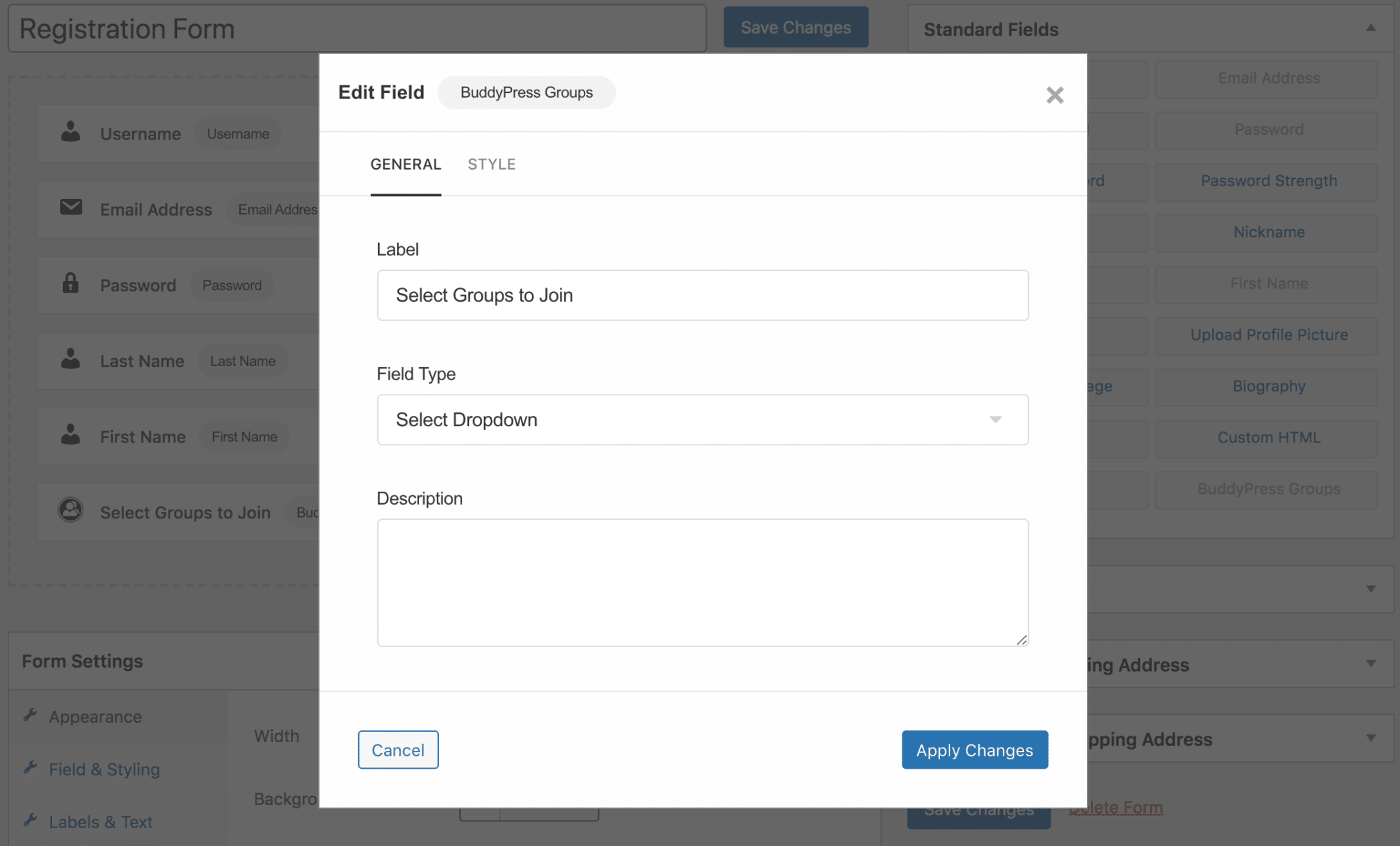
Create or edit an existing user registration form in ProfilePress.
Add the BuddyPress Groups block to the form – if using the drag-and-drop builder – and select the field type (select dropdown or checkbox).
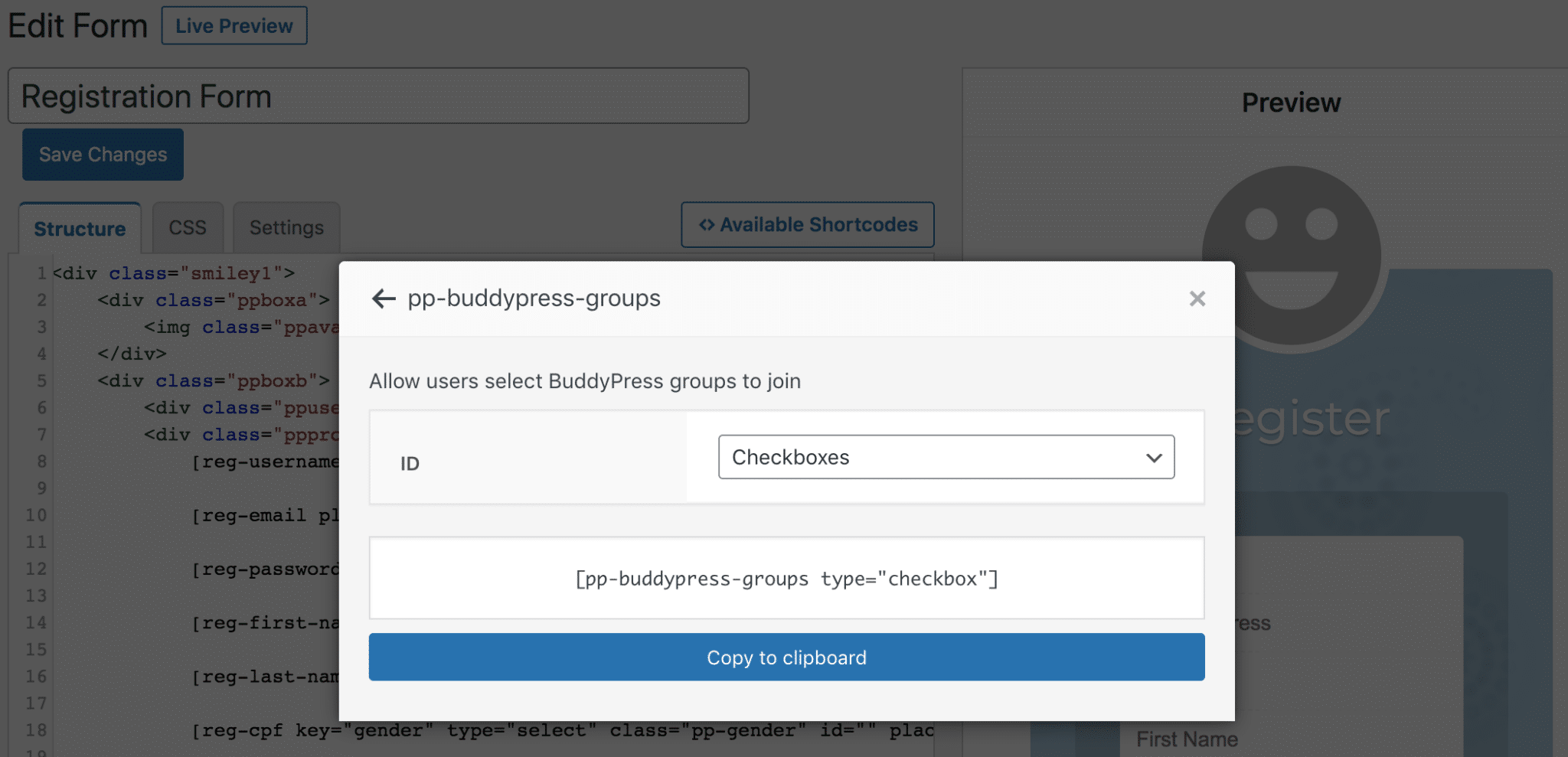
If using the Advanced shortcode builder, add the shortcode [pp-buddypress-groups] to your custom registration form to output a checkbox list of groups.
Conclusion
By following the steps outlined in this tutorial, you can allow users to join BuddyPress/BuddyBoss groups during registration to your WordPress website. They can actively participate in relevant groups by joining a group, fostering a vibrant and dynamic online community.
Whether through checkboxes or a dropdown menu, providing users with the flexibility to choose their groups during registration promotes inclusivity and encourages meaningful connections among members.