
Monetization add-on
Auto-renewal checkbox: let members choose at checkout
Let your customers decide how their subscriptions renew right at checkout. Add a simple checkbox that lets users opt in or opt out of automatic renewals with zero friction.
- Opt-in renewals
- Checkout checkbox
- Recurring plans
Included in Plus and Agency plans
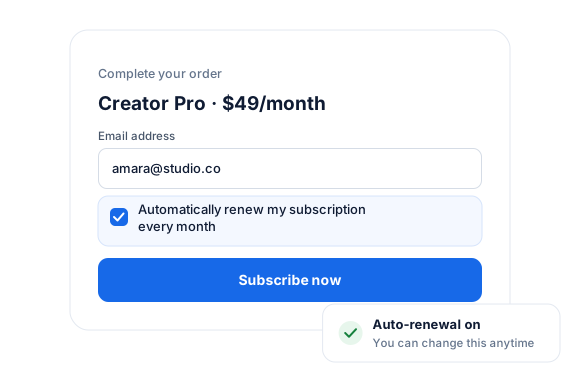
The Auto-Renewal Checkbox Addon for ProfilePress gives you a smarter, transparent way to manage recurring subscriptions.
Instead of forcing a one-size-fits-all billing approach, you can let customers choose whether to renew their membership automatically.
This not only builds trust but can also reduce churn and disputes, since customers clearly understand what they’re signing up for.
Whether you run memberships, online courses, or subscription-based services, this addon ensures a better checkout experience that aligns with modern billing expectations.
You can configure the checkbox to work either as an opt-out (enabled by default; users can disable auto-renewal) or opt-in (disabled by default; users must actively enable auto-renewal).
The Auto-Renewal Checkbox addon is easy to set up.
Let customers decide between a one-time or fixed-term payment and a recurring subscription on your WordPress membership website.
Auto-Renewal Checkbox add-on
Everything included.
Auto-Renewal Checkbox is part of ProfilePress, so you don’t need an extra plugin to install, configure, or update.
Member-controlled renewals
Members choose at checkout whether to enable automatic recurring payments.
Build trust at checkout
Giving customers the choice makes them more comfortable subscribing.
Works with recurring plans
Renewals follow the billing interval you set on each membership plan.
Auto-Renewal Checkbox, up close.
01
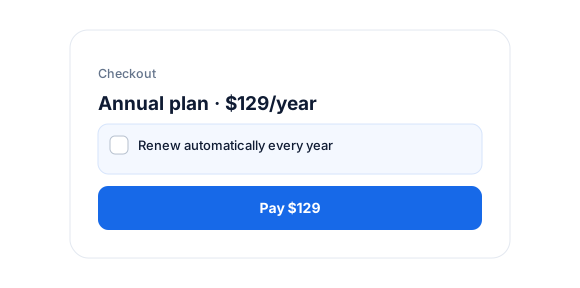
Members decide at checkout
A checkbox on the checkout lets members choose whether to turn on automatic recurring payments for their subscription.
02
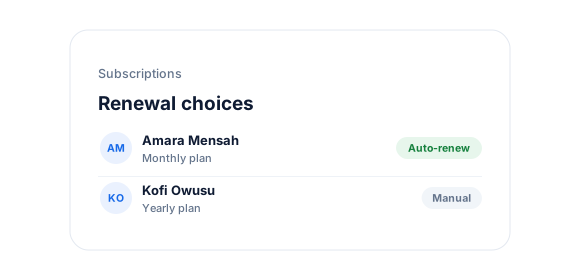
Renewals at the interval you set
With auto-renewal on, members are charged at the plan’s billing interval—weekly, monthly, yearly, or whatever you’ve chosen.
03
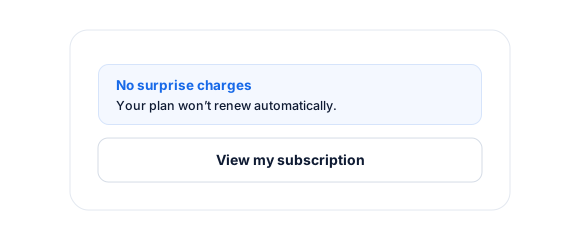
Transparency that builds trust
Letting customers control renewals prevents surprise charges and makes subscribing feel safer.
Up and running in minutes.
No code required.
1
Switch it on
Go to ProfilePress › Add-ons and switch on the Auto-Renewal Checkbox.
2
Configure
Configure the checkbox for your recurring plans.
3
Go live
Members see the choice the next time they check out.
Auto-Renewal Checkbox FAQ
Still unsure? Talk to our support team.
Is Auto-Renewal Checkbox included with ProfilePress?
Yes. Auto-Renewal Checkbox is included in the Plus and Agency plans. Activate it from ProfilePress › Add-ons—there’s no extra plugin to install.
Do I need to know how to code?
No. Everything is configured from the ProfilePress settings in your WordPress dashboard.
Can I try ProfilePress first?
Yes. Explore most features on the live demo, and every plan comes with a 14-day money-back guarantee.
Related add-ons
Monetization & billing.
Pair add-ons together to build exactly the membership experience you want.
Pay What You Want
Memberships · Digital products
Fixed Subscription Expiration
Specific end date · Set duration
PDF Receipts
View · Print
All add-ons
41+ ways to extend ProfilePress
Let members choose
how they renew.
Add an opt-in or opt-out auto-renewal checkbox at checkout to build trust and reduce billing disputes.