
Auto-Renewal Checkbox To Enable Recurring Payments During Checkout
Would you like to enable users of your WordPress ecommerce and membership sites built with ProfilePress to control whether their subscriptions renew automatically through recurring payments during checkout?
Our Auto-Renewal Checkbox add-on lets your customers choose how their subscriptions renew at checkout, with a simple checkbox to opt in or out of auto-renewal.
You can configure the checkbox to work as either an opt-out (enabled by default, with users able to disable auto-renewal) or an opt-in (disabled by default, with users required to actively enable auto-renewal).
Follow this guide to add an auto-renewal checkbox field to your ProfilePress so your members can choose whether to enable automatic renewal of their membership.
Enabling Auto-Renewal Checkbox Field in Checkout
First, ensure you have installed and activated the ProfilePress plugin on your WordPress site.
Then, navigate to ProfilePress > Addons in your WordPress dashboard and activate the Auto-Renewal Checkbox addon.
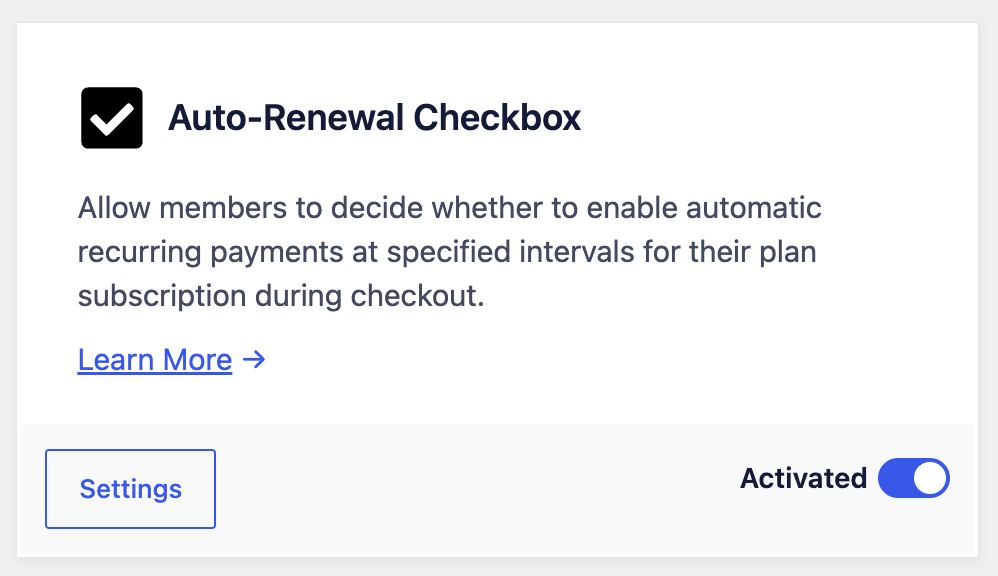
Click the Settings button to go to ProfilePress >> Settings >> Payments >> Checkout Settings, where you can configure how the auto-renewal checkbox will display on the checkout page.
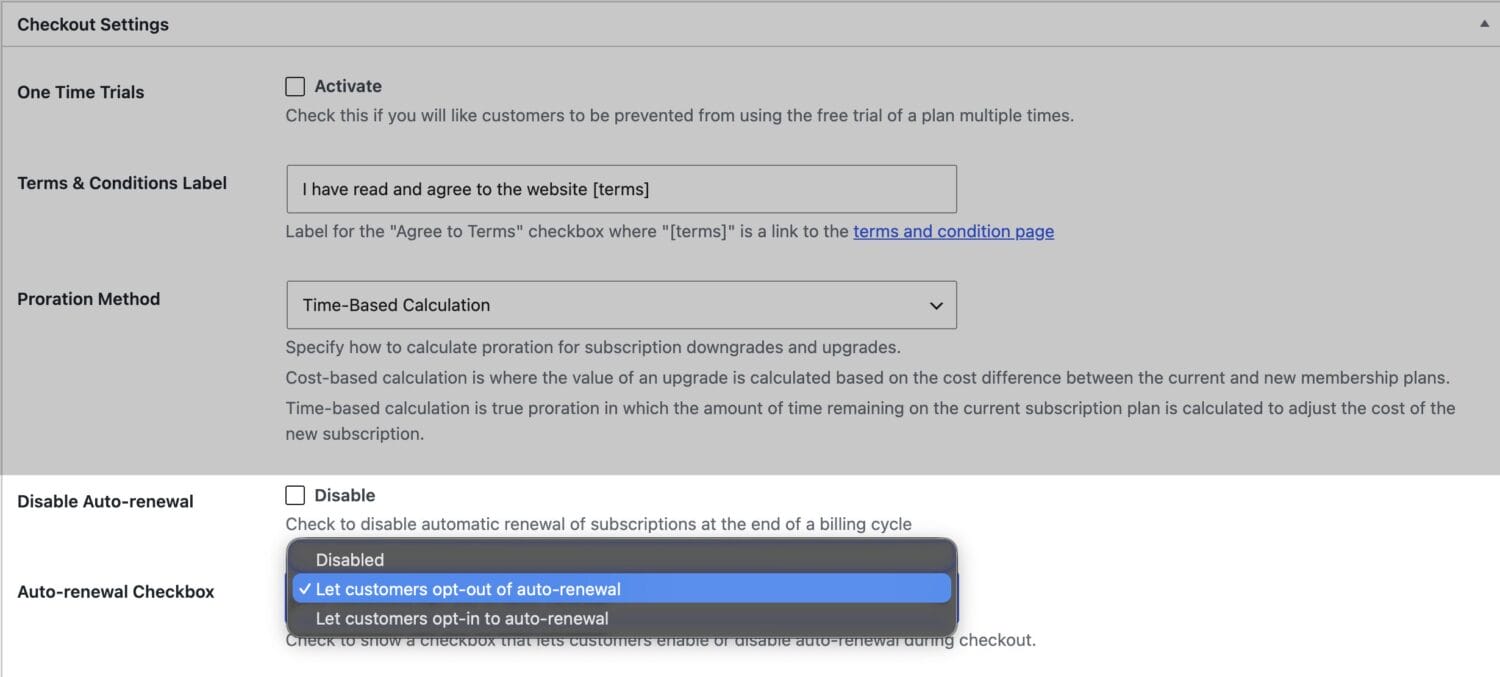
You can configure the auto-renewal checkbox field to be opt-out or opt-in.
Note that you need to leave the “Disable Auto-renewal” setting unchecked to see the “Auto-renewal Checkbox” setting.
Finally, save your changes.
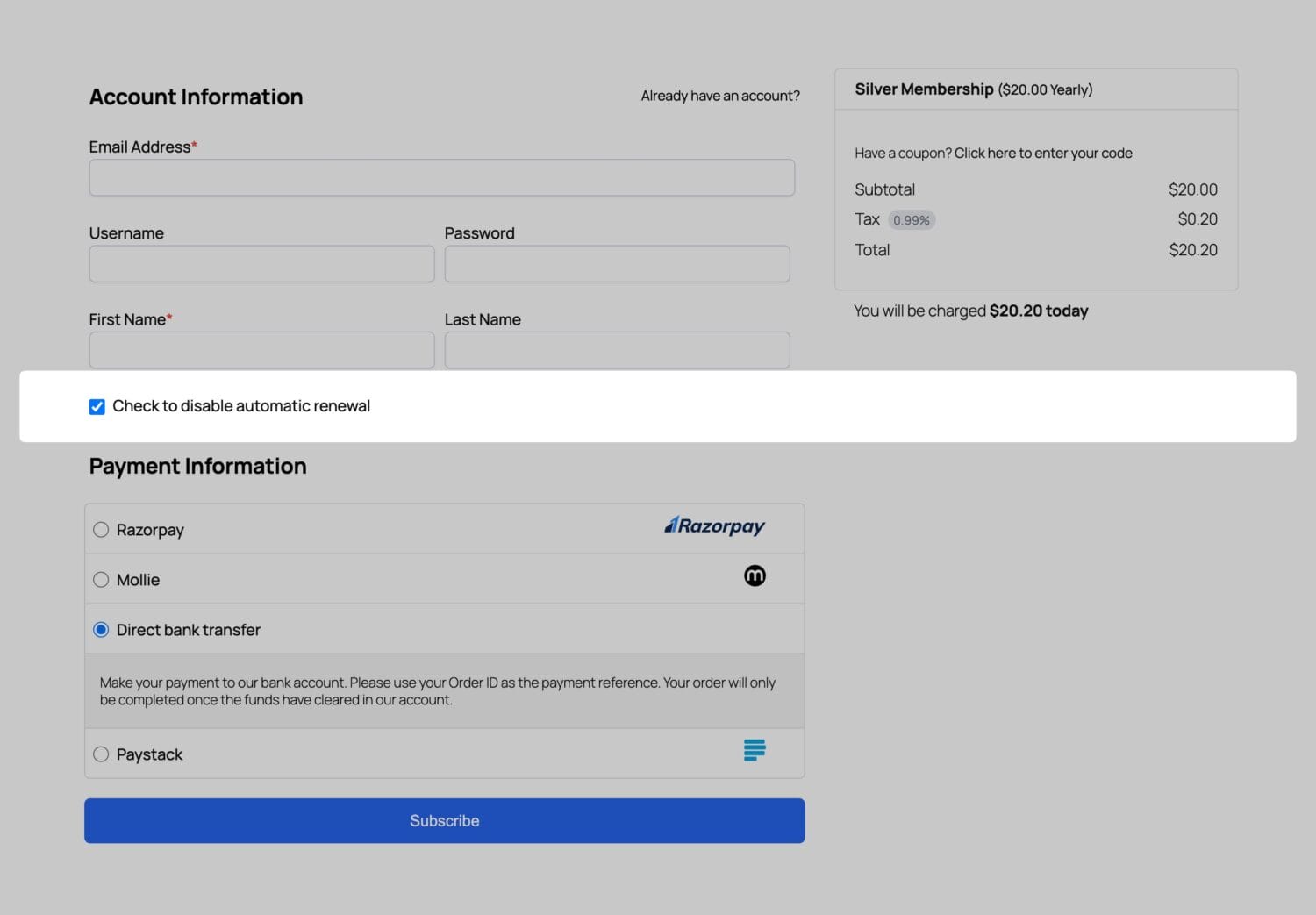
Below is a demo of the auto-renewal checkbox field on a ProfilePress membership checkout page.
Conclusion
Implementing the Auto-Renewal Checkbox add-on for your WordPress membership sites can improve the user experience by giving your customers more control over their subscriptions. This feature allows members to make informed decisions about their payments, ultimately fostering trust and satisfaction.
If you have any questions or need further assistance, please don’t hesitate to reach out. We’re here to help.