
Pay What You Want
The Pay What You Want addon allows customers to name their price or choose what to pay for your memberships, products, and services in WordPress. Perfect for receiving donations.
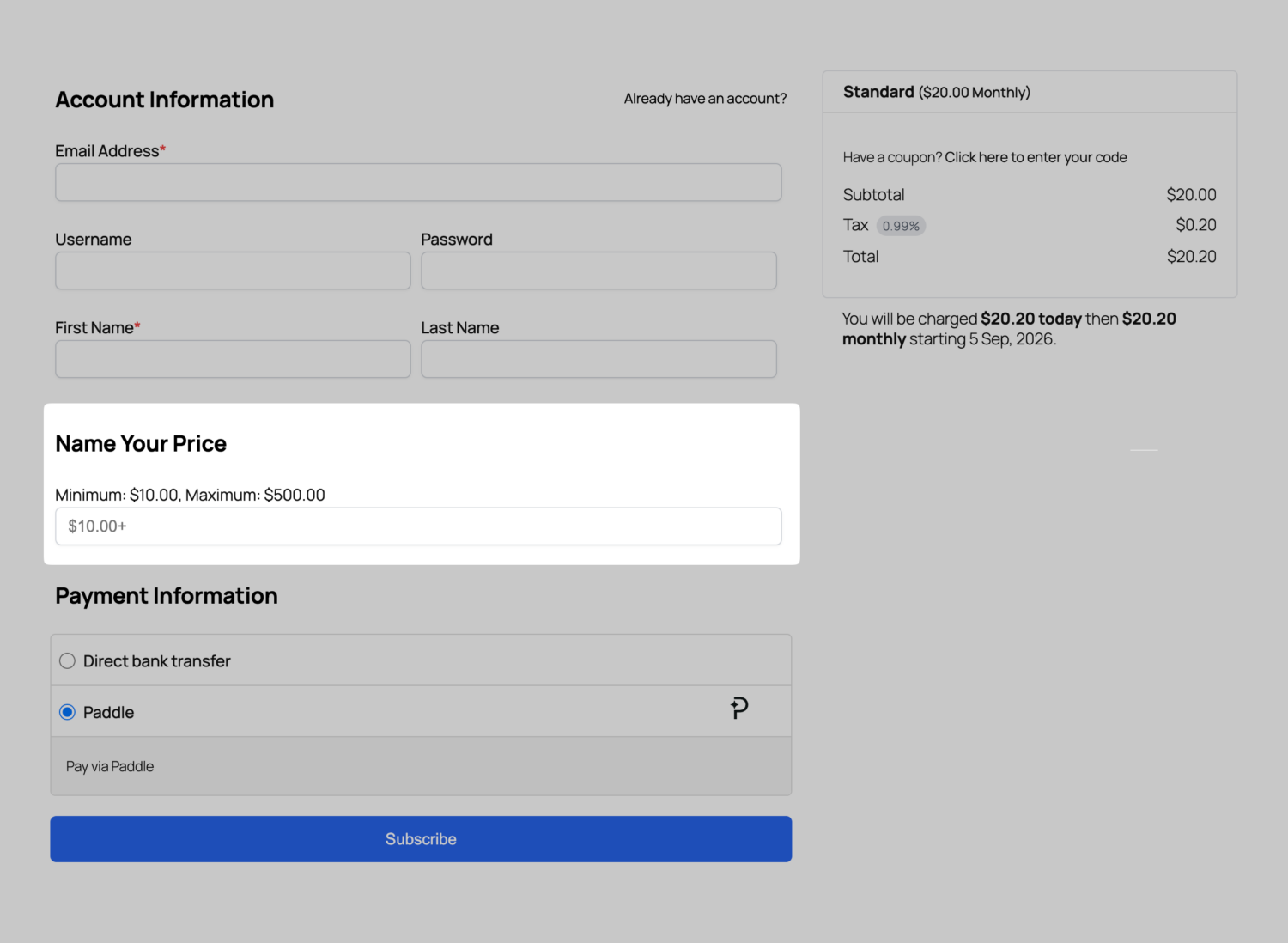
Our Pay What You Want addon lets you offer flexible pricing options by allowing customers and members to determine their own price at checkout. This is ideal for receiving donations, “name your price” memberships and products, or organizations that want to let users contribute at different levels.
When you let users of your WordPress site name their price or decide how much to pay at checkout, the process works as follows: the amount entered by the user replaces the default recommended price for the membership or product. As the administrator, you maintain control by setting minimum and maximum pricing limits, ensuring that the price stays within a defined range.
Use Cases for Pay What You Want Pricing
An arts organization can boost support by offering discounted access, promoting higher contributions for special exhibitions, and recognizing donors. Limited-time campaigns with suggested funding amounts and flexible minimum/maximum settings facilitate micro-donations and revenue generation.
For nonprofits, combining membership perks with flexible donations enhances mission-driven fundraising. This includes options for donors to fund specific programs, suggested giving levels, and minimums for recurring donations to ensure sustainability.
Community groups can benefit from variable pricing that introduces soft tiers like “supporter,” “sustainer,” and “champion.” This approach encourages contributions at chosen levels, lowers barriers, increases inclusivity, and boosts conversion rates by suggesting recommended amounts for each tier.
Beyond those examples, the addon is useful for:
- Event organizers who want pay‑what‑you‑can tickets with suggested prices for fundraising events.
- Educational creators offering sliding‑scale course access so learners pay according to ability while preserving minimum thresholds for course viability.
- Subscription services experimenting with market demand by testing suggested price ranges to find optimal price points without hardcoding changes.
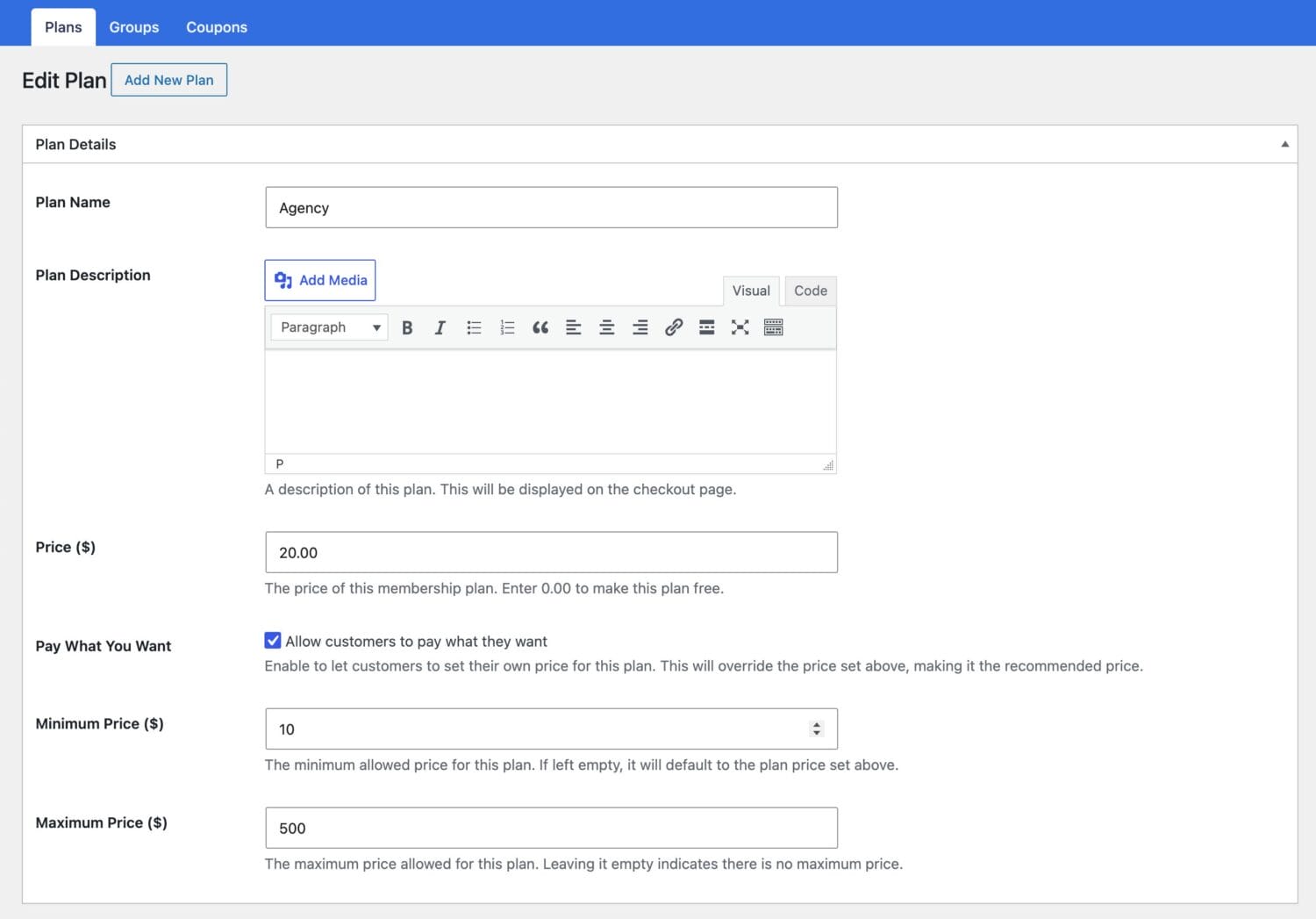
Unlock Flexible Pricing
Setting up our Pay What You Want addon, which lets customers enter their own price at checkout in WordPress, is easy.
All you need to do is set a minimum and maximum required price for a membership plan in ProfilePress.
The price set for the plan becomes the default and recommended price.
ProfilePress supports the following payment gateways: Stripe, PayPal, Razorpay, Paddle, Paystack, Direct Bank Transfer, Mollie.
Get ProfilePress with all Addons Today!
Start building a WordPress membership website with ProfilePress to create subscription plans that expire after a certain duration or on a specific date.