
Setting Up Manage Newsletter Subscription Page in WordPress
Do you want your WordPress users to manage their newsletter or email marketing subscriptions directly from your website?
With the Manage Subscription page provided by the ProfilePress membership plugin, users can easily view, subscribe to, or unsubscribe from the email lists or audiences to which they’re connected. This gives users complete control over the communications they receive, improving the user experience and boosting email engagement.
What is a Manage Subscription Page?
A Managed Subscription page is a dedicated area on your WordPress website where users can:
- View all available email lists
- Subscribe to new email lists or topics of interest
- Unsubscribe from unwanted communications
- Update their email preferences
- Manage multiple list subscriptions simultaneously
This functionality improves user experience, helps maintain GDPR compliance, and reduces unsubscribe rates by giving users granular control over their email preferences.
Setting Up Manage Subscription Page in WordPress
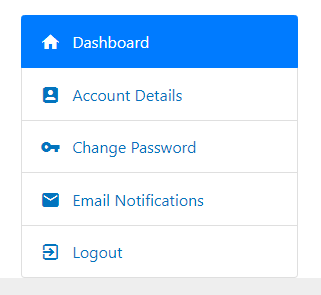
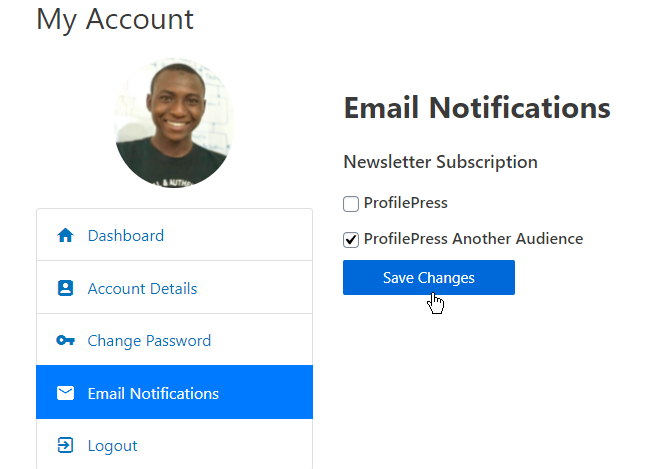
When you have the ProfilePress WordPress membership plugin installed and running on your website, an “Email Notification” tab is automatically added to the My Account page of your website when either the Mailchimp, MailerLite, Brevo, or Campaign Monitor addon is enabled.
Users can subscribe or unsubscribe to a list by ticking the checkbox next to the email list, group, or audience. They can also subscribe to or join multiple lists.
Setting up a Manage Subscription page in WordPress using ProfilePress is a simple but powerful way to let users control the emails they receive. This not only enhances user satisfaction but also helps ensure your email campaigns reach an engaged audience.