Team Memberships for WordPress

Our Team Memberships addon lets you sell WordPress membership plans with seats. One person buys the plan and invites their colleagues, and everyone on the team gets the plan’s access.

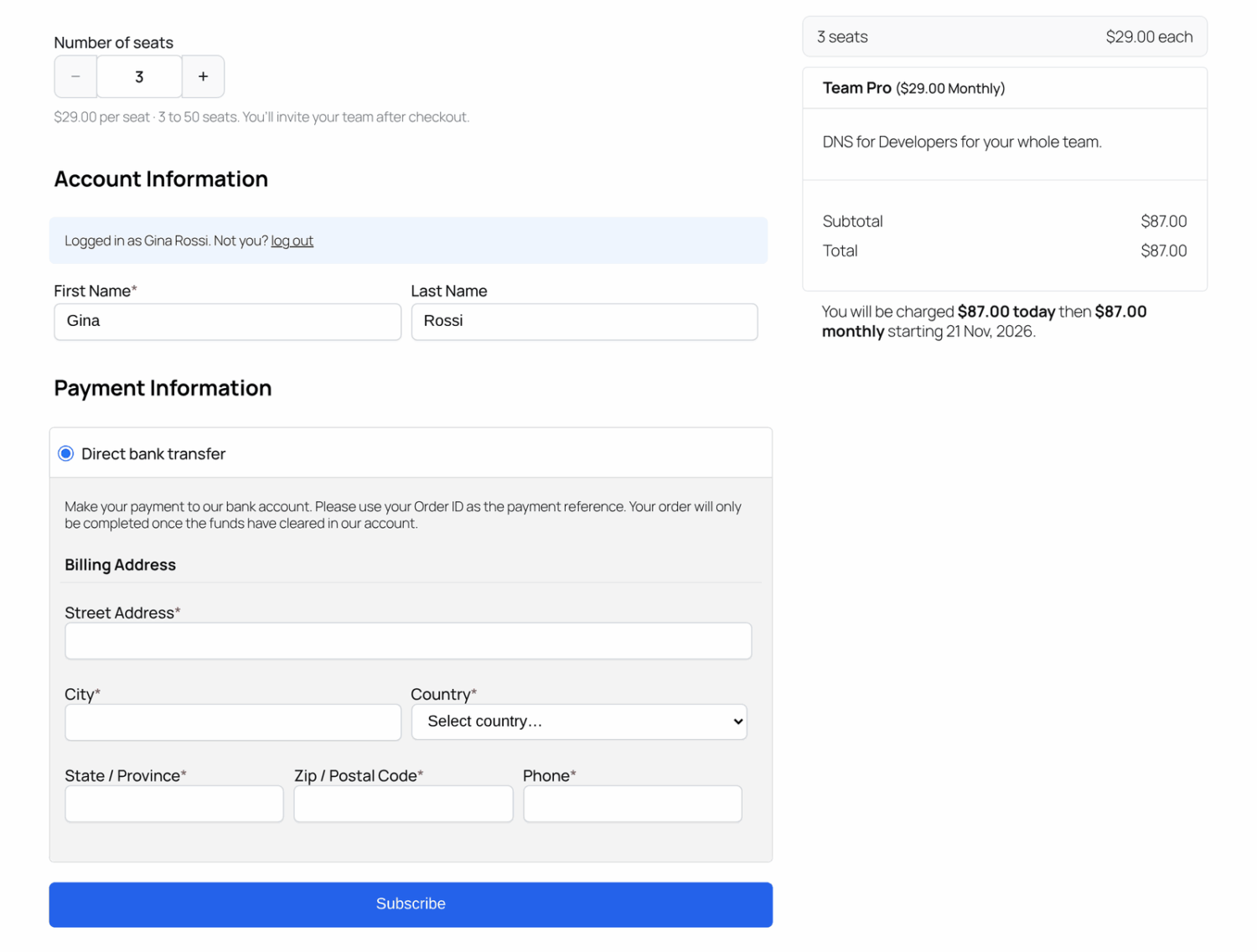
The checkout page with the Number of seats picker and the order summary

Companies, schools, and groups want to buy access for their whole team in one go, not ask every person to sign up and pay. Team Memberships lets you sell exactly that, without creating accounts or managing seats yourself.

Every subscription to a team plan comes with a team. The buyer owns the team, and each person they invite takes a seat. Members don’t need their own subscription, because their access comes from the owner’s.

Team Memberships works with any ProfilePress membership plan, so you can sell team access to protected content, user roles, courses built with the ProfilePress course builder, and more.

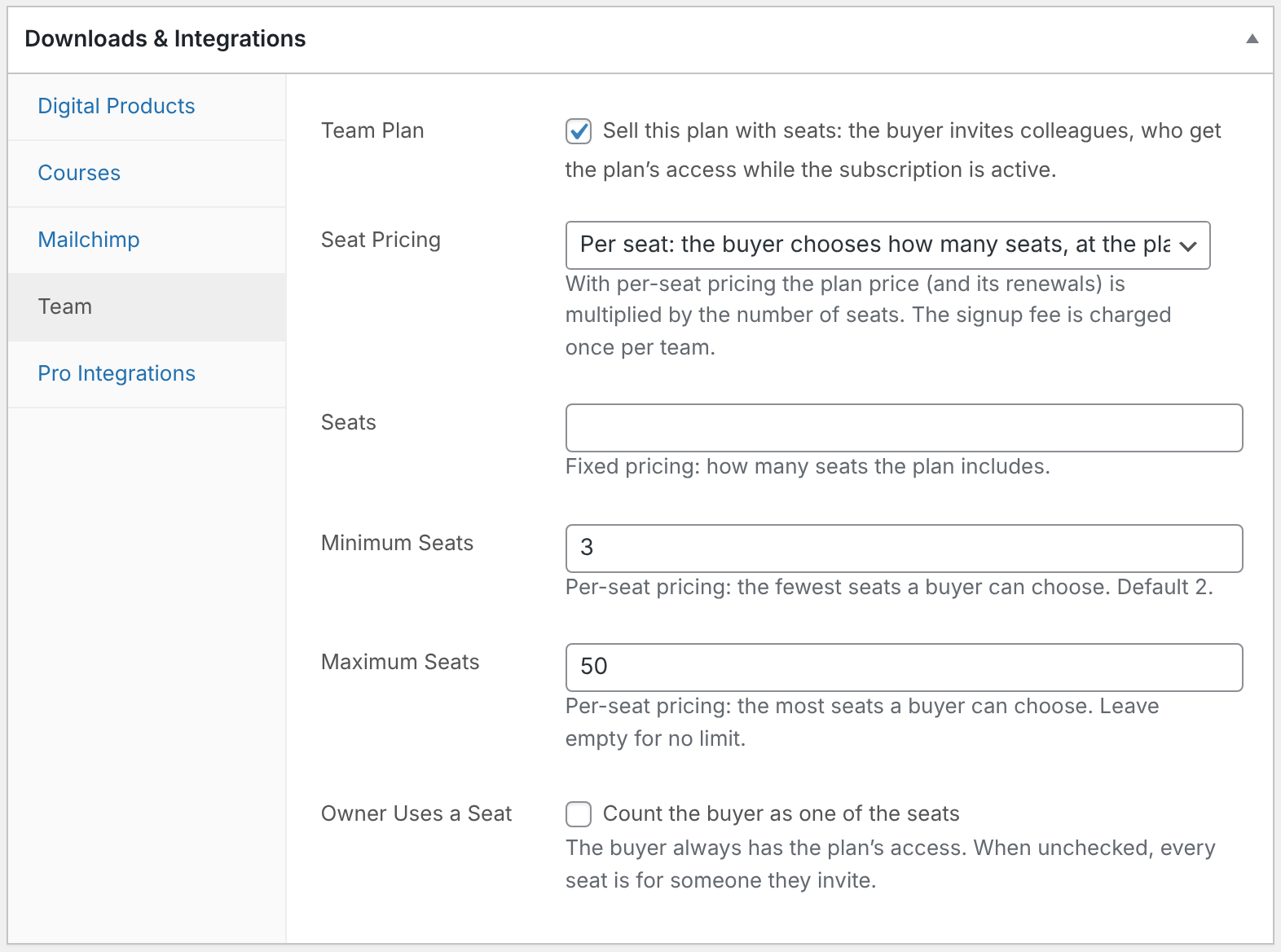
The Team tab in the plan's Downloads & Integrations box, with Team Plan checked and per-seat pricing selected

Turn Any Plan into a Team Plan

Open a membership plan, go to the new Team tab, and check Team Plan. Then choose how seats are priced:

  • Fixed: the plan price buys a set number of seats.
  • Per seat: buyers choose how many seats they need at checkout and pay the plan price for each, between a minimum and maximum you set.

You also decide whether the buyer takes up a seat. Signup fees are charged once per team, while coupons and taxes apply to the team’s total. Learn how to sell team memberships.

Teams Run Themselves

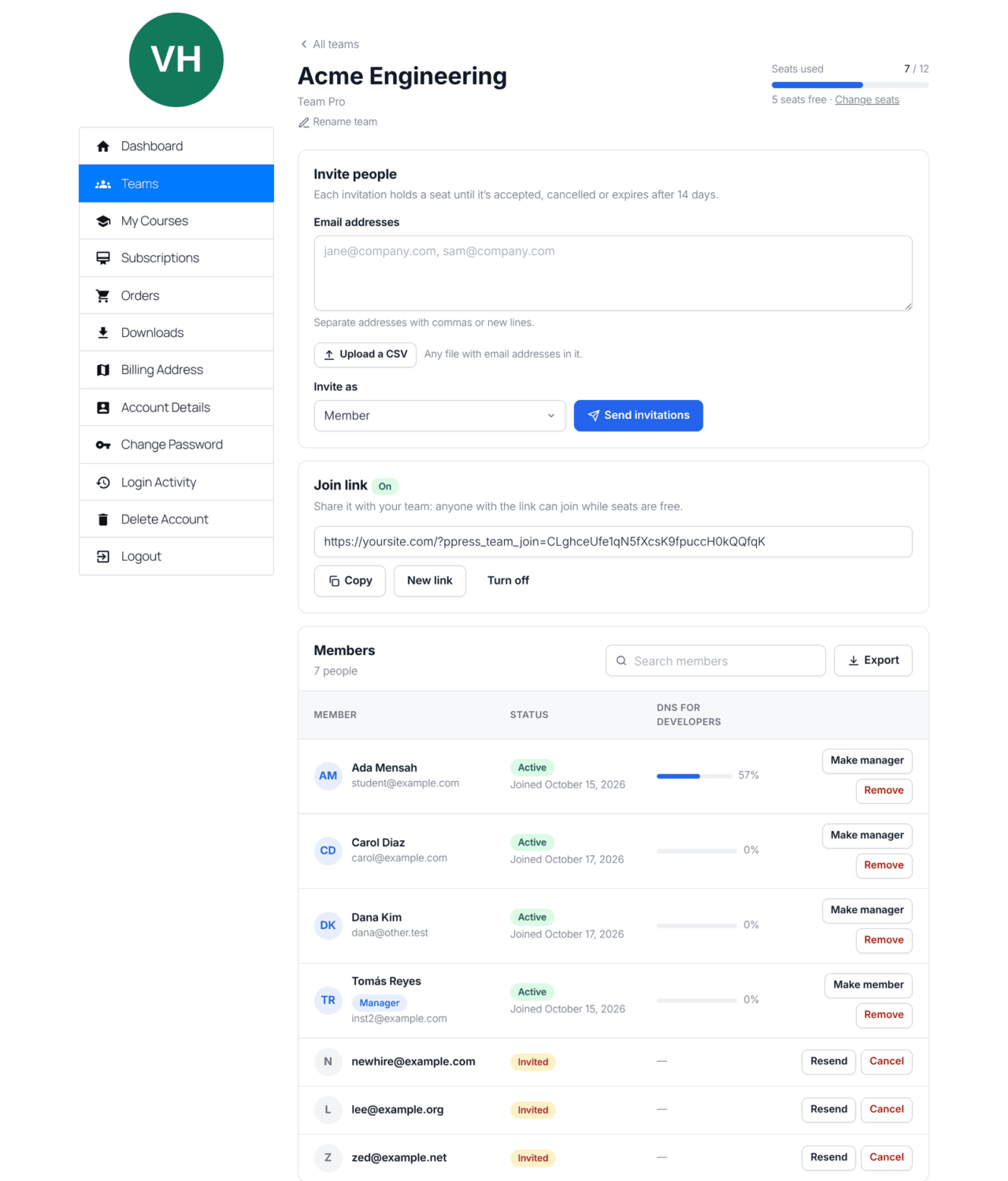
Team owners manage their team from My Account » Teams, so you don’t have to:

  • Invite people by email or upload a CSV file of addresses.
  • Share a join link that anyone can use while seats are free.
  • Make trusted members managers who can invite and remove people.
  • Add or remove seats on per-seat plans, with the price adjusted automatically.
  • Follow each member’s course progress and export the team to a CSV file.

Learn how team owners manage their team.

The team page in My Account with the seat meter, Invite people card, Join link card and Members table
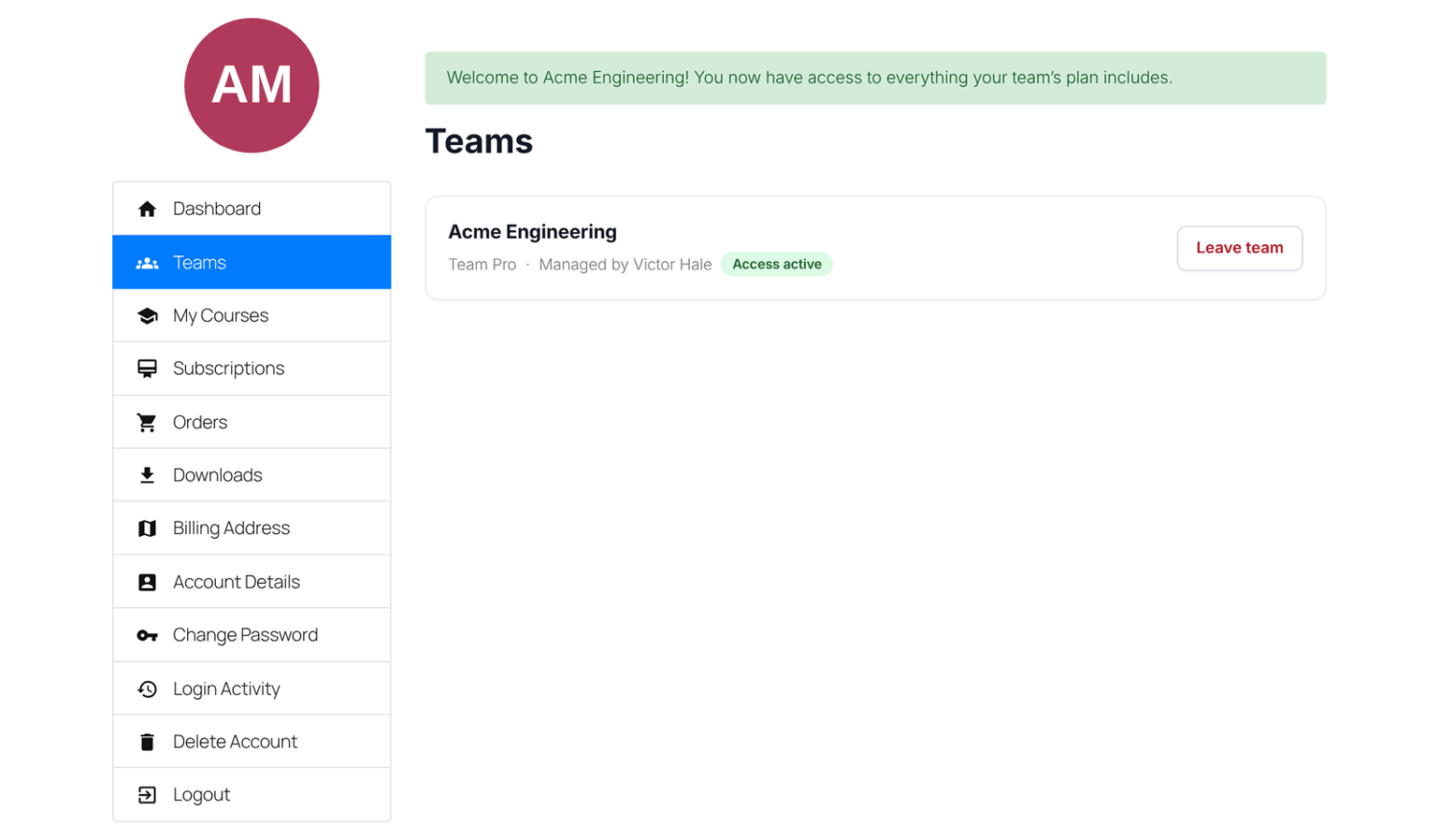
A member's Teams page with the welcome message and the team card showing Access active and Leave team

Members Get Everything the Plan Gives

Joining a team gives a member exactly what buying the plan would: access to its protected content, user role, email list, and courses.

That includes courses built with the ProfilePress course builder, and the courses, groups, or spaces the plan gives in Tutor LMS, Academy LMS, LearnDash, LifterLMS, Sensei LMS, MasterStudy LMS, and FluentCommunity. With Content Dripping, each member’s schedule starts on the day they join.

When someone leaves or is removed, the access the team gave them is taken away. Their ProfilePress course progress is kept in case they come back.
One Subscription Controls the Whole Team

Whatever happens to the owner’s subscription applies to the whole team straight away. Members keep their access when it renews, keep it until the end of the paid period when it’s canceled, and get it back automatically when a lapsed subscription is renewed. Nobody needs a new invitation.

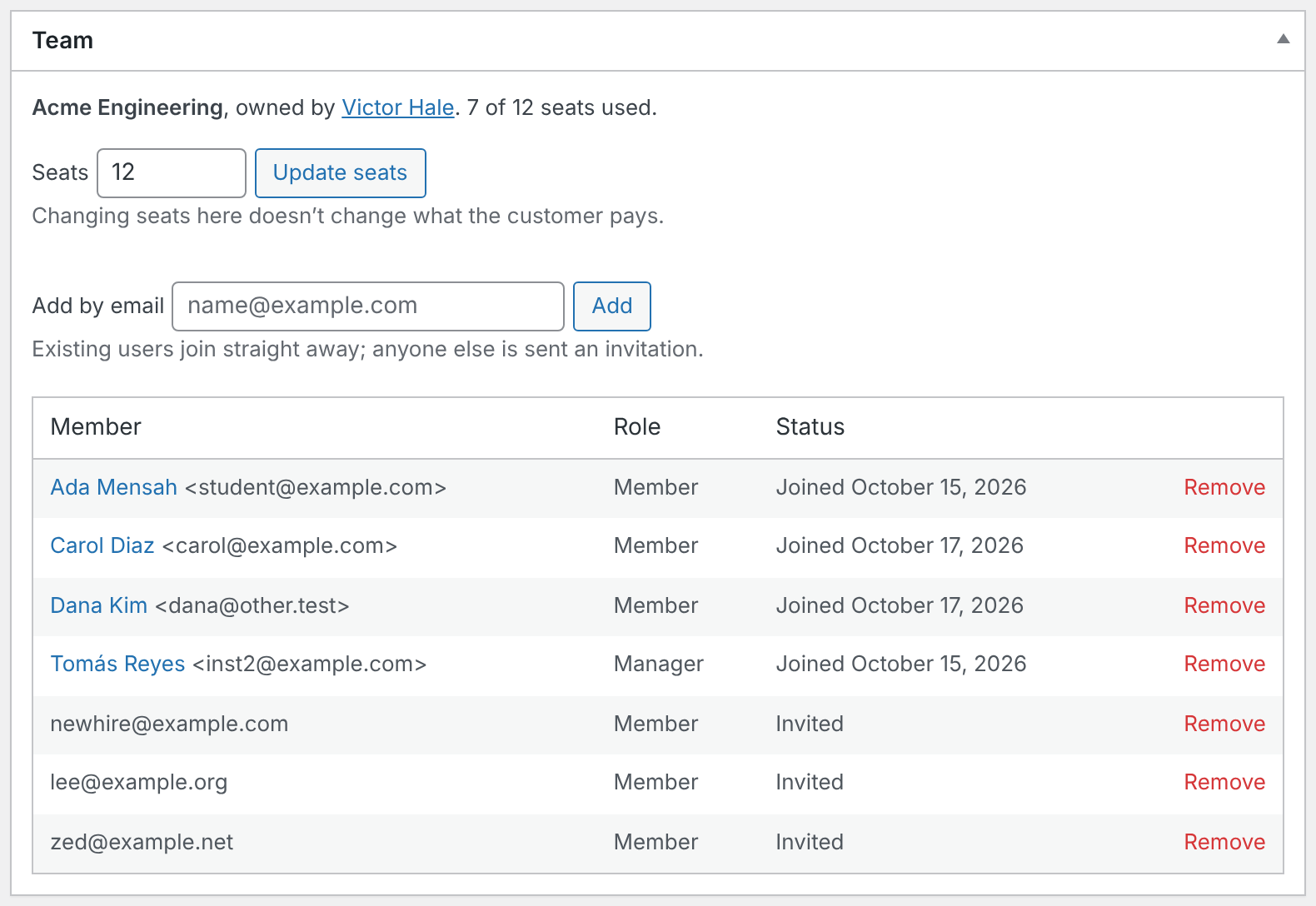
As an admin, you can manage any team from the owner’s subscription screen: change the number of seats, add people by email, or remove members and invitations.

The Team box on a subscription screen with the Seats and Add by email fields and the members table
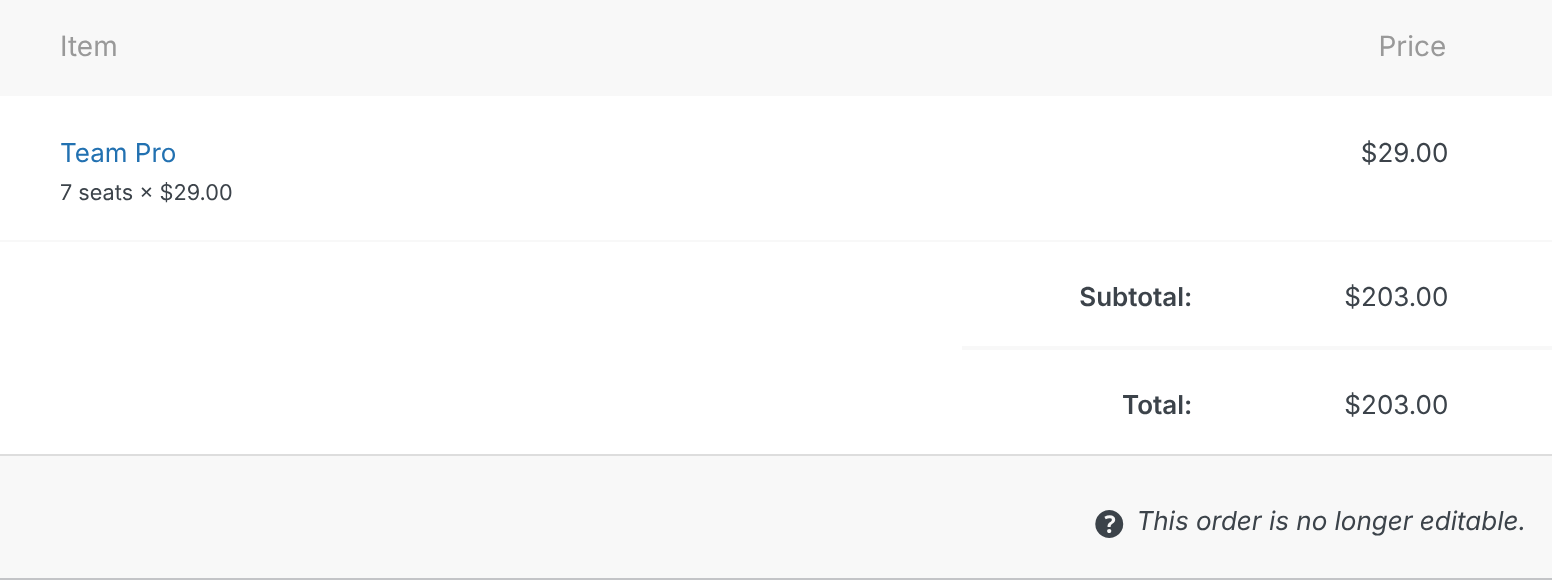
An order's item showing Team Pro with 7 seats × $29.00 under it, and a subtotal of $203.00

Clear Orders, Receipts and Emails

Team orders show the seats paid for under the plan name, such as “7 seats × $29.00”, on the order screen, the payment confirmation page, My Account, and the receipt.

Four new emails keep everyone informed: the team invitation, an invitation reminder, a notice to owners when someone joins, and a notice to members when they’re removed. Edit or turn off each one in your ProfilePress email settings.

Get ProfilePress with all Addons Today!

Start selling team memberships with ProfilePress, and give companies and groups one simple way to buy access for everyone.