
Adding WordPress Users to Brevo Based on Subscribed Membership Plans
Do you want to automatically add members of your WordPress membership website created with ProfilePress to a specific Brevo contact list based on the membership plan they’ve purchased?
When you run a membership site with multiple plans, such as Free, Basic, Pro, or Enterprise, your members have different needs, interests, and levels of engagement. Sending the same email to every subscriber regardless of their plan is a missed opportunity.
By linking each ProfilePress membership plan to a dedicated Brevo contact list, you can deliver highly targeted email campaigns that match each member’s subscription level.
For example:
- Free plan members could receive onboarding emails and upsell sequences encouraging them to upgrade.
- Pro plan members could receive exclusive content, early access announcements, and premium support updates.
- Expired members could automatically be added to a win-back list with re-engagement offers.
The ProfilePress Brevo addon makes this entire workflow automatic. When a user purchases or subscribes to a WordPress membership plan, they’re added to the corresponding Brevo contact list. When their subscription expires or is canceled, they’re removed.
In this article, you will learn how to add users or members to a specific Brevo list based on the membership plan in ProfilePress that they purchased or are subscribed to.
Firstly, ensure you have the Brevo addon activated and configured in your WordPress website.
In your WordPress dashboard, go to ProfilePress >> Membership Plans.
Create a new plan or click the title of an existing one to open up the edit page.
Scroll down to the “Downloads & Integrations” metabox. Next, click on the Brevo tab and select the Brevo list to add members and customers who subscribe to the plan.
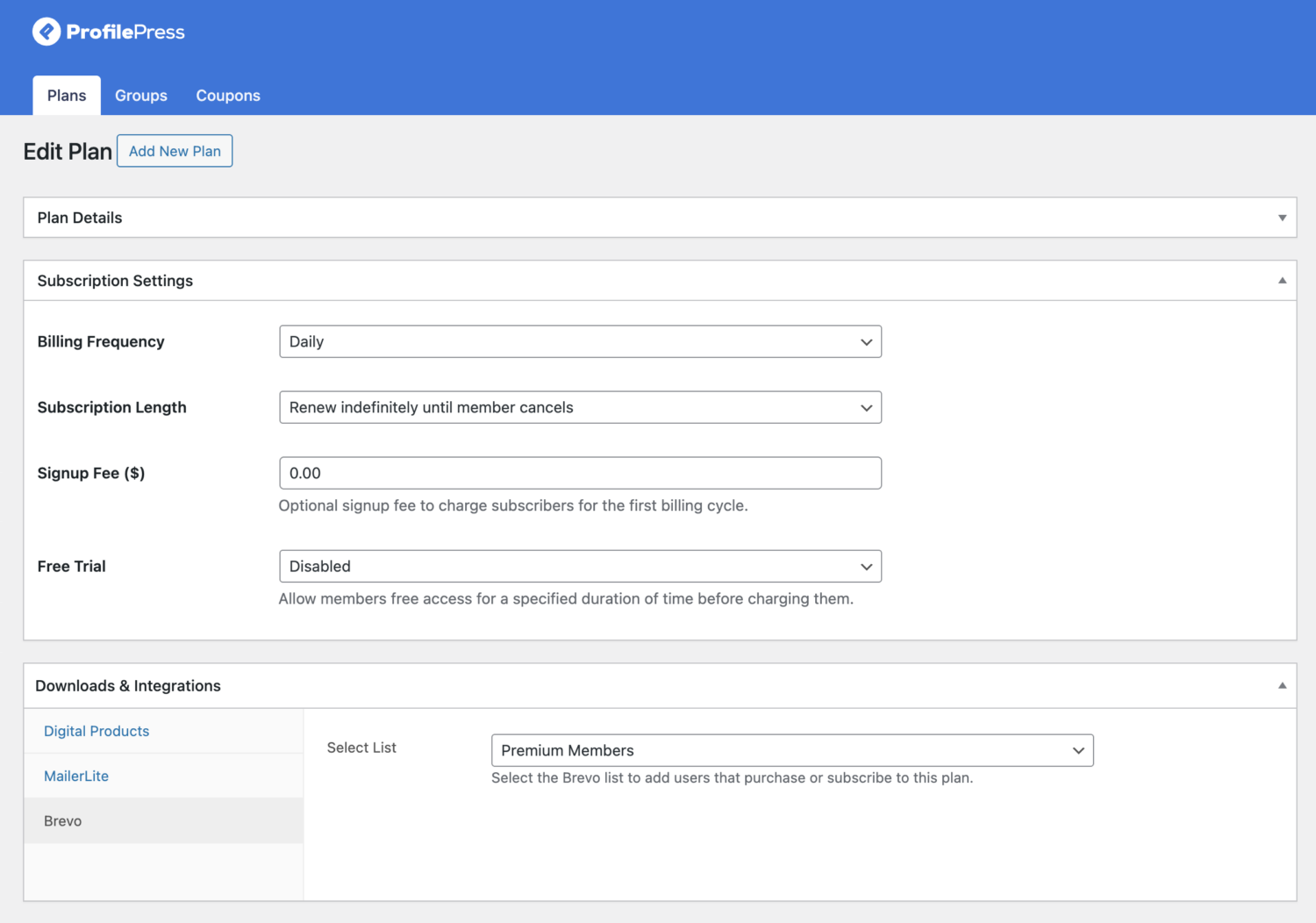
When you are done, don’t forget to save your changes.
To ensure that users whose subscription to this plan has expired are removed from the Brevo email list, ensure that Sync is enabled on the Brevo setup page.
Mapping each ProfilePress membership plan to a dedicated Brevo email list effectively delivers targeted, relevant email marketing to members of your WordPress membership website.
Combined with Auto Sync, this setup creates a fully automated workflow in which members are added to the right list the moment they subscribe and are cleanly removed when their subscription ends.
If you have any questions or need further assistance, feel free to contact our support team.