
10+ Best WordPress Podcast Plugins for 2026
Do you want to find the best WordPress podcast plugins to launch, manage, and grow your show?
Podcasting is not slowing down in 2026. In fact, it continues to attract more creators and listeners every year.
Whether you are launching your first show or managing a growing audience, your WordPress site needs the right plugin to handle audio players, RSS feeds, distribution, analytics, and monetization. The good news is that you do not need to write a single line of code. You just need the right plugin.
In this article, we will walk you through what to look for in a WordPress podcast plugin, highlight the best options available, and share additional plugins that can help you grow your show.
What to Look for in a WordPress Podcast Plugin
Not all podcast plugins work the same way. Some focus on design. Others prioritize analytics. A few are built for power users who want total control.
So before you install anything, it helps to know what actually matters.
1. Reliable RSS Feed Generation: Your RSS feed powers your podcast. Improper formatting can cause display issues on platforms like Apple Podcasts or lead to rejection. A good plugin automatically generates a compliant RSS feed, lets you edit metadata, supports episode customization, and adheres to industry standards.
2. Compatibility with Podcast Platforms: Your audience listens on various platforms, including Spotify, Apple Podcasts, and independent apps. Your plugin should enable seamless distribution across these and allow easy addition of “Subscribe” buttons on your site.
3. Professional & Mobile-Friendly: A modern podcast player should look clean and polished while working perfectly on mobile devices. It should give listeners speed controls, allow easy downloads, and support timestamps so they can jump to specific moments in an episode without frustration.
4. Podcast Analytics: If you’re serious about growth, you need real data. So go for a podcast plugin that provides download tracking, listener trends, episode performance comparisons, and geographic data so you can clearly see how your podcast is performing over time.
5. Monetization Capabilities: Podcasting can start as a passion project, but over time, it can become a reliable income stream. That’s why it’s important to choose a plugin that supports monetization options like dynamic ad insertion, sponsor message placement, private or premium feeds, and membership integrations. These features give you flexibility as your audience grows.
6. Ease of Use: Ease of use is often underrated but crucial for podcasting. A feature-rich plugin is limited if its confusing interface hampers the creation of episodes. Ask: Is the dashboard intuitive? Are the setup steps clear? Can you publish episodes easily? The right plugin should not be overwhelming.
7. Support and Updates: Podcast standards evolve. Platforms update requirements. WordPress releases new versions.
Choose a plugin with active development and consistent updates. You don’t want your podcast feed breaking because a plugin hasn’t been maintained.
Best WordPress Podcasting Plugins
Now that you understand what to look for, below are our top picks for the best podcast plugin for WordPress:
1. Seriously Simple Podcasting

Seriously Simple Podcasting is one of the best WordPress podcast plugins available. Built by Castos, it powers thousands of podcasts worldwide and lives up to its name by making podcasting straightforward.
Whether you’re a first-time podcaster or managing multiple shows, Seriously Simple Podcasting gives you everything you need to upload, manage, and distribute your episodes directly from WordPress without unnecessary complexity. Its intuitive onboarding wizard helps you set up your first podcast in minutes, while its multiple player options allow you to present your content beautifully across your site.
The beauty of Seriously Simple Podcasting is that it’s completely free to use. You don’t need a specific podcast hosting provider to get started.
Features of Seriously Simple Podcasting
- Automatic RSS feed generation, fully compliant with Apple Podcasts, Spotify, Amazon Music, and more
- Multiple podcast management with separate feeds and custom subscribe buttons.
- Mobile-responsive, customizable media players with speed controls, download buttons, and episode metadata
- Video podcast support and YouTube auto-publishing
- Free analytics addons with Seriously Simple Stats and 3rd-party integration options like Podtrac
- Private podcasting options for premium content or membership integration
- Easy imports, migrations, and RSS feed redirects for existing podcasts
- Full integration with Castos hosting for automatic syncing, unlimited storage, and monetization features
Price
Seriously Simple Podcasting is 100% free to use. The only cost you might encounter is if you choose to host your audio and video files with a dedicated podcast hosting provider, such as Castos. Plans with Castos start at $19 per month.
2. PowerPress by Blubrry
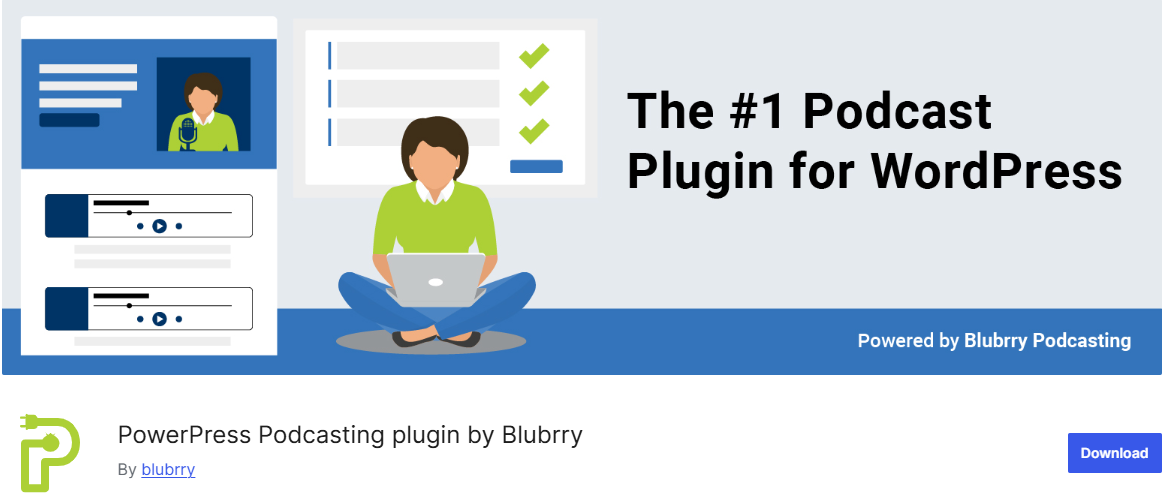
PowerPress is a podcasting plugin for WordPress designed by podcasters for podcasters. It lets you publish and manage one or more podcasts directly from your website, without juggling multiple dashboards.
PowerPress also helps you expand your reach across major platforms such as Apple Podcasts, Spotify, YouTube Music, and Amazon Music. It generates compliant RSS feeds, supports advanced Podcasting 2.0 features, and makes episode publishing feel organized rather than chaotic.
From embedded players to timestamp navigation, it focuses on giving listeners a smooth experience while giving creators full flexibility.
Another reason PowerPress is on this list of the best WordPress podcast plugins is its migration and import capabilities. If you’re moving from platforms like Libsyn or PodBean, the built-in import tools make the transition easy. You won’t lose your RSS feed, episodes, or metadata in the process. That alone can save hours of frustration when switching providers.
Features of PowerPress
- Integrated audio and video players with customizable placement
- Timestamp “Skip to Position” shortcode for better listener navigation
- Playlist player to showcase multiple episodes at once
- Multiple podcast management through categories and channels
- Podcasting 2.0 support, including transcripts, chapters, funding, and more
- Dedicated subscribe tools with responsive sidebar widgets
- Import and migration tools for switching hosts or plugins
- Multilingual support and emoji-compatible feeds
- Direct publishing and IAB-compliant statistics for Blubrry hosting users
Price
PowerPress itself is free to use as a WordPress plugin. However, if you choose to host your podcast with Blubrry, hosting plans are paid and start at $15 per month.
3. Fusebox
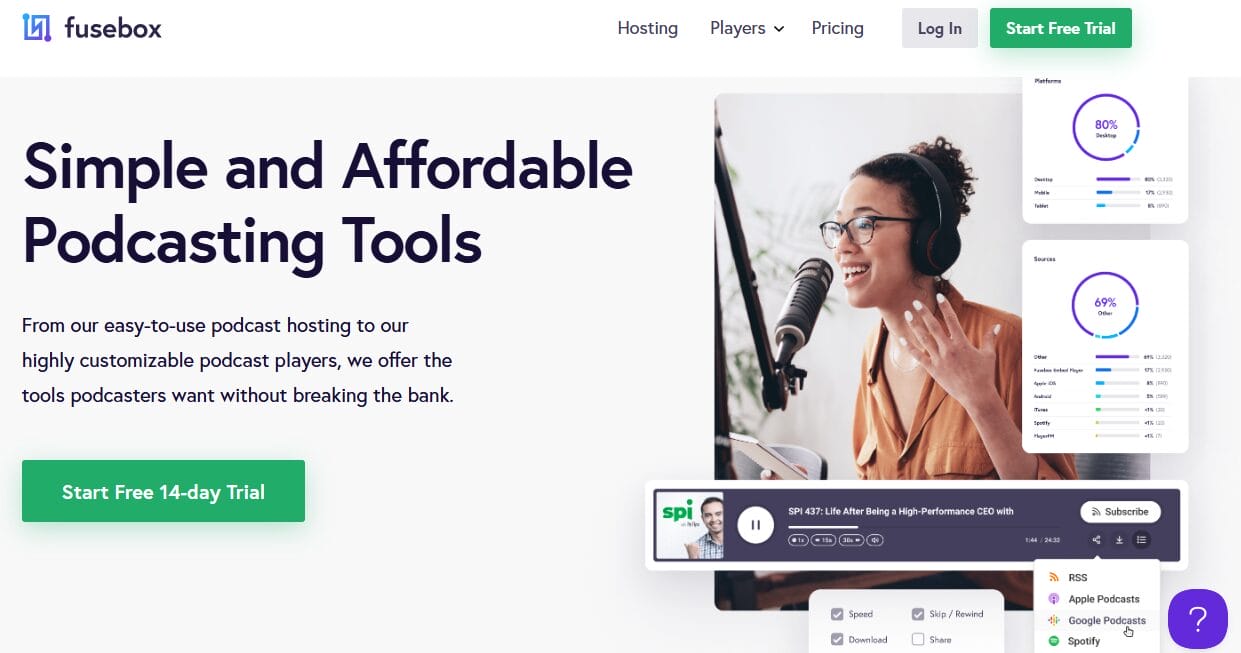
Fusebox is a powerful WordPress podcast plugin built for podcasters who want their website to look professional and feel modern. It’s not just about embedding audio; it’s about creating an engaging listening experience that keeps visitors on your site longer.
What really sets Fusebox apart is its Smart Track Player. Instead of displaying episodes one by one in a basic format, you can showcase your entire podcast archive or highlight your latest episodes in a sleek, organized layout.
The player is fully responsive, meaning it looks just as good on mobile devices as it does on desktops. In today’s mobile-first world, that alone makes a huge difference.
Features of Fusebox
- Beautifully designed HTML audio player
- Smart Track Player to display full archives or latest episodes
- Clickable timestamps for easy navigation
- Built-in share, download, and subscribe buttons
- Playback speed controls
- Fully responsive design for desktop, tablet, and mobile
- Customizable color themes to match your brand
Price
Fusebox starts at $7.50 per month, and it includes a 14-day free trial.
4. Simple Podcast Press
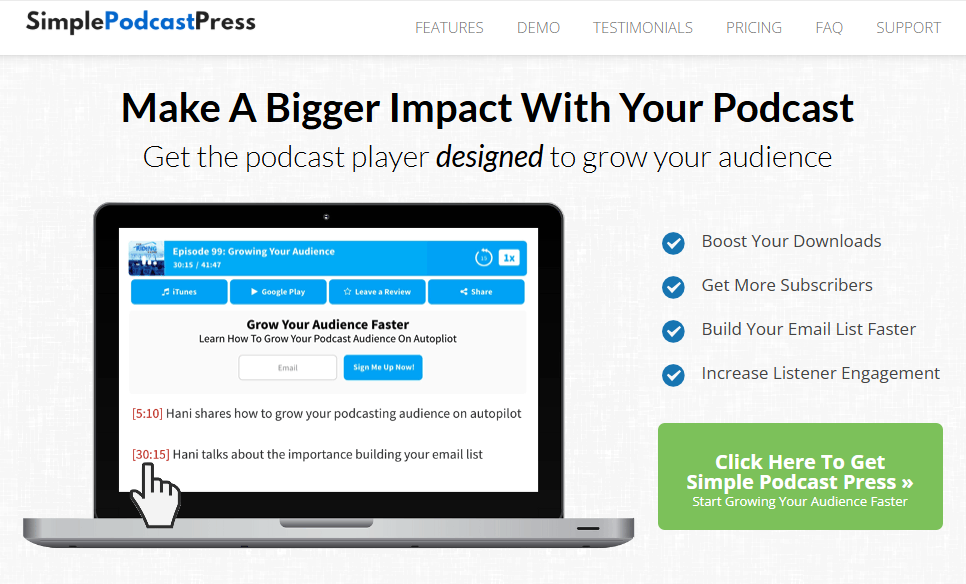
Simple Podcast Press is an effective option among the many WordPress podcast plugins, designed for podcasters who want a clean, automated way to publish episodes on their WordPress site without dealing with complex settings.
Once it’s set up, much of the heavy lifting is handled for you, so you can focus on recording and promoting your show.
Simple Podcast Press also has excellent compatibility with major podcast hosting platforms. Whether you’re hosting on Podbean, Spreaker, SoundCloud, or even BlogTalkRadio, this plugin integrates smoothly.
It automatically creates individual pages for each episode, helping you build SEO-friendly content around every release. That means your episodes aren’t just audio files; they become searchable web assets.
Another major advantage of using Simple Podcast Press is its focus on audience growth. With customizable buttons, built-in social sharing options, and automatic URL shortening, it makes it easier for listeners to subscribe, share, and engage.
Features of Simple Podcast Press
- Compatible with major podcast platforms, including Podbean, Spreaker, SoundCloud, and BlogTalkRadio
- Fully automated setup that pulls episodes directly from your feed
- Automatically creates unique pages for each podcast episode
- Customizable call-to-action buttons
- Social sharing integration for wider reach
- Automatic URL shortener for cleaner links
Price
Simple Podcast Press starts at $67 per year and includes a 30-day money-back guarantee.
5. Podlove Podcast Publisher
When discussing the best WordPress podcast plugins, it’s impossible to ignore Podlove Podcast Publisher.
This podcast WordPress plugin modernizes outdated podcasting plugins. It was built specifically for creators who want more control, flexibility, and technical precision. Rather than offering a basic publishing solution, Podlove focuses on giving podcasters advanced feed management, detailed metadata control, and a truly professional listening experience.
One of Podlove’s biggest strengths is its ability to generate highly compatible and expressive RSS feeds. It provides fine-grained control over critical technical elements, such as GUID management, enabling you to replace faulty episodes without breaking subscriber feeds.
Beyond feed management, Podlove delivers a modern, HTML5-based web player with multi-format audio and video support. It supports both modern and legacy codecs, enabling seamless multi-format publishing without adding extra work to your workflow.
Features of Podlove Podcast Publisher
- Advanced, highly compatible RSS feed creation with GUID control
- Multi-format publishing for modern and legacy audio/video codecs
- Integrated HTML5 web player with broad browser support
- Chapter marks with direct timestamp linking
- Contributor management (names, avatars, URLs)
- WebVTT transcript support with RSS integration
- Season management module
- Related episode display functionality
- Integration with Auphonic for automated audio processing
- Flexible template system for customizable publishing layouts
Price
Podlove Podcast Publisher is a free, open-source WordPress plugin.
6. Buzzsprout
Buzzsprout is one of the best WordPress podcast plugins because it combines secure, reliable hosting with seamless WordPress integration.
Whether you’re launching your first episode or managing a growing show, the platform handles audio optimization, fast upload and download speeds, and detailed analytics.
Another reason Buzzsprout consistently ranks among the best WordPress podcast plugins is its distribution support. It walks you through submitting your podcast to major directories and ensures your RSS feed meets required specifications.
Features of Buzzsprout
- Free WordPress plugin included with all hosting plans
- Excellent dashboard
- Automatic audio optimization during upload
- Secure podcast hosting with reliable performance
- Built-in statistics (plays over time, trends, total downloads)
- Easy submission guidance for major directories
- Sync episodes to platforms like Apple Podcasts, Spotify, Google Play, and Stitcher
- Multiple embeddable HTML5 audio players
- Podcast migration tool for switching hosts
Price
Buzzsprout offers a free plan with limited monthly upload hours, as well as paid plans starting at $19 per month.
7. Podcast Player
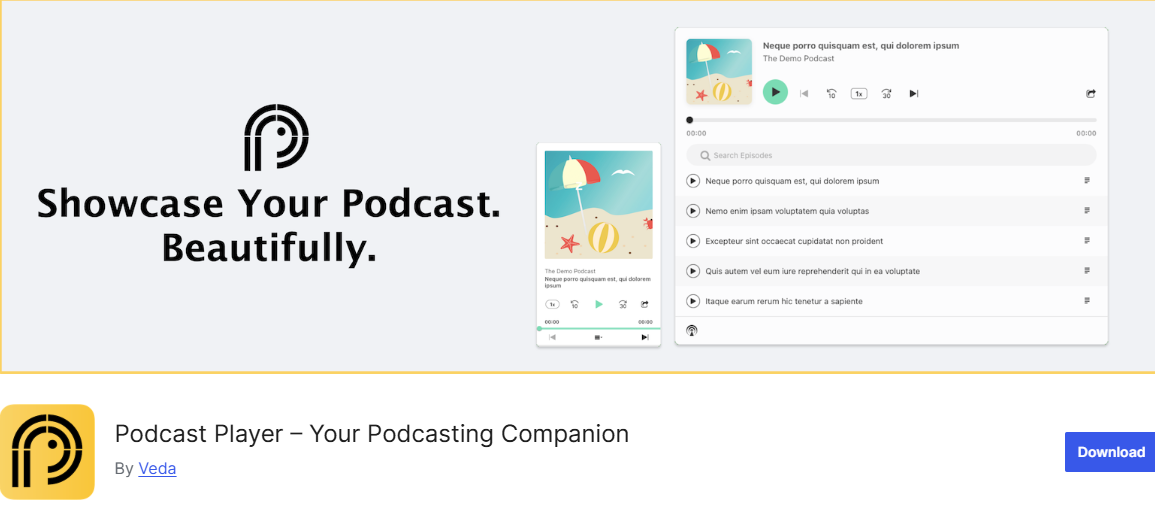
Podcast Player is another one of the best WordPress podcast plugins designed for podcasters who want a simple yet powerful way to showcase their episodes.
This plugin is designed to make embedding and playing your podcast effortless. All you need is your podcast feed URL, and the player takes care of the rest. It has a responsive design that adapts to desktops, tablets, and mobile devices.
Podcast Player also has a rich set of controls and interactive features. Listeners can play, pause, skip, fast-forward, or adjust the playback speed, giving them complete flexibility. The plugin also includes live search functionality, allowing users to find specific episodes instantly.
Features of Podcast Player
- Responsive design for all devices
- Simple setup with feed URL
- Play, pause, skip, jump forward/backward, and playback speed controls
- Live search for episodes
- Built-in subscription buttons for Apple Podcasts, Spotify, Google Podcasts, and more
- Customizable layouts, colors, and player elements
- Import episodes as WordPress posts
- Advanced filtering by episodes or seasons
- Multiple player layouts, including list, grid, and standard view
Price
Podcast Player offers a free version with a basic player setup, responsive design, and essential playback controls. In contrast, the pro version unlocks advanced layouts, filtering options, post import, and enhanced search features, with pricing starting around $39.99 per year.
8. Liteweight Podcast
Liteweight Podcast is a powerful WordPress podcast plugin that lets you host your episodes quickly without the heavy code that can slow down your website. It focuses on a clean HTML5 audio player and a dedicated post format, making the publishing process feel natural within your existing WordPress dashboard.
The plugin supports multiple audio formats, including MP3, WAV, and OGG, making it flexible for different recording setups. Its responsive HTML5 player ensures your episodes play smoothly across modern browsers and mobile devices.
Another advantage is its flexibility in placement and styling. You can insert podcast players anywhere using shortcodes, inside posts, pages, or even widget areas like the sidebar. With built-in social sharing buttons, playback speed controls, download options, and multiple theme styles, Liteweight Podcast offers enough customization to match your branding while keeping everything compact and easy to manage.
Features of Liteweight Podcast
- Supports MP3, WAV, and OGG audio files
- Responsive HTML5 audio player
- Works across major browsers (Chrome, Firefox, Safari, Edge)
- Add players anywhere using shortcodes
- Sidebar and widget support
- Social sharing buttons
- Audio speed control
- Download button with control options
- Multiple player themes/styles
- Create unlimited podcast entries
- Fully customizable and user-friendly interface
Price
Liteweight Podcast is a free WordPress plugin, making it an excellent choice for beginners testing the waters. While it may not include advanced feed management or hosting features, its simplicity and flexibility secure its place among the best WordPress podcast plugins for creators who want an easy, no-cost solution.
More Plugins to Make Your Podcast a Success
The WordPress podcast plugins listed above focus on hosting and managing your podcast, but other WordPress plugins can support your overall growth strategy. Below are a few you might want to consider for your podcasting site.
9. CrawlWP
While the plugins listed above help you publish and manage your show, visibility is what ultimately drives growth. That’s where CrawlWP becomes a powerful addition to this guide.
Although it’s not a WordPress podcast plugin, CrawlWP plays a critical role in ensuring your podcast episodes, show notes, and blog content get indexed quickly by search engines, which means more organic traffic and more potential listeners.
CrawlWP WordPress SEO plugin to speed up how search engines discover your content. Whenever you publish, update, or delete an episode page, it automatically notifies major search engines so they can crawl and index the changes immediately.
It integrates with the IndexNow protocol for engines like Microsoft Bing and Yandex, and connects directly with the Google Indexing API. This ensures your podcast content doesn’t sit unnoticed; it gets discovered faster.
CrawlWP also provides indexing status tracking for WordPress posts and pages, as well as SEO performance insights, giving you better insight into how your podcast content performs in search results.
Features of CrawlWP
- Instant indexing for new and updated content
- Integration with Google Indexing API
- IndexNow protocol support for Bing, Yandex, Naver, Yep, and Seznam.cz
- Automatic content submission to search engines
- Real-time indexing status tracking
- Keyword tracking with precise ranking data
- Bulk URL submission
- SEO performance reports via email
- Indexing history and a detailed reporting dashboard
Price
CrawlWP offers a free version that includes automatic indexing and core submission features. The premium version unlocks advanced SEO tracking, keyword monitoring, bulk submissions, and in-depth indexing reports, with pricing starting at $59 per year.
10. MailOptin
If you’re looking to grow your podcast audience and engage listeners directly, MailOptin is a top choice for WordPress websites.
This powerful email and lead generation plugin lets you create popups, email signup forms, and send automated newsletters of your podcast updates, from new episodes to show notes and exclusive content.
MailOptin also gives you flexibility in how you connect with visitors. You can display opt-in forms as popups, slide-ins, notification bars, or embed them directly in posts, pages, or sidebars. With smart triggers like scroll depth, exit intent, or click actions, you can deliver the right message at the perfect moment, turning casual visitors into loyal subscribers without relying solely on social media or podcast directories.
Features of MailOptin
- Popups & Inline Forms: Lightbox, slide-in, sidebar, and in-post forms to capture emails effectively.
- Automated Newsletters: Send new post notifications and scheduled email digests to your subscribers.
- Targeting & Triggers: Scroll, exit-intent, page-level, and device-specific triggers for maximum conversions.
- Content Locker: Restrict content to subscribers to encourage sign-ups for exclusive podcast episodes or show notes.
- A/B Testing: Optimize opt-ins and campaigns with data-driven testing.
- CRM & Email Integration: Works with Mailchimp, ActiveCampaign, ConvertKit, Campaign Monitor, Salesforce, and many more.
- Advanced Analytics: Track conversions, subscriber sources, and campaign performance in real-time.
Price
MailOptin offers a free lite version with essential opt-in and newsletter features. The premium version unlocks advanced targeting, A/B testing, automation, integrations, and analytics, with pricing starting at $79 per year.
For podcasters, MailOptin is a valuable addition because it transforms your WordPress site into a subscriber-focused hub. By sending timely episode updates and strategically engaging visitors, it complements podcast hosting plugins and boosts your overall growth strategy.
11. FuseWP
If you’re looking to improve how you manage and engage your podcast audience, FuseWP is a powerful WordPress marketing automation plugin that connects your site with email marketing and CRM platforms.
With FuseWP, WordPress users are automatically subscribed to your email list upon registration, and any profile updates, including email changes or deletions, are synced in real time. For podcasters, this means maintaining an up-to-date audience database without manual work, helping you keep listeners informed and engaged effortlessly.
Features of FuseWP
- Automatic user subscription to email lists based on registration and role.
- Real-time profile updates synced to email marketing and CRM platforms.
- Integration with popular WordPress form plugins like Gravity Forms, WPForms, Ninja Forms, and more.
- Sync users from e-commerce, membership, and LMS plugins, including WooCommerce, LearnDash, MemberPress, Tutor LMS, Paid Memberships Pro, and LifterLMS.
- Supports a wide range of email marketing & CRM tools, including Mailchimp, ActiveCampaign, Constant Contact, HubSpot, Salesforce, Brevo, Klaviyo, and more.
- Bulk syncing, export, and batch processing for existing WordPress users.
- Double opt-in control, custom field mapping, and advanced audience segmentation.
Price
FuseWP offers a free Lite version for basic user syncing and registration subscription features. The premium version unlocks advanced integrations, automation, and custom field mapping, with pricing starting at $119 per year.
12. ProfilePress
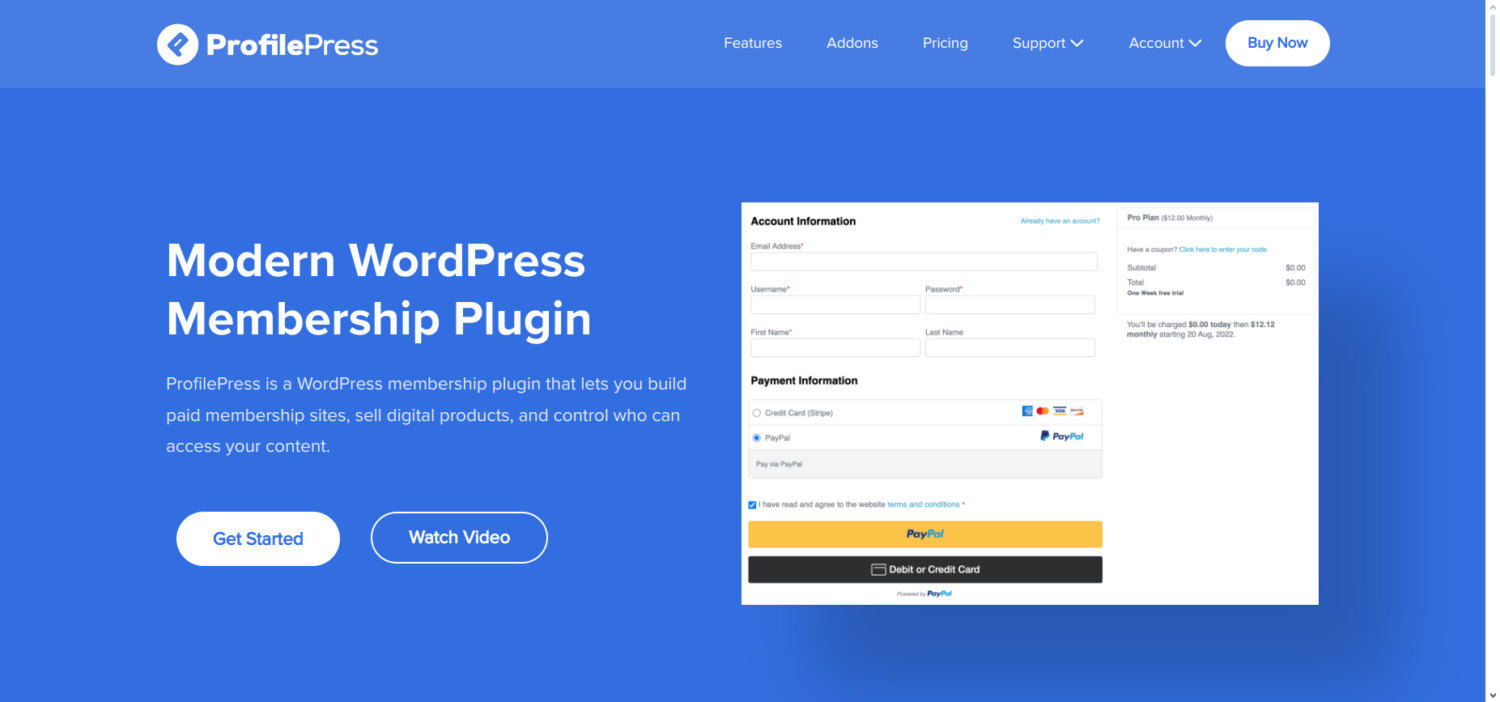
If you’re looking to monetize your podcast and create a premium membership experience for your audience, ProfilePress is an all-in-one WordPress membership and ecommerce plugin that makes it easy.
With ProfilePress, you can sell subscriptions, digital downloads, and access to exclusive content using multiple payment gateways, including Stripe, PayPal, Paystack, RazorPay, and Mollie. Its flexible setup lets you manage one-time payments, recurring memberships, and even metered paywalls, making it an ideal solution for podcasters who want to generate revenue directly from their WordPress site.
ProfilePress also excels at creating a user-friendly experience for your listeners. You can build custom login and registration pages as well as a frontend user profile for registered listeners using the drag-and-drop builder. These forms integrate with your podcast site, allowing members to manage their accounts, view subscriptions, and access restricted content effortlessly.
You can also create searchable member directories, user dashboards, and even integrate with LMS plugins like Tutor LMS, LearnDash, and LifterLMS to sell courses or additional content alongside your podcast.
Another reason ProfilePress is a valuable addition to a podcasting site is its advanced content restriction and paywall capabilities. You can protect posts, episodes, or pages based on membership levels, user roles, or logged-in status, and even control access to navigation menus, widgets, or page builder modules.
This makes it easy to offer premium content, bonus episodes, or early access to subscribers while keeping the rest of your podcast free for general listeners.
Features of ProfilePress
- Accept one-time and recurring payments via Stripe, PayPal, RazorPay, Paystack, Mollie, and Bank Transfer.
- Sell subscriptions, digital downloads, courses, and premium podcast content.
- Custom login, registration, password reset, and member profile forms with drag-and-drop builder.
- Member directories and dashboards for a professional community experience.
- ProfilePress has an advanced content restriction and paywall system that controls access based on user role or membership plan.
- Integrations with WooCommerce, LearnDash, LifterLMS, Tutor LMS, BuddyPress, Mailchimp, Campaign Monitor, and more.
- Anti-spam and fraud protection via reCAPTCHA and Cloudflare Turnstile.
- Social login, two-factor authentication, passwordless login, and invite codes for enhanced security and flexibility.
Price
ProfilePress offers a free version with basic features. The premium version unlocks advanced payment integrations, custom forms, LMS support, and paywall options, with pricing starting at $129 per year.
13. FeedbackWP
If you’re looking to engage your podcast audience and actively collect valuable insights, FeedbackWP is an excellent WordPress plugin for adding ratings and feedback functionality to your site.
It allows listeners to rate episodes, show notes, or blog posts and, optionally, leave private feedback after rating. This direct engagement helps podcasters understand which content resonates most, identify areas for improvement, and create a better listening experience for their audience.
FeedbackWP is highly flexible in how it collects and displays ratings. You can add rating widgets automatically across posts, pages, or custom post types, or embed them using shortcodes. Listeners can rate content using stars, thumbs, hearts, smileys, or trophies, while visual “results widgets” show the overall ratings to encourage interaction. For podcasters, this is a powerful way to boost engagement, encourage repeat visits, and turn casual listeners into active participants in your podcast community.
Beyond ratings, FeedbackWP includes features to gather actionable feedback directly from listeners. Negative ratings can trigger a feedback form, allowing users to leave comments that only you can see.
With FeedbackWP, you can also display social share links after positive ratings, helping your episodes reach a broader audience. With structured data support for rich snippets, FeedbackWP can even help your episodes gain visibility in search results, driving organic traffic to your podcast website.
Features of Feedback WP
- Add interactive rating widgets to posts, pages, or custom post types.
- Multiple rating types: stars, thumbs, hearts, smileys, and trophies.
- Display visual results with “results widgets” for engagement.
- Collect private feedback after negative ratings to improve content.
- Social widgets for follow or share prompts after positive ratings.
- Top Rated Posts widget to showcase your best-performing content.
- Supports structured data for rich snippets to enhance search visibility.
- AJAX-powered for fast performance, works with caching plugins.
- GDPR-compliant and compatible with multilingual websites.
- Protect forms with reCAPTCHA v3 and Cloudflare Turnstile.
Price
FeedbackWP offers a free version with basic rating functionality and widgets. The premium version unlocks advanced features, including custom rating icons, support for custom post types, and structured data for rich snippets. Pricing starts at $59 per year, making it an affordable investment for podcasters looking to increase engagement, gather insights, and grow their listener base.
WordPress Podcasting Plugins Frequently Asked Questions (FAQs)
In this section, we’ve compiled answers to some of the most frequently asked questions about running and managing a podcast with WordPress.
Question 1: What Is a WordPress Podcast Plugin?
Answer: A WordPress podcast plugin is a plugin that allows you to publish, manage, and distribute your podcast episodes directly from your WordPress site. These plugins often include features such as built-in audio players, automatic RSS feed generation for podcast directories, episode organization, and integration with popular podcast hosting services.
Question 2: Can I host my podcast directly on WordPress?
Answer: Yes, but it’s not recommended for large shows. External hosting improves speed and reliability.
Question 3: Which plugin is best for beginners?
Answer: Seriously Simple Podcasting is ideal for new creators.
Question 4: Can I use multiple podcast plugins on the same site?
Answer: Technically, yes, but it’s usually better to stick to one main plugin for publishing and managing episodes. Using multiple plugins can create conflicts or duplicate feeds. You can, however, combine your main podcast plugin with growth-focused plugins like MailOptin, CrawlWP, or FeedbackWP to boost audience engagement and site performance.
Conclusion
We hope this article helped you find the best WordPress podcast plugins for your site.
Whether you are launching your first episode or growing an existing show, choosing the right plugin plays a big role in how you publish, present, and distribute your podcast content.
Take what you’ve learned here, match it against where you are in your podcasting journey, and make a decision that moves you forward. There’s no better time to get started than right now.
So publish that episode. Your listeners are waiting.