
11 Best Community Apps in 2026
Do you want to discover the best community apps in 2026 to build an active, loyal, and thriving online community?
Whether you are a creator, business owner, coach, educator, nonprofit organization, or membership site operator, choosing the right community platform can significantly impact how your audience connects and engages.
A good community app does more than give people a place to chat. It helps you bring members together, encourage meaningful discussions, host events, share content, and even generate recurring revenue from paid memberships.
The challenge is that there are now dozens of community platforms on the market, each promising better engagement, more features, and an improved user experience. Some focus on creators and online courses, while others are built for businesses, startups, gaming communities, or professional networks. With so many options available, finding the right fit can quickly become overwhelming.
The good news is that you do not have to spend hours comparing platforms or testing them one by one. In this guide, we’ll walk you through the best community apps in 2026, highlighting their features, pricing, pros, and cons.
By the time you finish reading, you will know exactly which one fits your vibe, audience size, tech-savviness, and wallet.
What to Look for in a Community App
Before we dive into the platforms that made the list, let us first look at the features that matter when choosing a community app.
1. Ease of Use: A community app should be simple for both administrators and members to navigate. If users struggle to find discussions, events, or important resources, they may stop participating altogether.
2. Mobile Accessibility: Many people access online communities from their smartphones or tablets. A platform with a responsive design or dedicated mobile app allows members to stay connected wherever they are. This convenience often leads to higher engagement and more frequent interactions.
3. Discussion and Communication Features: The heart of any community is communication. Choose an app that offers organized discussion spaces, direct messaging, comment threads, mentions, and notifications. These features make conversations easier to follow and encourage members to participate regularly.
4. Customization and Branding: Your community should reflect your brand rather than feel like a generic third-party platform. Features such as custom logos, colors, domains, and branded layouts create a more professional experience and help strengthen brand recognition.
5. Monetization Options: If you plan to earn revenue from your community, look for built-in monetization features. The best platforms support paid memberships, subscription plans, one-time purchases, online courses, and digital product sales, allowing you to generate income without relying on multiple external services.
6. Event and Live Streaming Support: Hosting webinars, workshops, Q&A sessions, and live events can significantly increase member engagement. Some community apps include built-in event management and live streaming capabilities, making it easier to connect with your audience in real time.
7. Content Organization: As your community grows, information can quickly become difficult to manage. Features such as categories, searchable discussions, pinned posts, knowledge bases, and content libraries help members find valuable resources without having to dig through endless conversations.
8. Moderation and Security: Healthy communities require effective moderation. Look for platforms that provide spam protection, content moderation, role-based permissions, reporting systems, and administrative controls. These features help maintain a safe and welcoming environment for everyone.
9. Integrations with Other Software: A good community app should connect with the other platforms you use every day. Integrations with email marketing services, CRM systems, payment gateways, automation platforms, and analytics software can save time and improve your overall workflow.
10. Pricing and Overall Value: Price should never be the only deciding factor, but it deserves careful consideration. Compare subscription costs with the included features and consider the platform’s long-term value. In many cases, paying a little more for better functionality and reliability can save money and frustration in the future.
Now, let us get into the good stuff. Below are the best community apps.
1. Circle
If you’re looking for a modern platform that combines community building, online courses, events, and memberships in one place, Circle is likely to catch your attention.
Over the past few years, it has become a popular choice among creators, coaches, educators, and businesses that want more control over their online communities without dealing with complicated setups. Its polished interface gives communities a premium feel right from the start, making it appealing for brands that care about presentation as much as functionality.
What stood out to me about Circle is how well everything fits together. Instead of juggling multiple plugins or separate platforms for discussions, live events, and paid memberships, Circle brings these features under one roof. The platform also supports integrations with popular services, allowing users to connect their existing workflows without much hassle.
Features of Circle
- Create multiple community spaces for discussions, courses, cohorts, and member groups.
- Offer paid memberships and recurring subscriptions directly through the platform.
- Host live events, livestreams, and community chats from a single dashboard.
- Integrate with services like Zapier, Memberstack, and Teachable to extend functionality.
- Access built-in analytics to monitor member activity, engagement, and revenue.
- Use AI-powered moderation and content assistance to help manage your community.
- Build branded experiences with custom domains and premium mobile app options.
- Reward participation through gamification features such as points, badges, and leaderboards.
Pros
- Clean and intuitive interface that is easy for members to navigate.
- Combines communities, courses, and events in one platform.
- Excellent monetization options for creators and businesses.
- Supports numerous third-party integrations.
- Available on both iOS and Android with regularly updated mobile apps.
Cons
- Higher starting price than many competing platforms.
- Transaction fees apply on certain subscription plans.
- Some advanced branding and management features require premium tiers.
- Community data remains hosted on Circle’s infrastructure rather than being self-hosted.
Pricing
Circle offers several subscription plans, with pricing starting at $89 per month for the Basic plan. A 14-day free trial is available, allowing new users to explore the platform before committing. Depending on the plan you choose, transaction fees may also apply to paid memberships.
2. Mighty Networks
Mighty Networks is an excellent community platform app for creators, coaches, educators, and businesses that want to build thriving online communities without piecing together multiple services.
It combines memberships, courses, events, livestreams, and monetization into a single platform. This all-in-one approach makes it appealing to anyone who wants to launch and manage a community without handling the technical side of web hosting or plugin management.
After spending time exploring the platform, I can see why it has become a favorite for membership-based businesses. The user interface is clean and easy to navigate. At the same time, its flexible Spaces allow you to organize your community into separate sections for courses, premium groups, events, or topic-based discussions.
What impressed me most is how much functionality comes built into the platform. Features like AI-powered engagement prompts, gamification, automation, and integrated payments reduce the need for third-party software.
The biggest downside is pricing, which has increased noticeably in recent years and may put it beyond the reach of smaller creators. Even with that limitation, Mighty Networks remains an excellent choice for anyone seeking a professional platform to support an active, growing online community.
Features of Mighty Networks
- Create dedicated Spaces for discussions, courses, events, and exclusive member groups.
- Sell paid memberships, subscriptions, coaching programs, and online courses.
- Host livestreams, virtual events, and community challenges from within the platform.
- Access native mobile apps for iOS and Android, with branded app options on premium plans.
- Use AI-powered features to generate conversation starters and encourage member engagement.
- Reward participation with gamification features such as streaks, badges, points, and leaderboards.
- Set up automated welcome messages, re-engagement campaigns, and course completion workflows.
- Customize your community with branded landing pages, custom domains, logos, and member profiles.
- Track growth and engagement using built-in analytics and reporting features.
Pros
- Combines community building, courses, and events in one platform.
- Excellent mobile experience with dedicated iOS and Android apps.
- Built-in monetization supports memberships and digital products.
- AI-powered engagement features encourage active participation.
- Easy to use, even for people with limited technical experience.
Cons
- Subscription plans are relatively expensive compared to many alternatives.
- Transaction fees apply to paid memberships and sales.
- Premium branding options are only available on higher-tier plans.
- Less customization than self-hosted community platforms.
- Community data remains hosted within the Mighty Networks ecosystem.
Pricing
Unlike Circle’s $89/month entry point, Mighty Networks offers a slightly more accessible $79/month starting price.
3. FluentCommunity
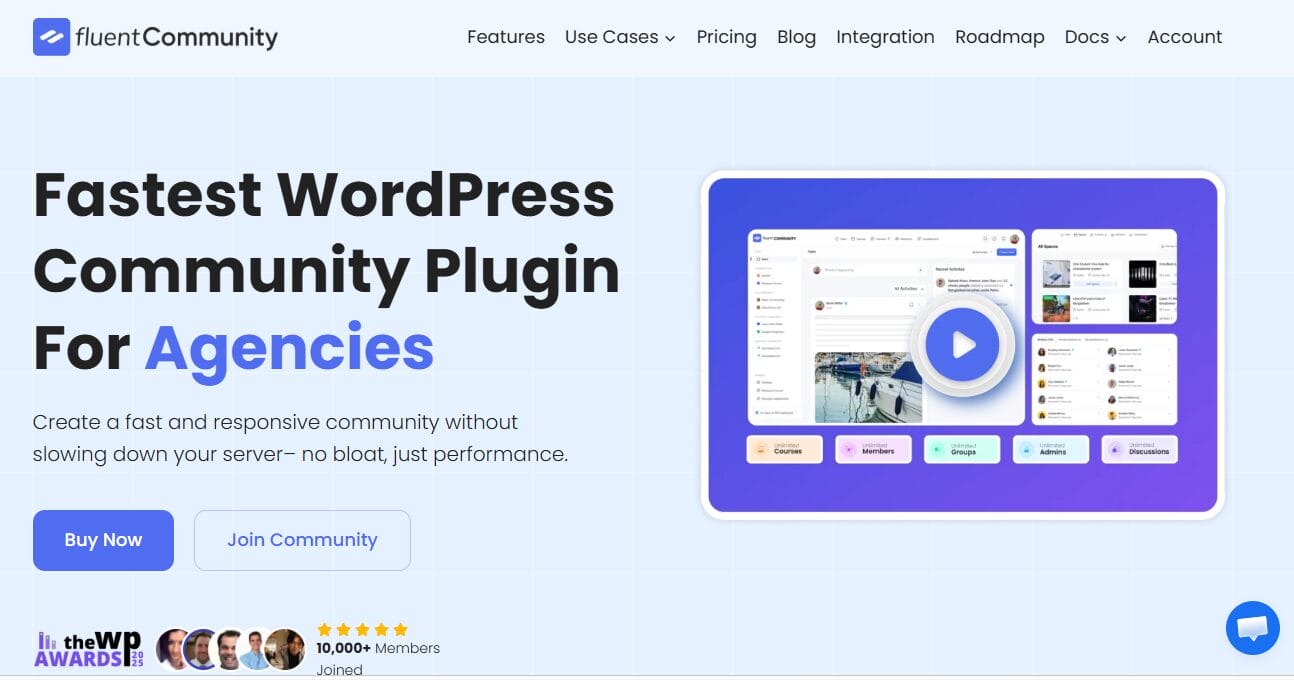
FluentCommunity is a WordPress-based community app that combines community building and online course delivery in a single system.
After exploring the plugin, I found that it offers much more than a traditional forum or social networking solution. It combines community building and learning management into a single no-code platform, allowing you to create spaces, courses, discussions, and member profiles directly inside WordPress without relying on multiple plugins or third-party services. For WordPress users who prefer to keep everything under their own control, that is a major advantage.
What I liked most was how seamlessly the community and learning features work together. Members can join dedicated spaces, participate in discussions, send real-time messages, react to posts, and engage via polls, hashtags, and activity feeds. At the same time, they can access courses, track their progress, participate in lesson discussions, and receive content on a scheduled basis, all without leaving the platform.
The interface feels modern and responsive, and because everything runs on your own website, you have complete control over branding, privacy, and data ownership. Compared to hosted community platforms, FluentCommunity gives you far more flexibility without locking your business into a third-party ecosystem.
Another excellent feature is its integration with ProfilePress, which makes monetizing your community remarkably easy. Instead of giving away access for free, you can use ProfilePress to sell memberships that unlock specific FluentCommunity spaces and courses.
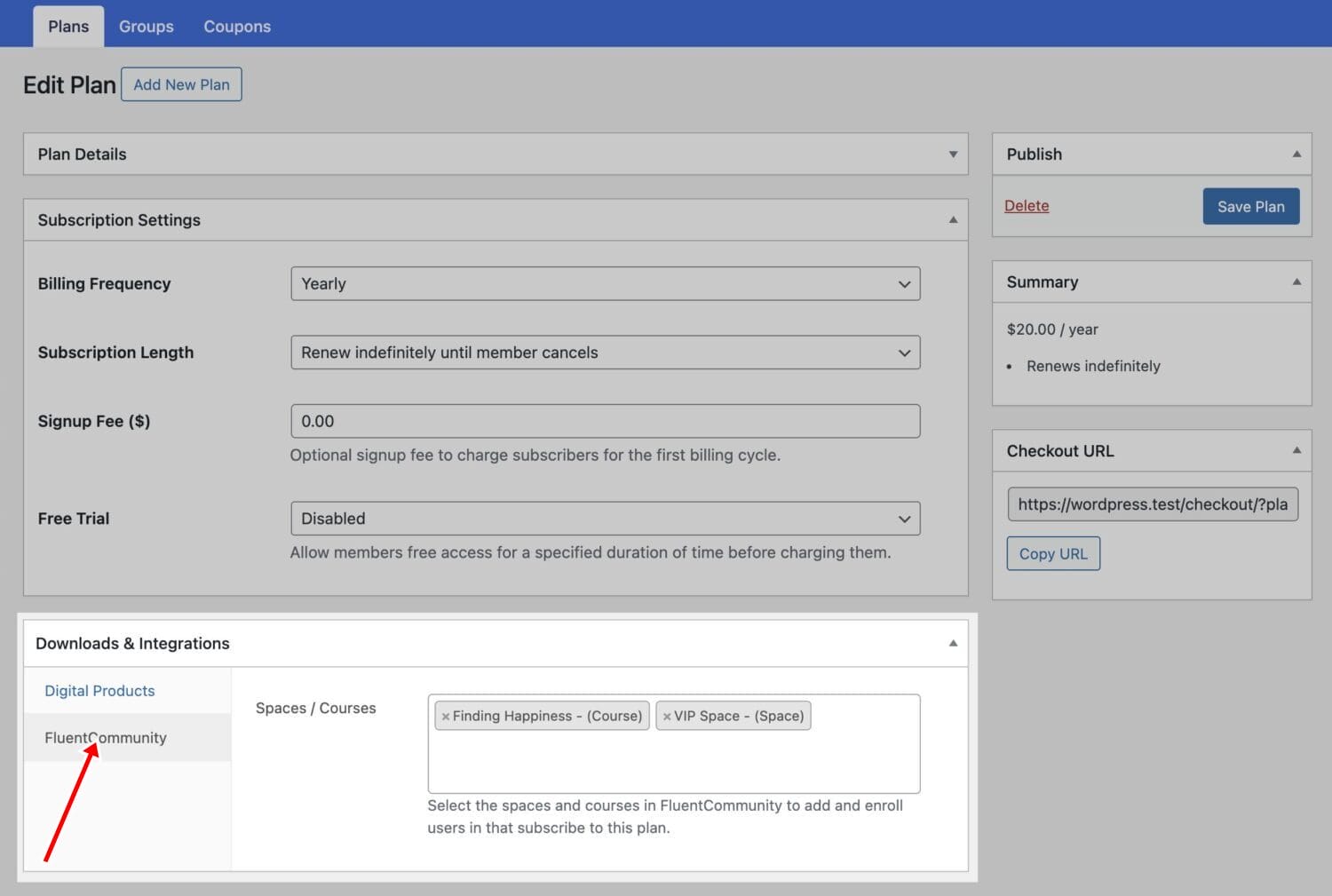
Better still, you can bundle multiple spaces and courses into a single membership plan, accept payments via gateways such as Stripe, PayPal, Mollie, Razorpay, and Paystack, and automatically enroll users after registration based on the form they complete.
If a subscription expires, ProfilePress can automatically revoke access, making it an excellent solution for anyone building a paid membership community on WordPress.
Features of FluentCommunity
- Build unlimited community spaces for discussions, networking, and collaboration.
- Create and manage online courses with the built-in Learning Management System.
- Support lesson discussions, drip content, progress tracking, and completion management.
- Enable real-time private chats between members.
- Provide customizable user profiles, activity feeds, comments, and reactions.
- Increase engagement with polls, surveys, hashtags, mentions, bookmarks, GIFs, and emojis.
- Manage users with role management, approval workflows, and privacy controls.
- Customize branding, navigation, slugs, welcome messages, and community appearance.
- Integrate with ProfilePress to sell access to spaces and courses, create membership bundles, and automatically enroll users after registration.
Pros
- Combines community management and LMS functionality in a single WordPress plugin.
- Full ownership of your website, member data, and branding.
- Deep integration with ProfilePress for paid memberships and course access.
- Rich social networking features, including chats, activity feeds, and user profiles.
- Flexible enough for educators, brands, agencies, nonprofits, and membership businesses.
Cons
- Requires a self-hosted WordPress website.
- Some advanced features, such as leaderboards and badges, are only available in the Pro version.
- Initial setup may take longer than fully hosted community platforms.
- Performance depends on your hosting environment and WordPress configuration.
- New WordPress users may face a learning curve when configuring multiple integrations.
Pricing
FluentCommunity offers a free version with a generous collection of community and LMS features, making it a great starting point for anyone building a WordPress-based community.
4. Discord
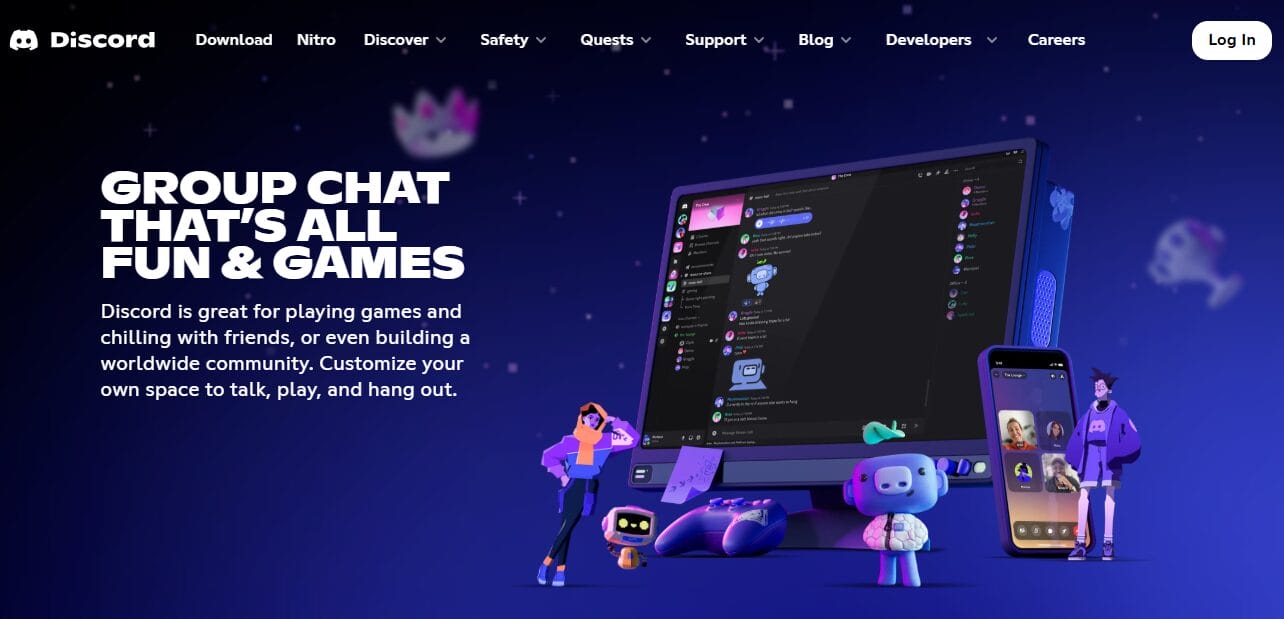
Discord is one of the best community apps. Originally associated with gaming communities, it has expanded over time into technology, education, startups, investing, and creator communities.
What makes this platform so magnetic? It never sleeps. While traditional community platforms often feel like structured lecture halls where conversations happen in neat, scheduled intervals, Discord feels more like a bustling 24/7 coffee shop. Text channels hum with activity. Voice rooms buzz with spontaneous chats. Video calls and live events bring people together in real time. Members do not wait for the next scheduled discussion; they jump in whenever they want, however they want.
I spent some time immersing myself in Discord communities during my testing, and it did not take long to understand why people practically live here. The server-based structure is brilliantly simple: you create channels for different topics, assign roles and permissions to control access, and suddenly you have a thriving digital ecosystem. But the feature that genuinely caught me off guard was the voice channels. They stay open all the time. No scheduling. No waiting for a Zoom link. Members just drop in, say hello, and start chatting as if they were walking into a friend’s kitchen.
That said, Discord is not without its blind spots. If your goal is to deliver structured courses, track learning progress, or build a sophisticated membership business, you will hit a wall pretty quickly. Discord was built for conversation, not content delivery. Course creation? Missing. Progress tracking? Not native. Advanced monetization? You will need to patch together third-party tools and hope they play nicely. And here is another headache: large servers can turn into chaotic firehoses. Conversations move fast, older content gets buried, and without vigilant moderation, things can spiral into noise.
Even with those rough edges, Discord remains an absolute powerhouse for one specific type of community: the kind that lives and breathes on real-time interaction. If your people crave spontaneity, thrive on banter, and want to feel like they are part of something that never quite turns off, Discord is a good choice.
Features of Discord
- Create unlimited servers with dedicated text, voice, video, and forum channels.
- Host live audio events and Stage Channels for presentations and community discussions.
- Assign custom roles and permissions to organize members and manage access.
- Integrate thousands of bots for moderation, automation, games, polls, and welcome messages.
- Schedule community events and send notifications to members.
- Share screens, livestream gameplay, and host video calls directly within the platform.
- Access native apps for Windows, macOS, Linux, iOS, Android, and web browsers.
- Support community identity with custom emojis, server boosts, and personalized profiles.
Pros
- Completely free to use for most communities.
- Excellent real-time voice, video, and text communication.
- Highly active environment that encourages member participation.
- A powerful bot ecosystem offers extensive customization options.
- Available across virtually every major device and operating system.
- Flexible roles and permissions make community management easier.
Cons
- Not designed for structured courses or educational programs.
- Conversations can become difficult to organize in busy servers.
- Advanced moderation often relies on third-party bots.
- Limited built-in monetization compared to dedicated membership platforms.
- Branding and white label customization options are minimal.
Pricing
Discord is free to use and supports unlimited servers, channels, and members. Users who want additional perks can subscribe to Nitro Basic for $2.99 per month or Nitro for $9.99 per month (or $99.99 annually), which unlock features such as higher-quality streaming, larger file uploads, custom emojis, and server boosts. Community owners can also monetize through Server Subscriptions, although Discord takes a percentage of subscription revenue.
5. BuddyPress
BuddyPress is one of the best community apps available today. It has been around for many years, and after testing it, I can understand why it remains a popular choice for WordPress users who want to build their own social network.
Instead of hosting your community on a third-party platform, BuddyPress helps you transform your WordPress website into a fully functional community where members can create profiles, connect, send private messages, join groups, and participate in discussions. If you value flexibility and complete ownership of your data, BuddyPress is certainly worth considering.
What stood out to me is how customizable the platform is. Since it is built specifically for WordPress, you can extend its functionality with thousands of plugins and compatible themes to create almost any type of community you have in mind. Whether you are building a membership website, an alumni network, an online school, a company intranet, or a hobby group, BuddyPress provides a solid foundation that developers and site owners can adapt to their specific needs.
Another feature I particularly like is its integration with ProfilePress, which makes monetizing BuddyPress communities much easier. Using the ProfilePress BuddyPress add-on, you can sell access to private or hidden BuddyPress groups by linking them to paid membership plans.
It also supports two-way synchronization between WordPress profile fields and BuddyPress profiles, ensuring member information stays consistent across both systems.
Features of BuddyPress
- Build a complete social network directly on your WordPress website.
- Allow members to create customizable user profiles.
- Enable private messaging and social connections between users.
- Create public or private groups for discussions and collaboration.
- Extend functionality with thousands of WordPress plugins and themes.
- Support spam protection through Akismet integration.
- Sync WordPress profile fields with BuddyPress extended profiles using ProfilePress.
- Sell access to private BuddyPress groups through ProfilePress membership plans.
Pros
- Open source and completely self-hosted.
- Gives you full ownership of your website and community data.
- Highly customizable through the WordPress plugin ecosystem.
- Works well for membership sites, schools, nonprofits, and businesses.
- Deep integration with ProfilePress for paid memberships and profile synchronization.
- Large developer community and extensive documentation.
Cons
- Requires a self-hosted WordPress website.
- Initial setup and customization can take time.
- Advanced functionality often depends on installing additional plugins.
- Performance varies based on hosting quality and site optimization.
- The default design may require extra styling to match your brand.
Pricing
BuddyPress is completely free and open source, making it one of the best free community apps available for WordPress users. You can install and use the core plugin at no cost. At the same time, premium themes, extensions, hosting, and integrations, such as ProfilePress, may involve additional expenses depending on the functionality you need for your community website.
6. Slack
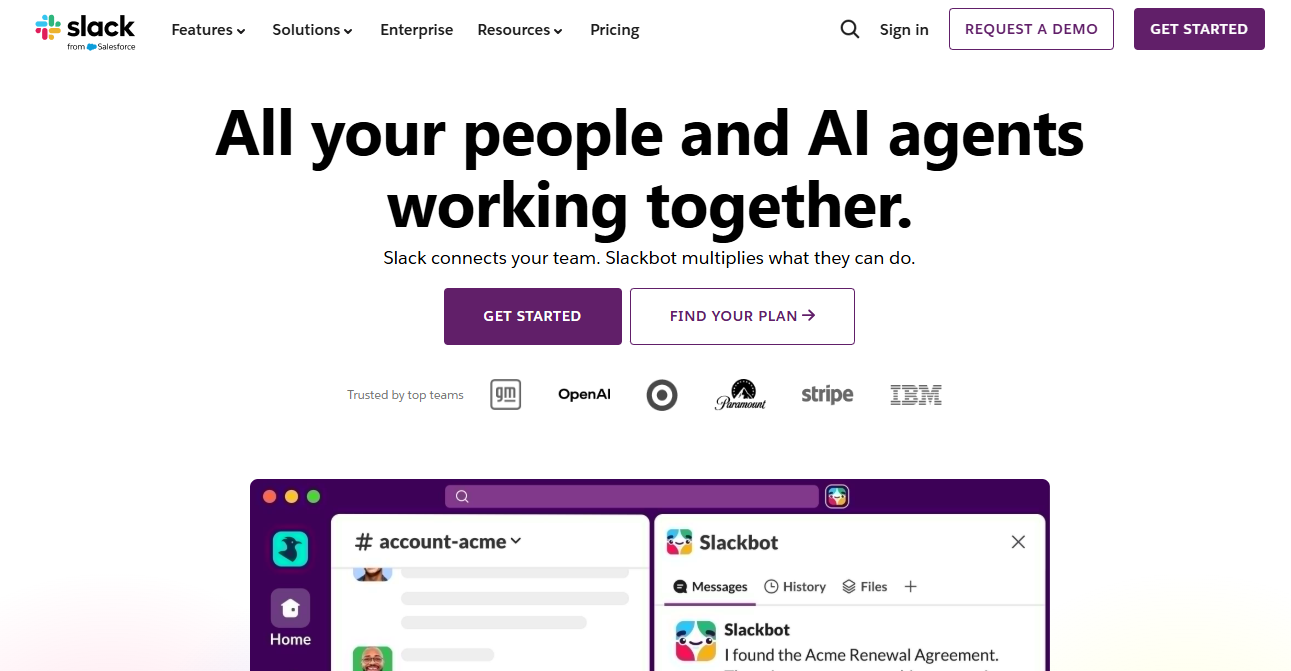
Slack is an excellent community app for workplace collaboration and professional networking. While it is widely recognized as a team communication platform, it has also become a popular choice among startups, remote teams, professional groups, and niche communities that value fast, organized conversations.
After spending time with Slack, I found its biggest strength to be how efficiently it handles day-to-day communication. Messages appear instantly, conversations can be organized into threads, and built-in features like Huddles allow for quick voice or video discussions without leaving the platform.
I also appreciate its extensive integration library, which connects Slack with thousands of popular applications, including Google Drive, Microsoft 365, Trello, Zoom, and countless other productivity services, making it easy to centralize work and notifications.
Features of Slack
- Create dedicated channels for projects, departments, or topic-based discussions.
- Organize conversations with threaded replies to reduce clutter.
- Communicate through direct messages and group chats.
- Host voice and video conversations using built-in Huddles.
- Share files, documents, images, and links directly within conversations.
- Connect with thousands of third-party apps through the Slack App Directory.
- Search the message history and shared files to find past information quickly.
- Automate repetitive tasks and workflows using built-in workflow automation.
- Access Slack AI features for conversation summaries and enhanced search on eligible plans.
Pros
- Excellent platform for workplace collaboration and team communication.
- Clean and familiar interface with a relatively short learning curve.
- An extensive integration ecosystem supports a wide variety of business applications.
- Real-time messaging, voice calls, and video features work seamlessly together.
- Powerful search functionality makes it easy to retrieve older conversations and files.
Cons
- Not built for paid memberships or creator-focused communities.
- Per-user pricing becomes costly for larger organizations or communities.
- Limited support for structured learning experiences and online courses.
- The free plan only includes a limited message history and app integrations.
Pricing
Slack offers a Free Plan that includes a 90-day message history and limited app integrations. Paid plans start at $4.38 per user per month.
7. Kajabi Communities
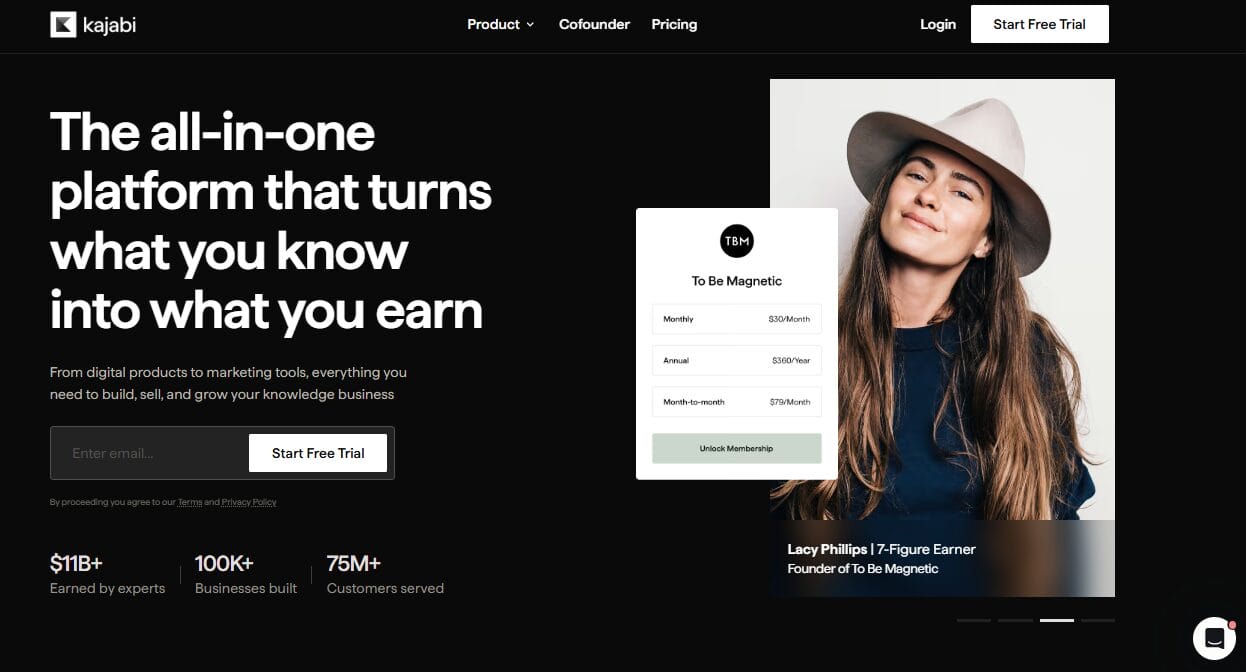
Kajabi Communities is a natural choice for creators and entrepreneurs who already use Kajabi to sell online courses and digital products. Instead of relying on separate software for community management, Kajabi lets you bring your members together within the same ecosystem where they access your courses, coaching programs, and memberships. This all-in-one approach can save time and reduce the complexity of managing multiple platforms.
During testing, I found the experience clean and intuitive. Setting up private community spaces, controlling member access, and interacting with members through discussions and livestreams all felt natural, and having email marketing, landing pages, checkout pages, and automations available from the same dashboard removed a lot of the back-and-forth that usually comes with running an online community.
I also appreciated that Kajabi has been working toward unifying its separate apps into a single mobile experience — something that should make life noticeably easier for both creators and their members.
What left me wanting more in Kajabi Communities was its engagement features. It does the basics well, but it doesn’t offer the same level of community-focused functionality as platforms like Circle or Mighty Networks. Gamification options are fairly limited, AI-powered engagement features are minimal, and networking between members could be better.
Features of Kajabi Communities
- Create private communities with customizable access levels for different membership tiers.
- Combine courses, coaching programs, and community discussions within a single platform.
- Host livestreams and share updates through an integrated activity feed.
- Build marketing funnels, landing pages, and checkout experiences without relying on third-party software.
- Send email campaigns and automate member communication from the same dashboard.
- Offer assessments and structured learning experiences alongside community discussions.
- Accept payments for memberships, subscriptions, and digital products using built-in payment processing.
- Access branded mobile app capabilities on eligible plans.
Pros
- Excellent integration between courses, communities, marketing, and payments.
- Easy to manage everything from a single dashboard.
- Built-in sales funnels and email marketing reduce the need for additional software.
- Clean, user-friendly interface with a minimal learning curve.
- Well-suited for creators already invested in the Kajabi ecosystem.
Cons
- Community features are not as advanced as dedicated community platforms.
- Limited gamification and AI-driven engagement capabilities.
- Pricing is high for smaller creators or new businesses.
Pricing
Kajabi offers several subscription plans, with pricing starting at $143 per month.
8. Reddit Communities

Reddit Communities offers a very different experience from most of the community apps on this list. Instead of giving you a private space to build and manage your own membership platform, Reddit lets you create or moderate a subreddit where discussions are driven by community participation and content is surfaced through upvotes and downvotes.
After exploring the platform, I can see why so many niche communities thrive there. If your goal is to attract people who are already interested in a specific topic, Reddit gives you access to one of the largest and most active audiences on the internet.
One thing I really appreciated about Reddit is that community growth does not rely entirely on your own audience. A well-run subreddit can attract new members naturally through Reddit’s built-in discovery features and search visibility. I also found that the upvote and downvote system does a good job of highlighting helpful discussions, which makes it easier for quality content to get noticed.
The biggest drawback, however, is that you never truly own your community. Everything operates under Reddit’s rules, branding, and policies, meaning platform changes can directly affect your subreddit without warning. I also found the lack of built-in monetization and customization limiting compared to dedicated community platforms like Circle or Mighty Networks.
Features of Reddit Communities
- Create dedicated subreddits for virtually any niche or interest.
- Organize discussions with threaded comments and community voting.
- Use upvotes and downvotes to surface the most valuable content.
- Set custom community rules and moderation policies.
- Moderate discussions using AutoModerator.
- Support anonymous or pseudonymous participation through Reddit accounts.
- Host live audio sessions with Reddit Talk, where available.
- Recognize quality contributions with community awards and achievements.
- Benefit from Reddit’s built-in discovery system and search engine visibility.
Pros
- Excellent platform for niche and discussion-driven communities.
- Organic discovery helps attract new members without paid promotion.
- Massive and highly active user base.
- Community voting naturally highlights valuable content.
- Free to create and manage subreddits.
- Anonymous participation encourages honest conversations.
Cons
- You do not own the platform or your audience.
- Very limited branding and customization options.
- No built-in support for paid memberships, courses, or digital products.
- Requires active moderation to maintain content quality.
- Community policies and platform changes are outside your control.
Pricing
Reddit Communities are completely free to create and manage, making them an attractive choice for anyone looking for a free community app. Users who prefer an ad-free experience can subscribe to Reddit Premium, which costs $5.99 per month or $49.99 per year. However, this subscription is optional and not required to participate in or operate a community.
9. Telegram
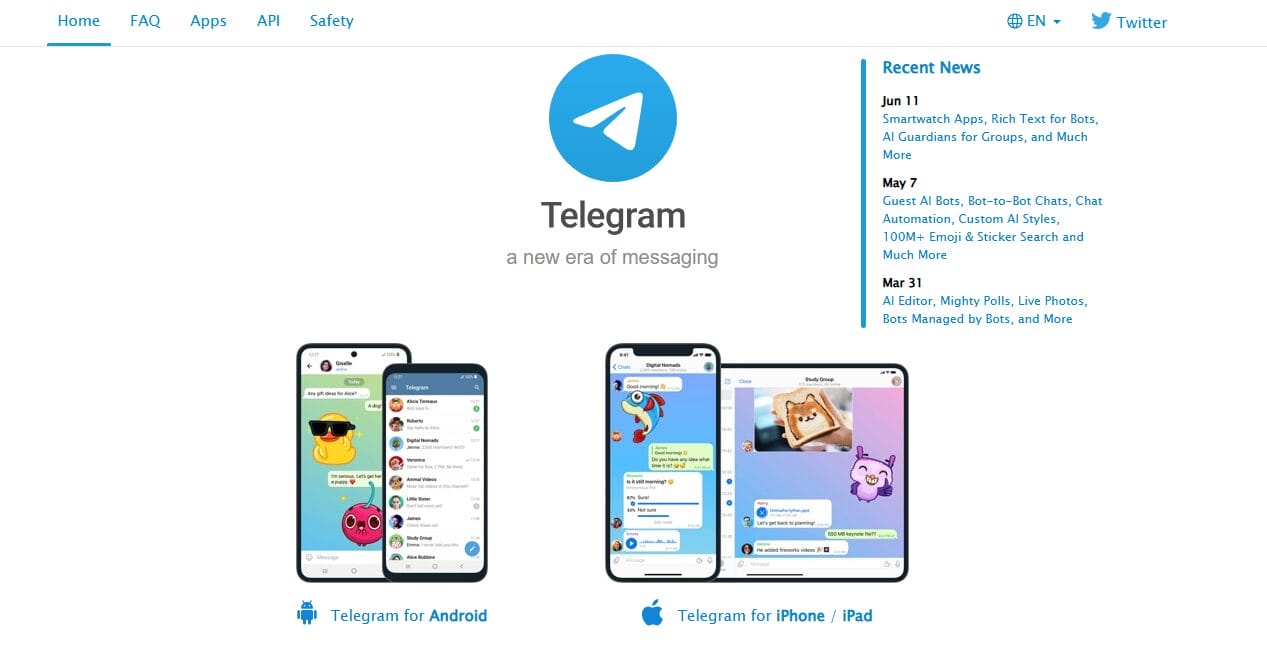
Telegram is much more than a messaging app. After testing it, I can see why so many creators, businesses, educators, and public figures use it to build and engage large communities. Its ability to support large groups and an unlimited number of broadcast channels makes it an attractive option for anyone who wants to communicate with thousands of people at once. The platform is also known for its speed, privacy features, and cross-device synchronization, allowing members to stay connected wherever they are.
What I like most about Telegram is its simplicity. Creating groups, launching channels, sharing media, and communicating with members takes only a few minutes, and the user experience remains excellent even as communities grow.
The platform also offers a powerful bot ecosystem that can automate tasks such as sending welcome messages, scheduling, running polls, and managing memberships. For creators who mainly want to broadcast updates or maintain an active chat-based community, Telegram provides an easy and cost-effective solution.
Features of Telegram
- Create public or private groups with support for up to 200,000 members.
- Launch broadcast channels with virtually unlimited subscribers.
- Send text messages, photos, videos, documents, voice notes, and live streams.
- Protect conversations with privacy controls and optional end-to-end encryption in Secret Chats.
- Automate tasks using a large ecosystem of third-party bots.
- Schedule messages and create polls and quizzes to encourage engagement.
- Share large files across multiple devices with cloud-based synchronization.
- Support community management through administrator roles and permissions.
- Monetize certain content through Telegram Stars and external payment integrations.
Pros
- Completely free for most users and communities.
- Supports extremely large groups and unlimited channel subscribers.
- Fast, lightweight, and available across multiple platforms.
- Excellent privacy and security features.
- It has a wide range of bots to help you automate tasks and customize your community.
- Great option for creators who want to broadcast updates to large audiences.
Cons
- Not designed for structured courses or educational programs.
- Older conversations can be difficult to organize and retrieve.
- Built-in monetization features are still relatively limited.
- Advanced functionality often depends on configuring third-party bots.
- Branding and customization options are limited compared to those on dedicated community platforms.
Pricing
Telegram is free to use, making it one of the most popular free community apps available today. Users who want additional benefits such as faster downloads, larger file uploads, exclusive stickers, and other premium features can subscribe to Telegram Premium.
10. GroupApp
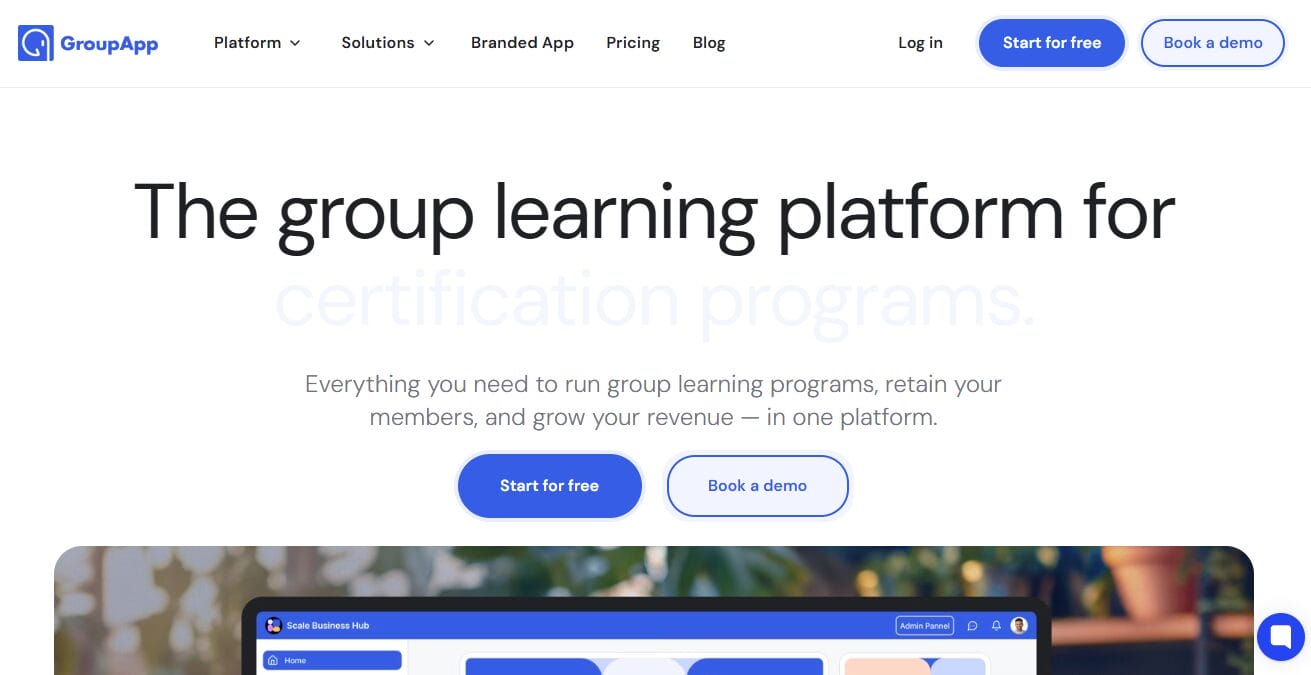
GroupApp is one of the best community apps built specifically for learning-based communities, coaching programs, and cohort-driven experiences.
After exploring it, what immediately becomes clear is that it is not trying to be a general social community app. Instead, it focuses on combining structured learning with community interaction in a way that feels tightly connected. This makes it especially useful for educators and creators who want students to learn, engage, and ask questions without having to switch between different platforms.
What I found most impressive is how closely the learning content and community features are tied together. When a member is going through a course module, they can ask questions directly within that lesson space, and those answers remain available for future learners. The platform also supports a wide range of lesson formats, including video, audio, text, PDFs, quizzes, assignments, and even events, giving you a lot of flexibility when designing a program.
On top of that, features like progress tracking, drip scheduling, learning paths, and completion certificates make it feel like a structured learning environment rather than just a discussion space.
Where GroupApp really differentiates itself is in how it handles access control and monetization. You can create distinct community channels for each membership tier, automate onboarding, and manage events tied directly to specific program stages. Even better, it charges 0% transaction fees, a big advantage over platforms that take a percentage of your revenue.
Features of GroupApp
- Build structured courses with multiple lesson types, including video, audio, text, PDFs, quizzes, and assignments.
- Organize content into learning paths with enforced progression and drip scheduling.
- Track member progress, completion status, login activity, and assignment submissions.
- Issue branded completion certificates for course graduates.
- Create community channels with tier-based access control for different membership levels.
- Automate onboarding workflows and guide members through the learning experience.
- Host events linked directly to course modules and manage RSVPs and attendance.
- Enable direct messaging, email notifications, and community announcements.
- Accept one-time payments, subscriptions, events, and digital downloads with 0% transaction fees.
Pros
- Focus on structured learning and coaching programs.
- Excellent course delivery features with progress tracking and certificates.
- Zero transaction fees across all plans.
- Flexible access control for different membership tiers.
- Built-in event management tied to course content.
- Automated onboarding improves member experience.
Cons
- No native livestreaming; requires Zoom or Google Meet.
- Lacks gamification features such as badges, points, or leaderboards.
- Not ideal for casual or social-focused communities.
- No SCORM or enterprise-level LMS support.
Pricing
GroupApp offers several pricing plans based on scale and features, with pricing starting at $18 per month.
11. BuddyBoss
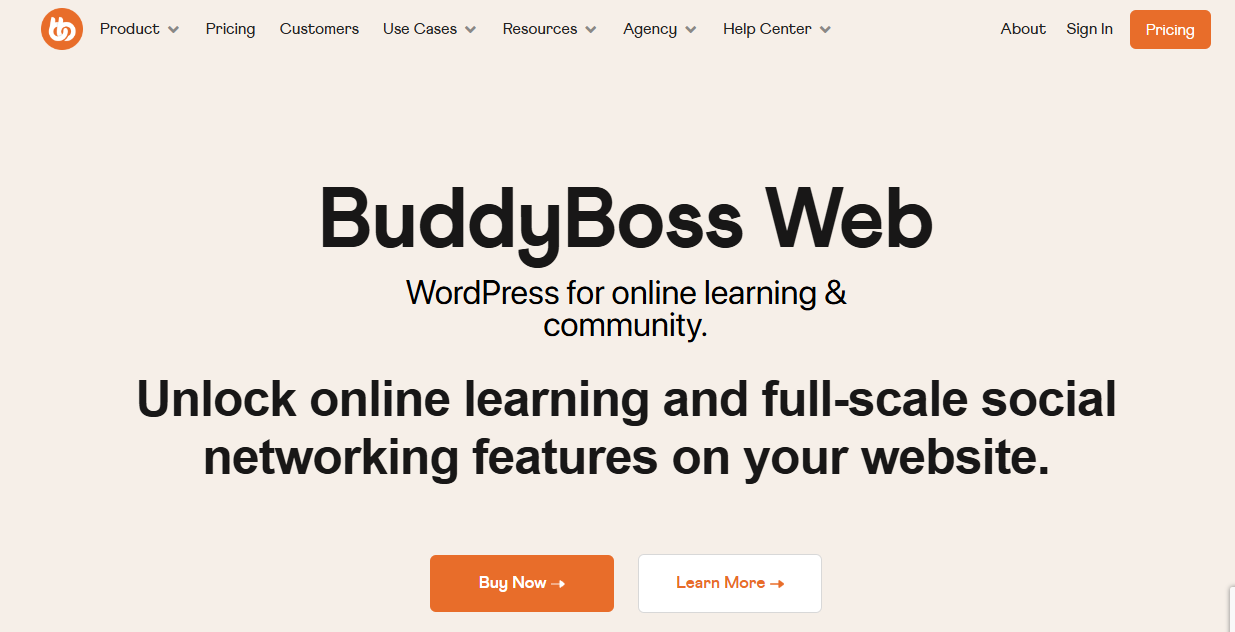
BuddyBoss is a premium community plugin built specifically for WordPress users who want complete control over their online community. Unlike hosted services that keep your content and members on someone else’s platform, BuddyBoss lets you own your website, branding, and data while delivering a social networking experience with member profiles, activity feeds, private messaging, groups, and forums.
After testing BuddyBoss, I was impressed by how well it combines community features with online learning and membership functionality. It integrates seamlessly with popular plugins like LearnDash, WooCommerce, and LifterLMS, making it easy to create communities around courses or digital products.
The optional white-label mobile app is another unique feature that allows creators to launch branded iOS and Android apps without building them from scratch. While it requires WordPress hosting and a bit more setup than cloud-based alternatives, the flexibility is hard to beat.
Another reason I added BuddyBoss to this list is its compatibility with ProfilePress. The ProfilePress BuddyBoss integration allows you to sell access to specific BuddyBoss groups by connecting them to paid membership plans.
It also supports two-way synchronization between ProfilePress profile fields and BuddyBoss profiles, ensuring user information stays consistent across both systems. You can even let new members choose which BuddyBoss groups to join during registration, creating a more personalized onboarding experience while keeping premium content restricted to paying members.
Features of BuddyBoss
- Rich member profiles with custom fields and activity feeds
- Public, private, and hidden groups with built-in discussions
- Private messaging and real-time notifications
- Native integration with LearnDash and LifterLMS
- WooCommerce and membership plugin compatibility
- White-label mobile apps for iOS and Android
- ProfilePress integration for selling access to BuddyBoss groups
- Two-way synchronization between ProfilePress and BuddyBoss profile fields
- Group selection during user registration
- Developer-friendly architecture with extensive customization options
Pros
- Complete ownership of your website, users, and data
- Excellent combination of community and eLearning features
- Deep integration with WordPress plugins and themes
- Supports paid memberships and gated communities through ProfilePress
- White-label mobile app available for branded experiences
- Highly customizable for businesses, educators, and creators
Cons
- Requires WordPress hosting and ongoing maintenance
- Setup can be challenging for complete beginners
- The mobile app requires an additional subscription
Pricing
BuddyBoss is a premium plugin, and pricing starts at $299 per year.
How to Choose the Right Community App
Now that we have walked you through what to look for in a community app and given you the 11 best community apps, the next step is making a choice that actually fits what you want to build.
Before making your decision, take time to evaluate the following factors.
1. Where Are You Right Now: Let us start with the obvious: what stage is your community at?
If you are just starting, you probably do not need Circle’s $89/month plan or Kajabi’s all-in-one marketing funnels. A free or low-cost option like Discord, a basic Mighty Networks plan, or even the free version of BuddyBoss might be more than enough to get you going.
If you are migrating an existing community from Facebook Groups, Slack, or a forum, you will want a platform that makes the transition easy. Look for import tools, easy invites, and features that replicate what your members already love.
2. What Does Your Community Actually Do: This is the question that trips up most people. They pick a platform based on what they want their community to become, rather than what it actually does today.
So ask yourself:
Is your community mostly about conversation? If your members thrive on real-time chat, voice calls, and spontaneous interaction, Discord or Slack will serve you better than a course-heavy platform.
Is it about learning? If you are delivering structured courses, hosting workshops, and tracking member progress, platforms like Circle, Kajabi, Mighty Networks, FluentCommunity, BuddyBoss, or BuddyPress are good choices.
Is it about professional networking? If your community is built around industry connections, job postings, and serious discussions, Slack is the best fit.
Is it about exclusive content? If you are gating premium resources, offering tiered memberships, or building a paid community, prioritize platforms with monetization features like Circle, Mighty Networks, or BuddyBoss.
3. Who Are Your Members: Your community is not about you; it is about them. And the best platform in the world will fail if your members refuse to use it.
So think about your audience:
Are they tech-savvy? If your members are comfortable with apps, integrations, and learning new interfaces, you have more flexibility. If they struggle with technology, prioritize simplicity and ease of use.
Where do they already spend time? If your audience is already on Discord or Slack, migrating them to a new platform will be an uphill battle. Sometimes, meeting them where they already are is the best move.
What devices do they use? If your community is heavily mobile-first, prioritize platforms with excellent native apps, such as Mighty Networks or Discord. If your members are mostly desktop users, a web-first platform like Kajabi or a WordPress-based solution like FluentCommunity might work better.
4. Think About How You Plan to Make Money: Not every community platform includes built-in monetization features. If your goal is to generate revenue from your community, choose an app that supports paid memberships, subscription billing, one-time payments, premium or private groups, online course sales, and digital product sales.
If you are using WordPress, ProfilePress can make monetization much easier. It allows you to sell memberships, accept recurring subscriptions, restrict content, and control access to private communities built with FluentCommunity, BuddyBoss, or BuddyPress.
5. Your Budget: When choosing a community app, do not focus only on the monthly subscription price. Consider the total cost of running your community, including transaction fees, hosting expenses if you are self-hosting, paid add-ons or plugins, branded mobile apps, and the time required to set everything up and manage it.
Looking at the full picture before you commit can help you avoid unexpected expenses and ensure the platform fits both your current budget and your long-term growth plans.
6. Think About Ownership and Control: Hosted platforms are convenient, but they often limit customization and leave your community dependent on another company’s policies. If ownership and flexibility are important to you, self-hosted solutions such as FluentCommunity, BuddyBoss, or BuddyPress provide greater control over your branding, member data, content, monetization, and website customization, giving you more freedom to build and manage your community on your own terms.
7. Plan for Future Growth: Finally, choose a platform that can grow alongside your community. Migrating thousands of members to another platform later can be time-consuming and disruptive. Selecting a solution that supports your long-term vision from the beginning can save significant effort down the road.
By carefully evaluating these factors, you can confidently choose a community platform that supports your needs today and can grow with you in the years ahead.
Best Community App FAQs
Q1: What is a community platform app?
A community platform app is a digital space where people can connect, interact, and share content around shared interests, goals, or brands. It can include features such as discussions, groups, messaging, and content sharing. Many businesses use a community platform app to build engagement and maintain direct communication with their audience.
Q2: What are the best community apps available today?
The best community apps depend on your needs, budget, and goals. Some platforms are built for courses and memberships, while others focus more on discussions or social networking. The options covered in this article represent some of the best choices you can consider when selecting a community platform app.
Q3: What should I look for in a community platform app?
When choosing a community platform app, focus on engagement features, ease of use, content organization, and monetization options. You should also consider how well it supports your long-term goals, whether that includes building a paid membership, running courses, or growing an active audience.
Q4: Is a free community app good enough for a new community?
Absolutely. In fact, starting with a free community app is often the best move for new creators.
Here is why: you do not know what your community will actually look like until it exists. The features you think you need today might not be the features your members actually use. Starting free lets you experiment, learn, and grow without financial pressure.
Q5: What is the difference between hosted and self-hosted community apps?
This is an important decision you will make, and it comes down to control versus convenience.
Hosted community apps (like Circle, Mighty Networks, Kajabi, and Discord) handle everything for you: hosting, security, updates, and maintenance. You just sign up and start building. The trade-off? You are renting space on their platform. Your data lives on their servers, and you are subject to their pricing changes and feature updates.
Self-hosted community apps (like FluentCommunity, BuddyBoss, or BuddyPress) give you complete control. You own your data, you can customize every aspect of the design and functionality, and you are not subject to platform fees. The trade-off? You are responsible for hosting, security, backups, and updates. It requires more technical know-how or a willingness to hire help.
Conclusion
Choosing the right community platform app is not just about features and pricing; it is about finding a digital home where your people feel seen, heard, and excited to show up. And after reading through our breakdown of the best community apps in 2026, you now have everything you need to make that choice with confidence.
The best time to start building your community is now, not later.