
Setting Up ‘Name Your Price’ Payments in WordPress
Do you want to implement a Name Your Price checkout feature for your WordPress website so your customers can choose what to pay for memberships, products, or donations?
Fixed pricing works well for many businesses, but it isn’t always the best fit. Some audiences respond better when they get to decide how much something is worth to them, whether you’re collecting donations for a cause, running a pay-what-you-can campaign, or testing how much people are genuinely willing to pay. Flexible pricing lowers the barrier to entry, invites goodwill, and often encourages supporters to give more than a fixed price would have captured.
In this article, you will learn how to set up “Name Your Price” payments in WordPress, allowing customers and members to enter their own amount at checkout while you stay in control of how high or low that amount can go.
What Are “Name Your Price” Payments?
“Name Your Price” payments, also known as pay-what-you-want pricing, let customers determine their own price at checkout rather than paying a fixed amount you’ve set. The value a user enters replaces the default recommended price for the membership or product. To keep things sensible, you can define minimum and maximum limits, ensuring every payment stays within a range you’re comfortable with.
Common use cases include:
- Donations: Let supporters contribute any amount toward your cause or organization
- Pay-What-You-Can Memberships: Allow members to join at a price that fits their budget
- Sliding-Scale Course Access: Let learners pay according to their ability while preserving a viable minimum
- Suggested-Price Products: Offer a recommended amount while leaving the final decision to the customer
- Fundraising Campaigns: Run limited-time drives with suggested giving levels and micro-donation support
- Soft Membership Tiers: Introduce levels like “supporter,” “sustainer,” and “champion” that encourage contributions at chosen amounts
Setting Up “Name Your Price” Payments in WordPress
The Pay What You Want ProfilePress addon makes it easy to offer flexible, name-your-price pricing on any membership plan or product in WordPress.
To avail the addon features, first ensure you install and activate the ProfilePress membership plugin on your WordPress website.
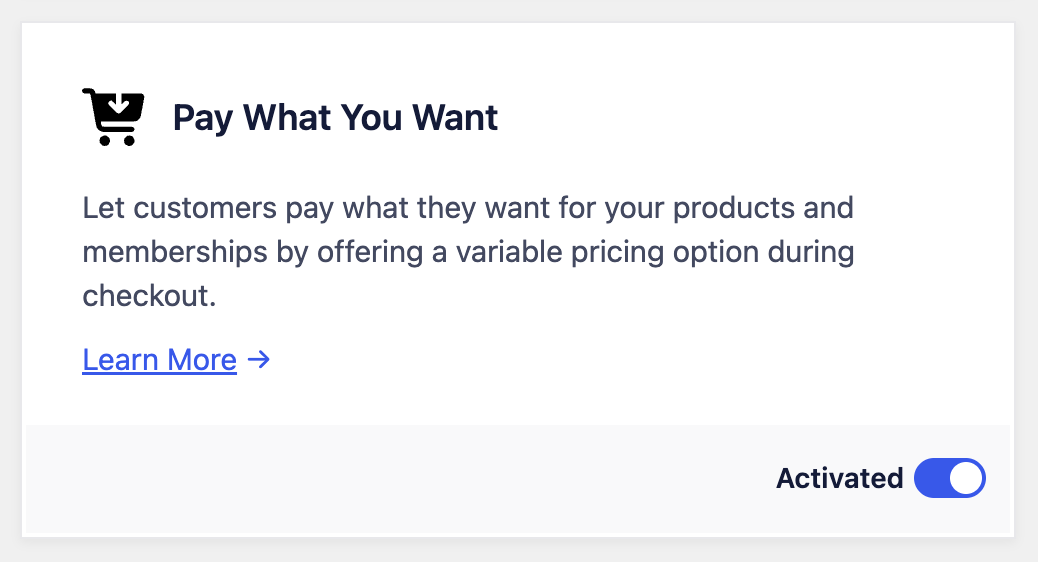
Next, go to ProfilePress >> Addons to activate the Pay What You Want addon.
Enable Name Your Price on a Membership Plan
Setting up pay-what-you-want pricing in WordPress is very straightforward with our ProfilePress ecommerce and membership plugin.
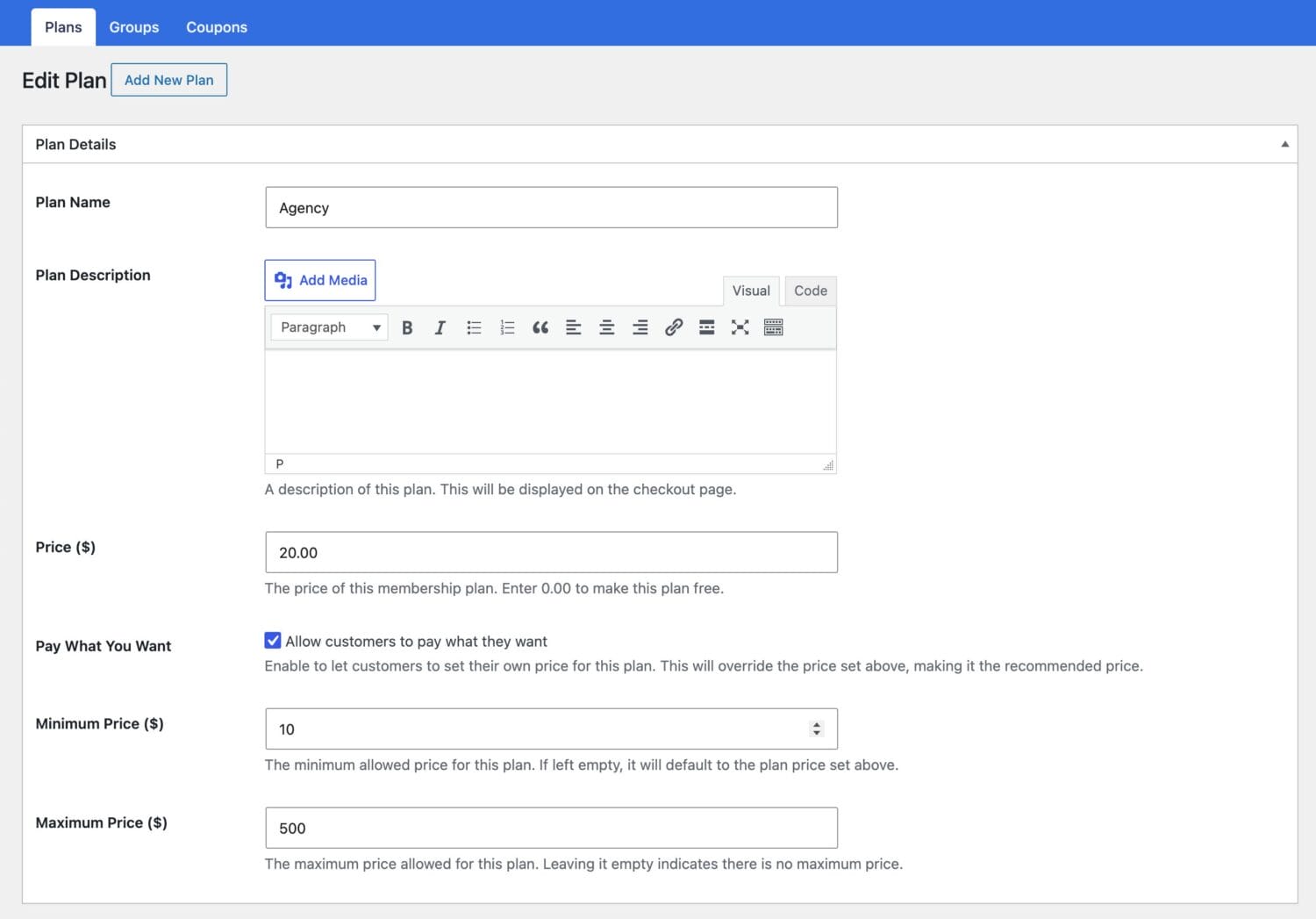
Create or Edit a Membership Plan: Navigate to ProfilePress → Membership Plans and create a new plan or edit an existing one.
Enable Pay What You Want: In the plan’s pricing settings, turn on the Pay What You Want option to let customers enter their own amount at checkout.
Set Your Recommended Price and Limits
All you need to do is set the plan price and the required minimum and maximum amounts.
Recommended Price: The price you set for the plan becomes the default and recommended amount shown to customers. This acts as a helpful suggestion and often nudges users toward a higher contribution.
Minimum Price: Define the lowest amount a customer may pay to ensure that every purchase or donation remains worthwhile.
Maximum Price: Optionally cap the highest amount that can be entered, keeping the price within a defined range.
“Name Your Price” Payments Demo
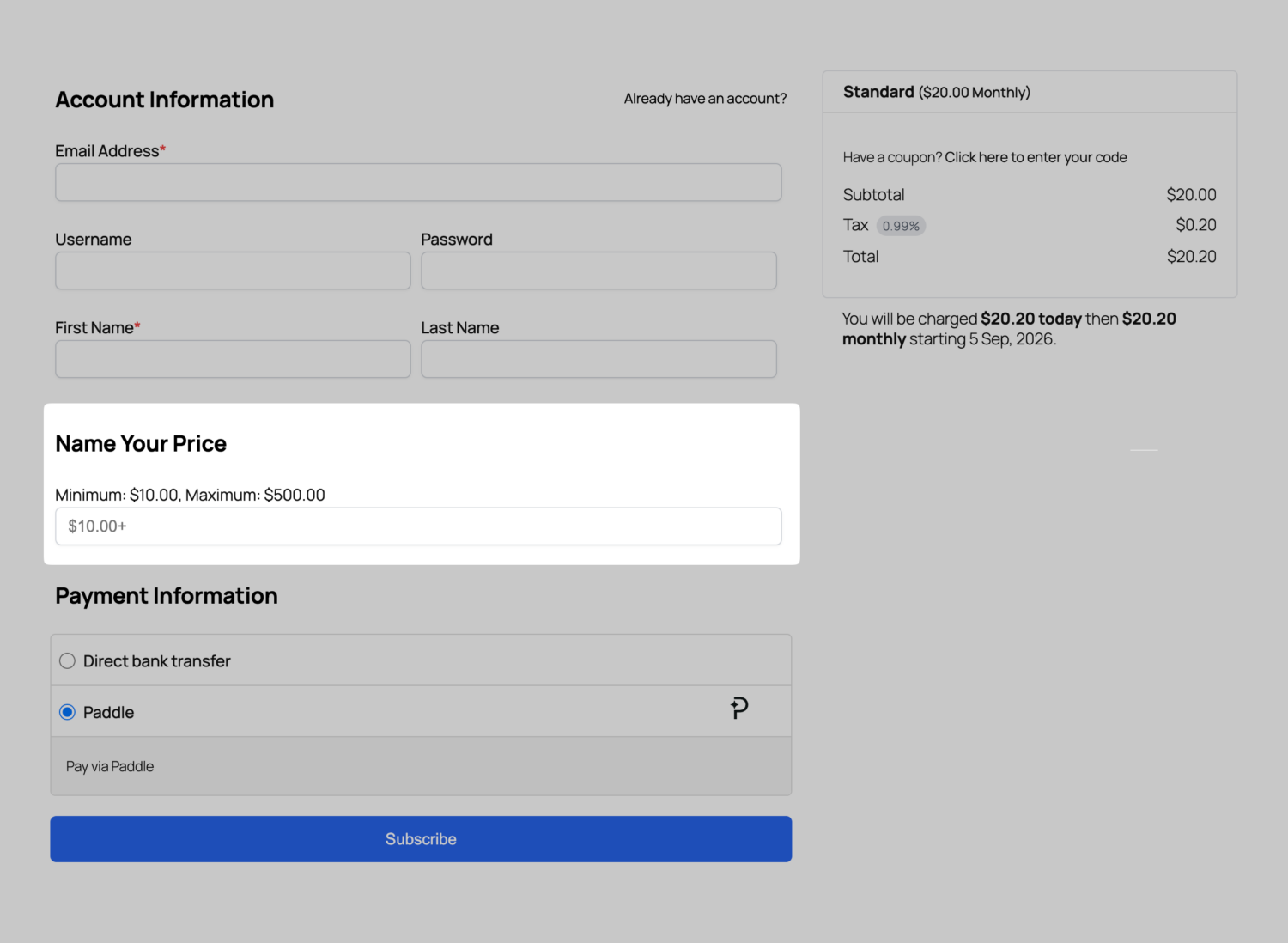
When a user visits the ProfilePress checkout page for a plan with Pay What You Want enabled, they’ll see a price field. They can accept the default price of the membership plan or product, or enter their own, as long as it falls within the minimum and maximum limits you set.
Frequently Asked Questions
Q: Can customers pay any amount they want?
A: Customers can enter their own amount, but only within the minimum and maximum limits you define. The price you set for the WordPress membership plan is shown as the default recommended amount.
Q: Can I use “Name Your Price” for donations?
A: Yes. The Pay What You Want addon is perfect for accepting donations, allowing supporters to contribute any amount within your chosen range.
Q: Do I have to set a maximum price?
A: No, the maximum is optional. You can leave it open so customers can contribute as much as they’d like, or set a cap to keep amounts within a defined range.
Q: Can I enable “Name Your Price” on multiple plans?
A: Yes, you can enable Pay What You Want on as many membership plans or products as you like, each with its own recommended price and limits.
Purchase the Pay What You Want addon today to start offering flexible, name-your-price payments in WordPress that let your customers and members decide what to pay.