
Akismet vs reCAPTCHA: Which Is Best to Stop Spam?
Spam is probably one of the most annoying problems WordPress site owners face.
At some point, you will likely encounter fake form submissions and login attempts by bots from various parts of the world, all of which pose a threat to your site and put strain on your database and server resources.
You need a reliable way to block spam, especially if you have a membership site, an online store, or any WordPress site with user accounts. Akismet and reCAPTCHA are two popular spam protection solutions that many WordPress website owners often use. But which one should you choose?
We’ll help you decide in this guide by comparing Akismet vs reCAPTCHA, explaining how each works, and showing you how to use them to provide the best WordPress defence against spam and bot attacks.
Even better, if you use ProfilePress, adding both solutions to your WordPress site to protect your registration forms, login pages, and checkout process from spam is super easy. We will shed more light on this in the article.
What is Akismet?
With over 5 million active installations, Akismet is one of the most popular spam plugins.
Akismet is one of the most popular spam filtering services in the WordPress ecosystem. Automattic developed the spam protection solution, and millions of websites use it.

Akismet filters spam quietly in the background. It checks every form submission and comment on your site, comparing each one against a large global database of known spam patterns. It also uses machine learning to identify any suspicious content.
Once it finds spam, it filters it out automatically. There are no annoying puzzles or checkboxes users need to interact with for it to block spam effectively.
Some of Akismet’s key features include:
- Automatic detection of spam comments and form submissions
- Processing via a cloud-based system that won’t slow down your server
- A 99.99% spam detection accuracy rate, according to Automattic
- Insights into which submissions were marked as spam in the comment history
- Seamless integration with WordPress (it often comes pre-installed)
One reason Akismet’s service is particularly effective is that it is continually learning. As millions of websites use the service, the system gains insights into spam patterns across the network. When multiple sites report similar content as spam, Akismet’s algorithms become better.
Setting it up on your WordPress site is simple: install the Akismet Addon, create an Akismet account, and enter your API key. Once configured, it runs automatically with no ongoing management needed.
The primary benefit of Akismet for site owners is the seamless user experience it delivers. Legitimate site visitors never see CAPTCHA or verification challenges that get in the way. They can just fill out forms and submit comments as usual while Akismet handles spam detection completely behind the scenes.
What is reCAPTCHA?
reCAPTCHA is a tool that Google created to help stop spam by using its algorithm to differentiate between humans and bots. Unlike Akismet, it isn’t designed specifically for WordPress, but it integrates well with various plugins and form builders.
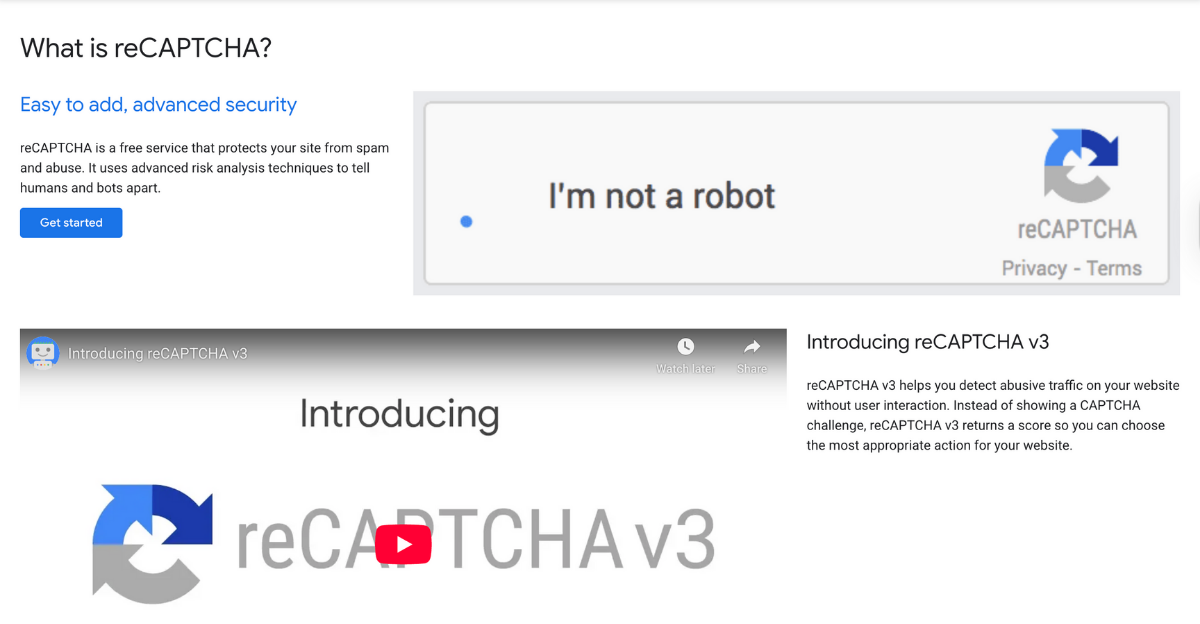
The reCAPTCHA technology has evolved, with different approaches to preventing spam on websites:
- reCAPTCHA v2 uses challenges that site visitors can interact with to block spam. Examples include the “I’m not a robot” checkbox and image puzzles in which visitors identify traffic lights or crosswalks. It also has an “Invisible reCAPTCHA” option that only shows challenges when it detects suspicious behaviour.
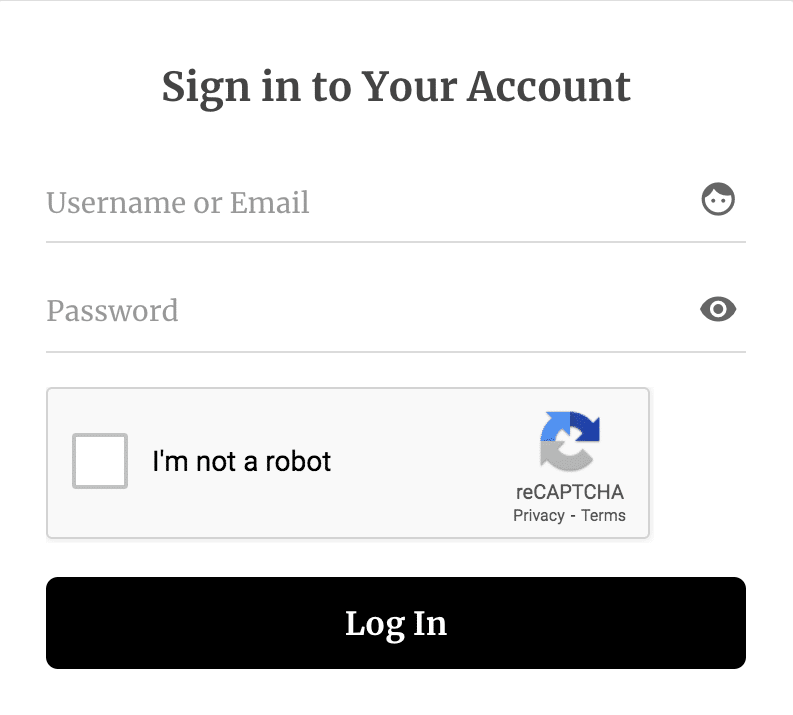
WordPress login form created with ProfilePress, protected by Google reCAPTCHA
- reCAPTCHA v3 adopts a different approach. It works silently in the background and assigns a score to each visitor based on their interaction with your website. You can then decide how to handle these scores. It either permits the submission, requests further verification, or blocks it.
To detect spam, reCAPTCHA analyzes how site visitors interact with a website. It checks patterns in their mouse movement, typing, and browsing history. It then uses the insights it gathers to easily determine if a site visitor is likely human or a bot.
reCAPTCHA’s main benefit is its flexibility. It works seamlessly when it’s added to any form on a website, including registration forms, login pages, contact forms, checkout pages, and comment sections. It’s also free for most websites and provides up to 1 million assessments per month.
However, reCAPTCHA is not without its downsides. The visual puzzles used to detect spam in v2 can slow the user experience and be frustrating for some users. Also, if the JavaScript required to run reCAPTCHA is not optimised correctly, it can slow page load times.
Akismet vs reCAPTCHA: Head-to-Head Comparison
Let’s see how these two really measure up in a few key areas.
Spam Detection
Akismet claims it can catch 99.9999% of spam. It has an extensive built-in database of known spam patterns that it compares form or comment entries against to decide if they are spam. As it learns from millions of WordPress sites, its detection accuracy improves over time.
reCAPTCHA v3, by contrast, monitors how users interact with a site rather than analysing what they type. It assigns a risk score to each visitor and the system based on their behaviour on the site, such as mouse movement and typing speed. You then choose what to do with visitors who receive low scores.
User Experience
Akismet runs completely invisibly to site visitors. They can fill out forms just as they normally would, without running into any unnecessary hurdles.
reCAPTCHA v2, on the other hand, isn’t as smooth. To pass the spam test, visitors must check checkboxes or select images, which can be annoying and slow things down. reCAPTCHA v3 provides a better experience by running quietly in the background, but it also loads additional JavaScript that may slightly affect page speed.
Setup and Configuration
To get Akismet configured on your WordPress site, you only need to go through a few simple steps. Simply install the Akismet addon by ProfilePress, create an account, then copy your API key and paste it into the section provided to enter the API key. All of this is done within minutes.
reCAPTCHA is a bit more involved. First, register your site with Google to get your site and secret keys, then add them to your forms. If you’re using v3, you’ll need to set up additional settings for handling different scores and risk thresholds.
Coverage and Flexibility
Akismet’s main goal is to stop bots from leaving spam comments or submitting form entries. It’s built for WordPress and works best there.
In comparison, reCAPTCHA was designed for use across many other platforms beyond WordPress. It can be embedded into almost any form, including login, registration, checkout, password reset, and contact forms. But unless you use a plugin with a spam setting that covers everything, you’ll need to set it up for each form type one after the other.
Performance Impact
Akismet has minimal impact on website speed because it processes everything on its own servers. This means your hosting resources will always remain available for other tasks.
reCAPTCHA has a greater impact on site speed because it only works by loading JavaScript from Google. Even though it’s not usually a big slowdown, it can be noticeable. The best way to set it up to prevent unnecessary lags is to load it asynchronously.
Pricing
If you run a personal blog or non-commercial site, you can use Akismet for free. However, if you intend to use it for business purposes, you will need a paid plan, starting at $9.95 per month.
reCAPTCHA is free for up to a million assessments per month, which is more than enough for most sites. If you need more, you’ll pay, but honestly, most sites never hit that limit.
Ultimately, Akismet and reCAPTCHA both have their unique selling points. Akismet does a good job of providing users with invisible, content-based protection without disrupting the site’s overall user experience. reCAPTCHA covers more areas and monitors user behaviour, but it can sometimes be intrusive.
Choosing the right option for your site comes down to what matters most for you and your specific use case.
When to Use Akismet vs reCAPTCHA
Choose Akismet if:
You are mostly dealing with spam in your site’s comment sections or bot form entries, and you want to keep a smooth, non-interruptive experience for your users. It is ideal for blogs, news sites, or anywhere user experience is important.
Choose reCAPTCHA if:
You need a high level of protection for important forms such as login, registration, and checkout. It’s also the better choice if you are facing ongoing bot attacks targeting user accounts.
Keep in mind that you are not limited to using only one of these on your WordPress site. Since their use cases differ slightly, it makes sense to use both together if you want an extra layer of security.
Akismet quietly filters out content-based spam, while reCAPTCHA blocks automated bots. Think of it like having a bouncer and a security camera at a party; they work together to catch what the other might miss.
For WordPress sites with ProfilePress, setting up both is super easy, and we will explain how next.
How ProfilePress Combines Both Solutions
ProfilePress, a leading WordPress membership plugin, includes an addon for installing and activating both Akismet and reCAPTCHA together on your website.
It makes it easy for both beginner and advanced users to set things up properly without writing code or jumping between plugins.
Everything happens within one simple and clean dashboard with just a couple of clicks, and both spam and bot protections are up and running on your site.
The Akismet addon checks your registrations and user posts for spam, while the reCAPTCHA addon keeps bots away from your logins, sign-ups, password resets, and checkout forms. They each do their job seamlessly and provide an effortless double-layer security to ensure your site is never compromised.
ProfilePress handles all the behind-the-scenes details, such as loading scripts correctly and managing API connections, in the background. All you need to do is activate the spam protections you want, and it takes care of the rest.
Setting Up Spam Protection in ProfilePress
Setting up both the Akismet and reCAPTCHA protections in ProfilePress takes only a few minutes.
First, get your Akismet API key from the Akismet website, then go to ProfilePress → Addons and activate the Akismet addon.
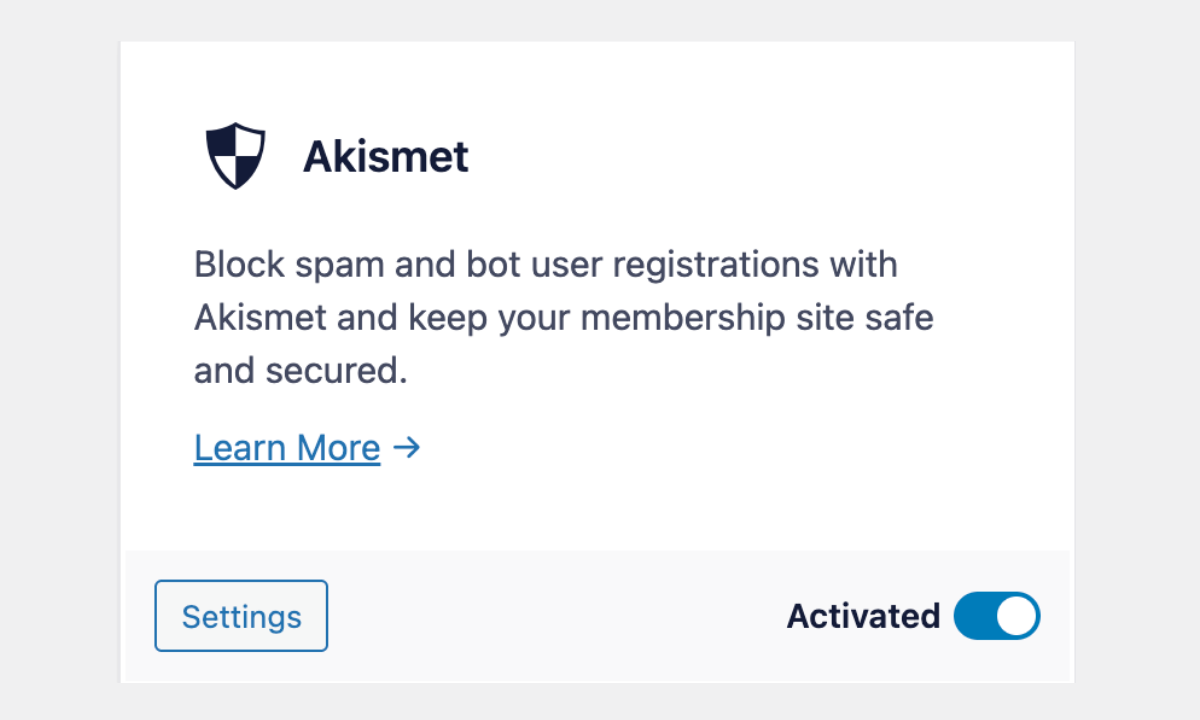
Once it is activated, navigate to ProfilePress → Settings and scroll down to find the Akismet section, paste your key, and hit save. That’s it.
For reCAPTCHA, go to Google’s reCAPTCHA admin console and register your site. You’ll receive a site key and a secret key. Copy both.
Now go to ProfilePress → Addons again and activate the Google reCAPTCHA addon.
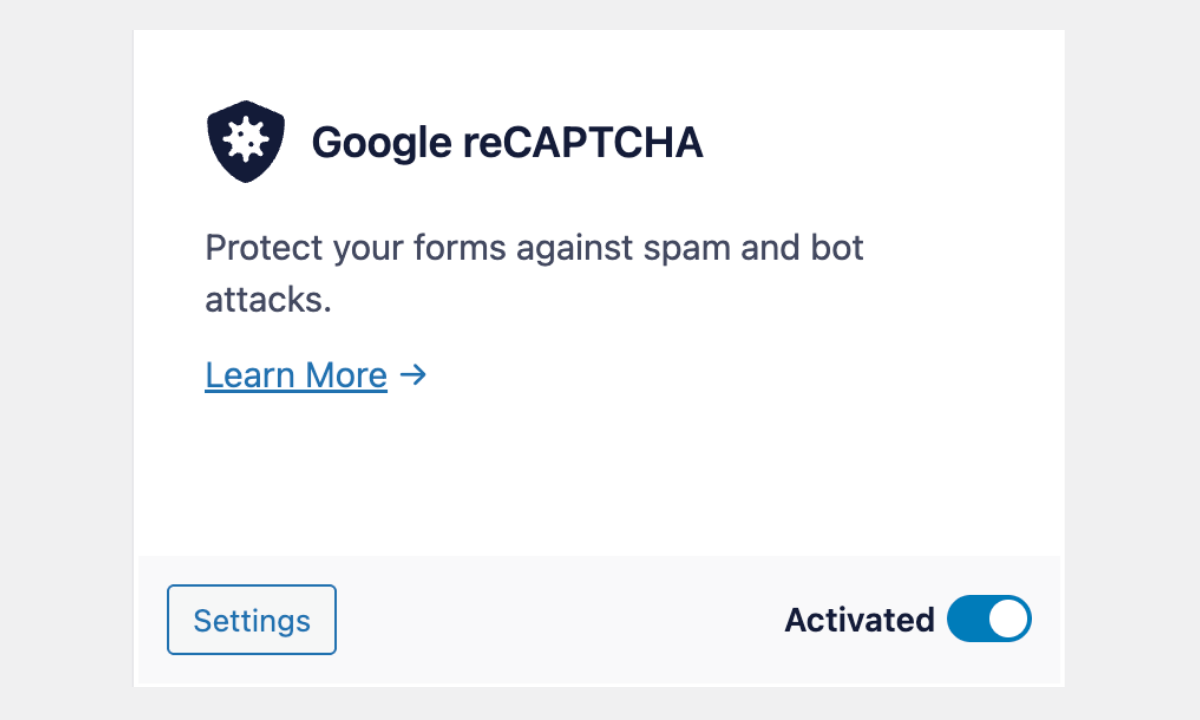
Then click on Settings from the plugin menu, scroll to the Google reCAPTCHA section, and enter the keys you copied into ProfilePress’s reCAPTCHA settings.
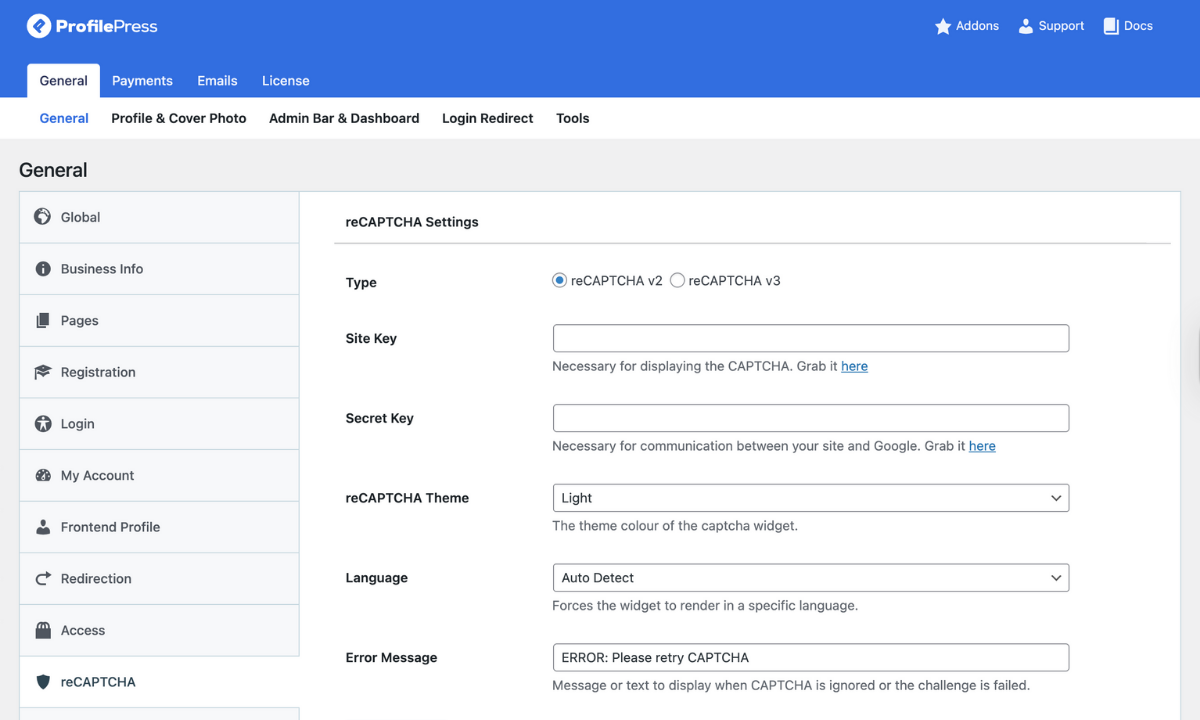
On the same screen, you can choose the reCAPTCHA version you prefer. Select v2 if you prefer the checkbox, or v3 if you want it invisible. You can also enter a custom error message and tweak other settings if needed.
That’s all.
Afterwards, you can decide where you want protection. ProfilePress allows you to enable reCAPTCHA for login and registration forms.
Akismet will start running automatically in the background while reCAPTCHA appears on the forms you selected. Both tools will start blocking spam right away, and you can check your spam logs anytime for insights into what they have caught.
Conclusion
Even though spam can be quite a hassle, it shouldn’t be a problem that you are stuck dealing with endlessly on your WordPress site. When set up correctly, Akismet and reCAPTCHA make a significant difference in keeping your WordPress site spam-free.
If you want spam protection that works quietly on your site without getting in the way of your site visitors’ user experience, then Akismet is the perfect choice for you. reCAPTCHA, on the other hand, though slightly more intrusive, gives you more control and works with a wider range of forms prone to bot submissions.
When installed together, both deliver even stronger spam protection.
If you run a membership site, an online store, or any other type of WordPress site where user accounts are involved, you should ideally have both Akismet and reCAPTCHA installed.
ProfilePress simplifies setting up spam protection solutions for WordPress websites, ensuring they work smoothly and keep your site secure. You’ll get clean spam protection that works quietly in the background.
In short, spam will always try to find a way to get in, but getting rid of it is not as hard as you might have thought. All you need to do is choose the right spam filtering tools that fit your needs, set them up once, and focus on managing your site.
These tools will ensure your site’s database stays bloat-free from unnecessary data, and you’ll rest easier knowing bots aren’t messing with your site while you’re offline.