
A mini course is a short online course, usually 30 to 90 minutes in total, that solves one specific problem. It’s quick to make, quick to finish and easy to say yes to, which makes it one of the best ways to grow an email list, test a course idea or turn visitors into paying customers.
This guide shows how to create a mini course step by step, and how to publish it on your WordPress site with ProfilePress, free.
What a mini course is for
| Use | How it works |
|---|---|
| Lead magnet | Give it away in exchange for an account or an email address, then offer your full course or service. |
| Low-priced product | Sell it cheaply as an easy first purchase. Buyers who’ve paid once are far more likely to buy again. |
| Idea test | Teach the first part of a bigger course. If people take it and ask for more, build the rest. |
| Onboarding | Show new customers or members how to get value from what they’ve bought, so they stay. |
Step 1: Pick one quick win
A mini course solves one problem, completely, in one sitting or a few days. The best topics are the first step of something bigger:
- “Set up your first email newsletter in an afternoon” (before a full email marketing course).
- “Fix the five most common DNS mistakes” (before a DNS course).
- “Plan a week of healthy dinners” (before a nutrition coaching program).
Write the promise as one sentence: who it’s for and what they’ll be able to do at the end. If you need “and” twice, the topic is too big.
Step 2: Plan 3 to 7 short lessons
Work backwards from the result. List the steps a student needs to take, and make each step one lesson of 5 to 10 minutes. Three to seven lessons is plenty; a mini course that grows past 90 minutes is just a course.
End with a short quiz or a checklist so students can confirm they’ve got it, and a final lesson that points to what comes next: your full course, your membership or a call with you. For a full method, see how to create a course outline.
Step 3: Record it simply
A mini course doesn’t need production value. A screen recording with your voice, a phone video in good light, or a well-written text lesson with screenshots all work. Record each lesson in one take where you can, and resist adding more content: short is the point.
Step 4: Build it in WordPress
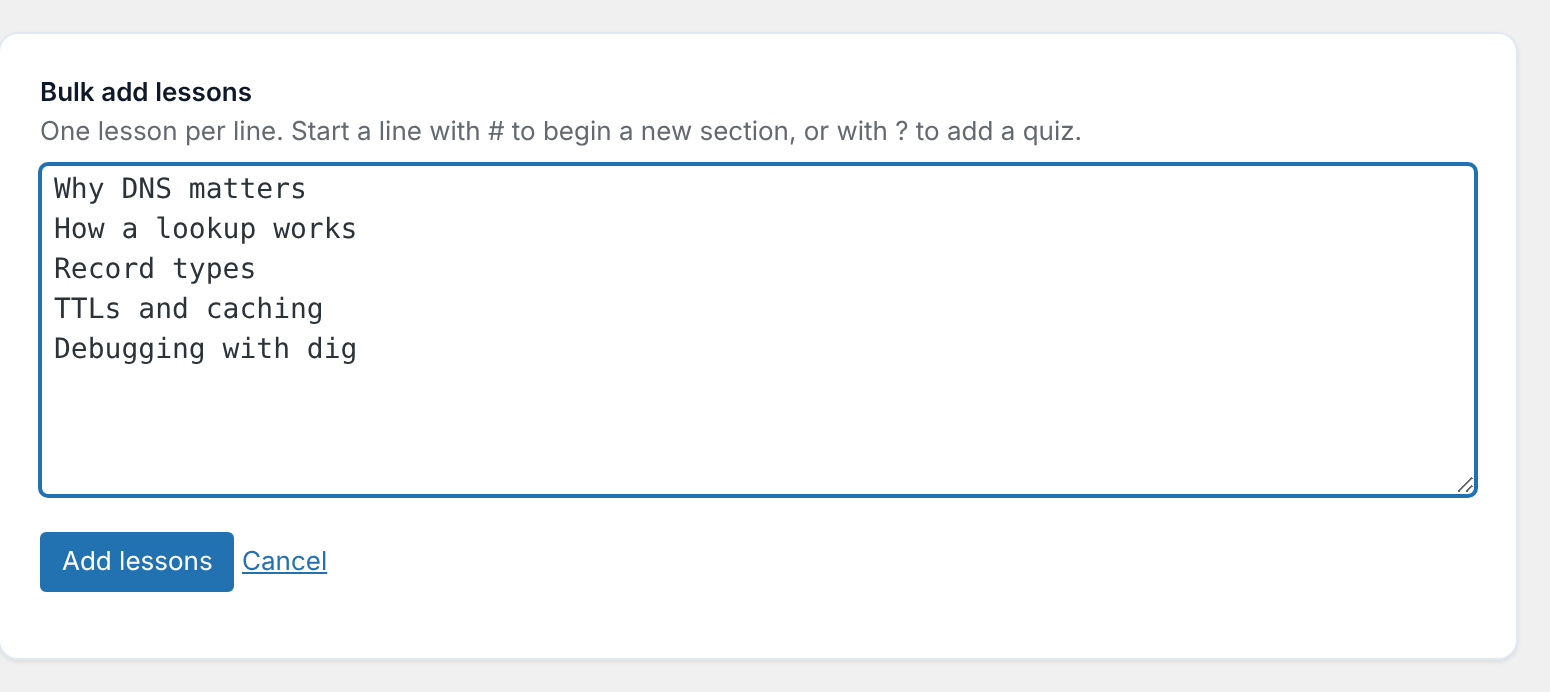
In ProfilePress, go to ProfilePress » Courses and click Add New Course. Paste your lesson list into Bulk add lessons, one lesson per line (start a line with # for a section, or ? for a quiz), and the whole course is created in one go. Then click each lesson to add its video or text.
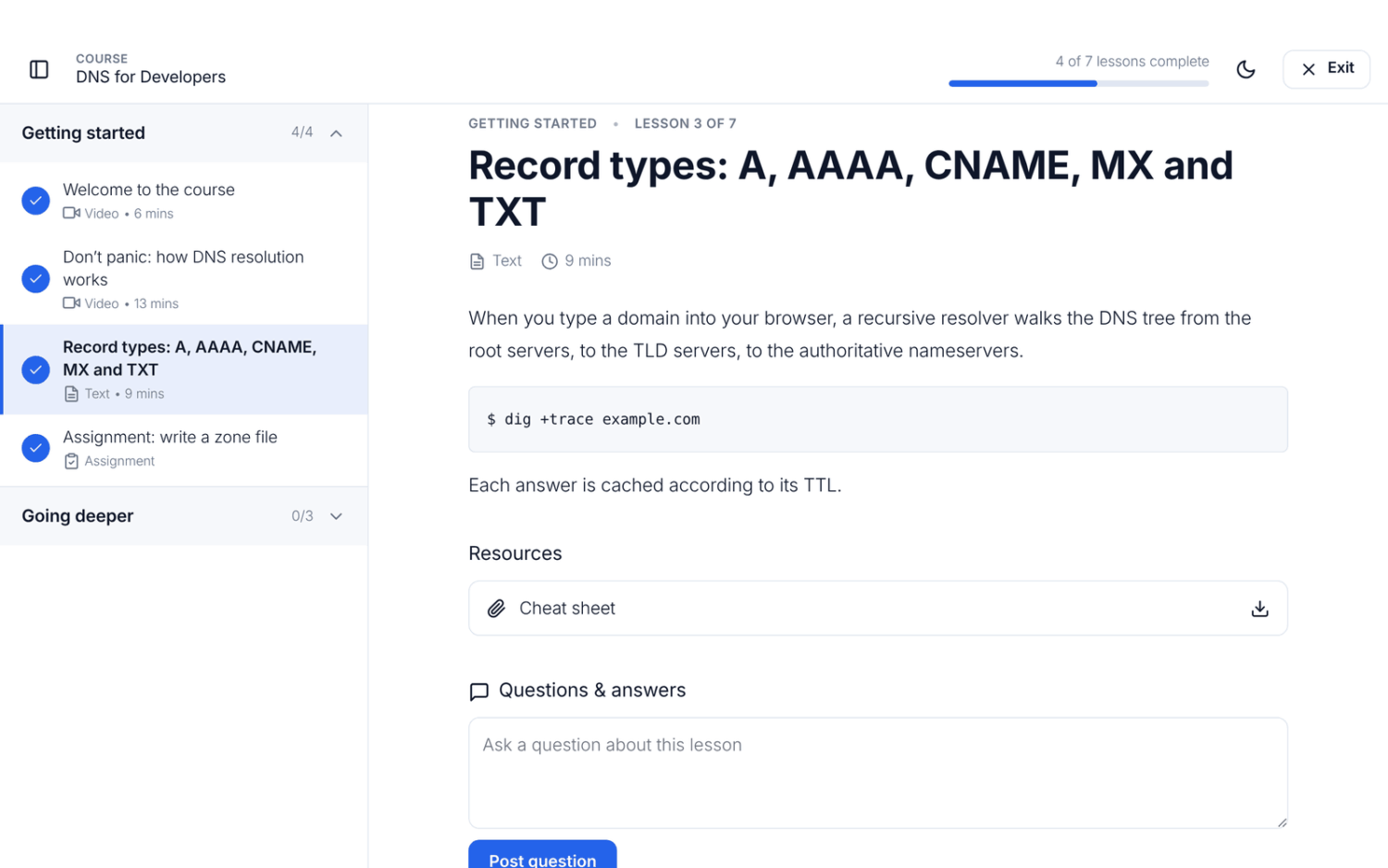
Students take it in a distraction-free focus mode with their progress at the top, and pick up where they left off.
Step 5: Choose how people get it
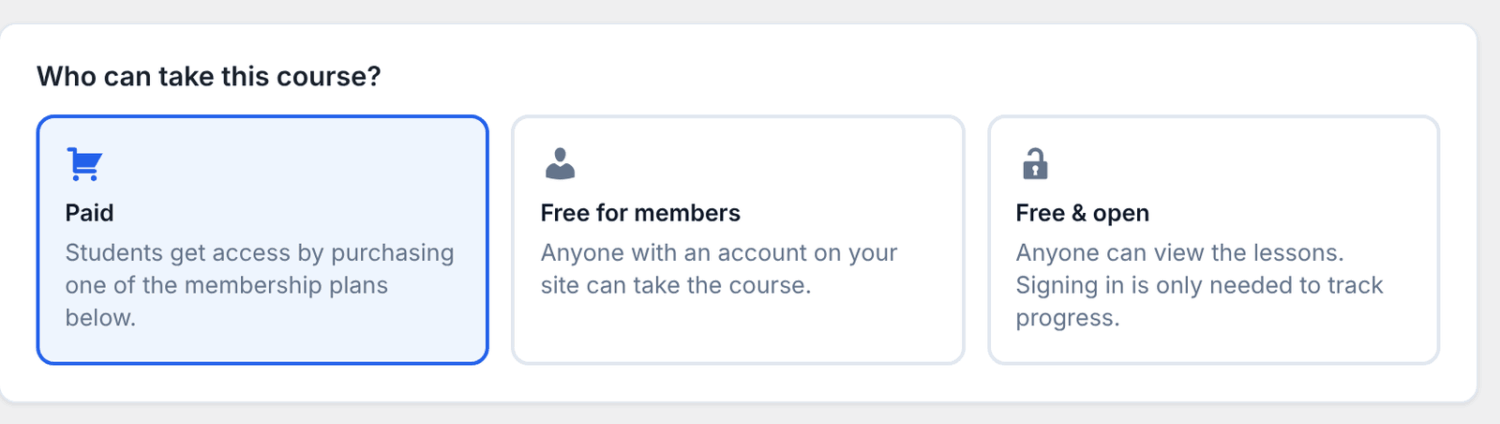
On the course’s Pricing & Access tab, choose who can take it:
- Free for members: the best choice for a lead magnet. Visitors create an account to start, so every student is a contact you can follow up with.
- Free & open: anyone can watch, no account needed. Good for reach, but you won’t know who took it.
- Paid: sell it with a low one-time price.
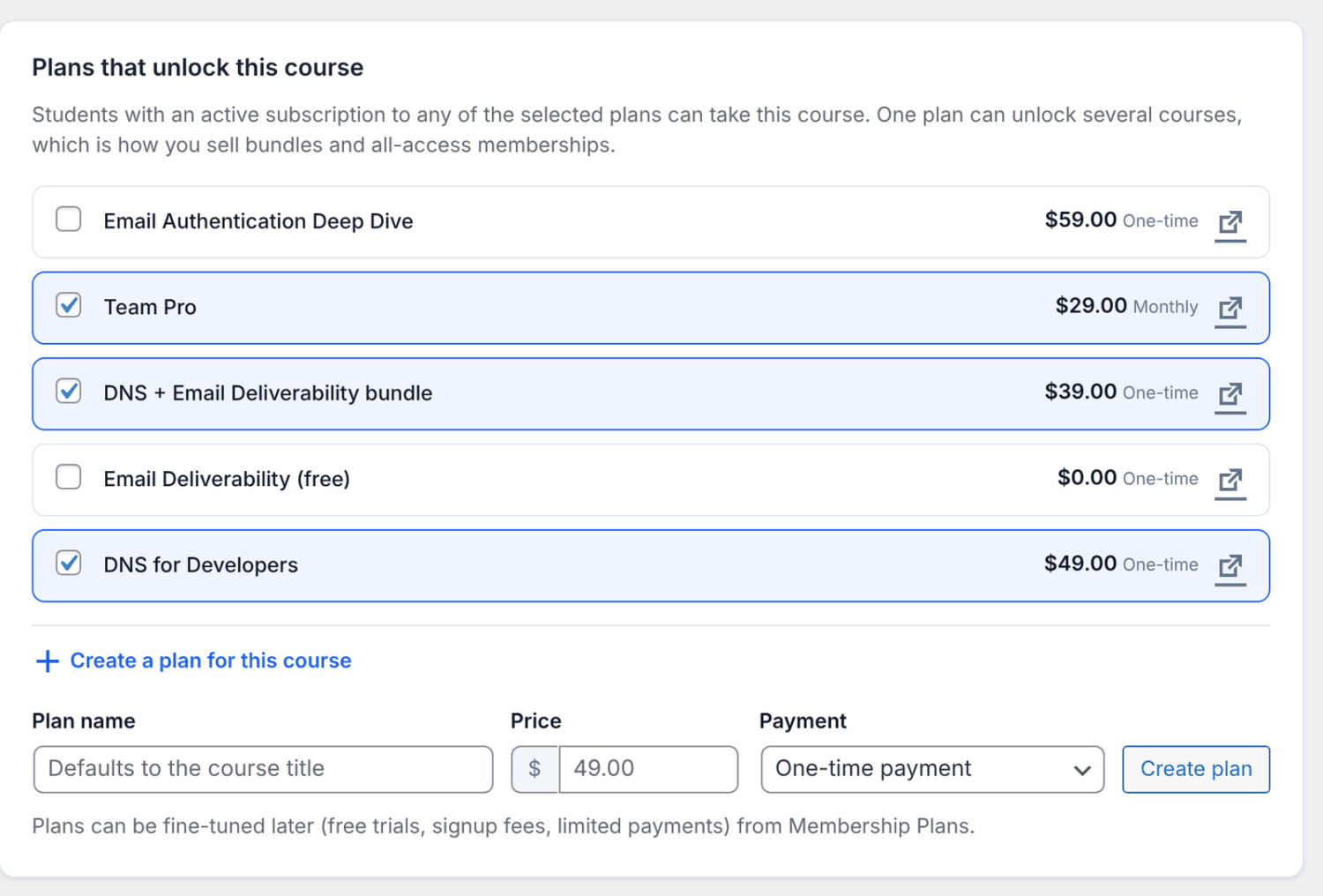
To sell it, open Create a plan for this course under Plans that unlock this course, enter the price, choose a one-time payment and click Create plan.
Step 6: Turn it into your next sale
A mini course does its job when students take the next step. A few ways to get there:
- Finish with a lesson that explains what your full course or membership covers, with a link to it.
- Turn on certificates so students who finish get one, a small reward that brings them back to your site.
- Make the mini course a prerequisite of your full course, so the two feel like one path.
- To grow your email list automatically, give the course away through a free ($0) plan instead of Free for members, and connect your email list to that plan (ProfilePress Pro). Everyone who signs up joins your list.
For pricing and selling your main course, see how to sell online courses.
Frequently asked questions
How long should a mini course be?
Usually 30 to 90 minutes in total, in 3 to 7 lessons of 5 to 10 minutes. Long enough to deliver one result, short enough to finish in a day or two.
Should a mini course be free or paid?
Free if your goal is leads, paid if your goal is turning people into customers. A low price filters for people who are serious, and makes the next, bigger purchase feel natural.
How long does it take to create a mini course?
A weekend is realistic: a few hours to plan, a few to record and an hour or two to build and publish it.
Can I create a mini course for free?
Yes. ProfilePress’s course builder is free on WordPress, so your only cost is your hosting and the tools you record with.
Create your mini course this weekend
Pick one quick win, plan a handful of short lessons, record them simply and publish. With ProfilePress, your mini course lives on your own WordPress site, next to the full course it leads to. For the full course-creation process, read how to create an online course.