
Introducing ProfilePress Courses: A Free WordPress LMS
If you sell memberships with ProfilePress, you’ve probably wanted to sell courses too. Until now that meant installing a separate LMS plugin, connecting it to your membership plans, and hoping the two agreed on who has access.
Not anymore. ProfilePress now comes with a course builder, and it’s free.
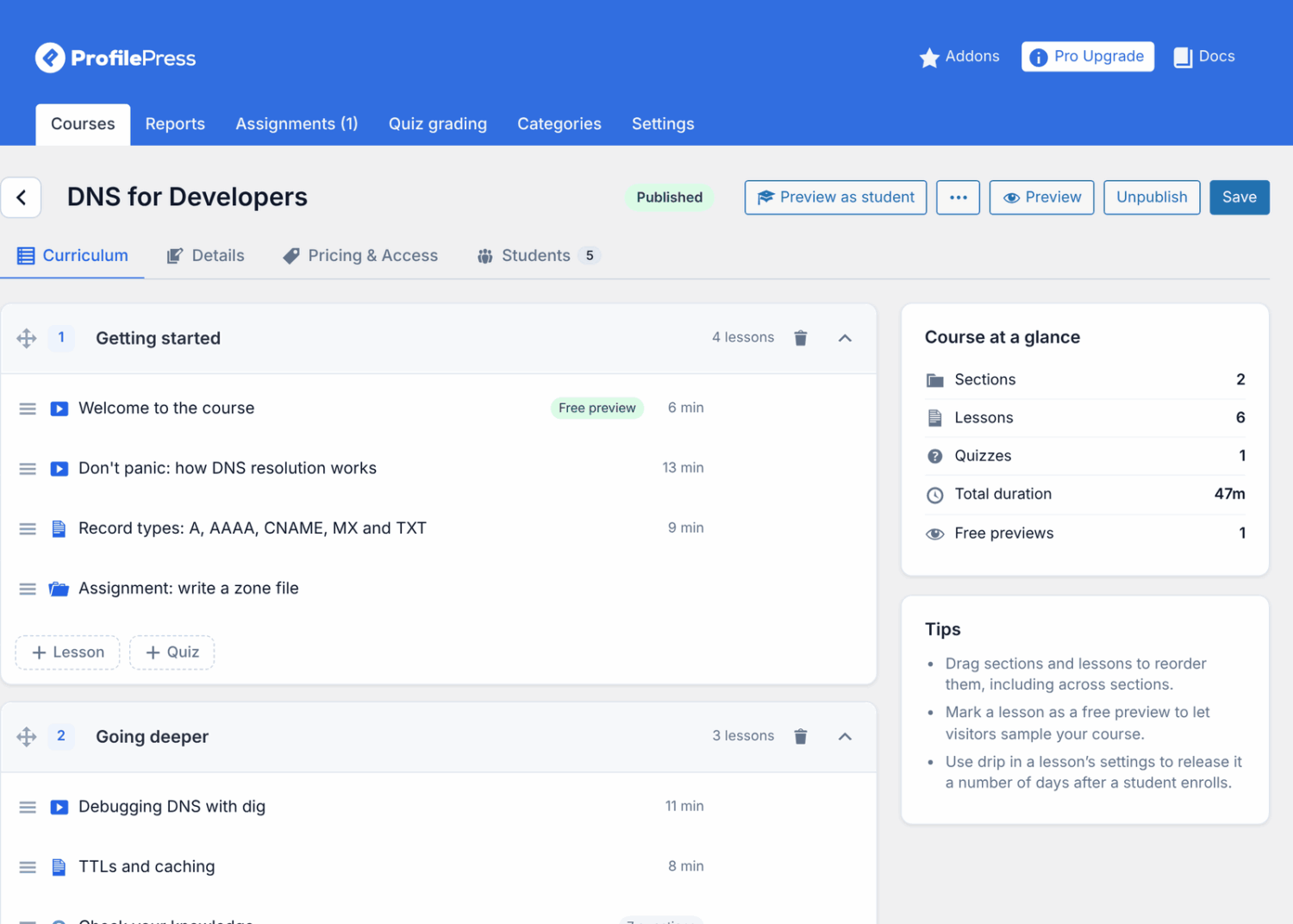
One plugin for members and courses
Courses use the membership plans, checkout and My Account you already run. Attach a course to a plan and everyone with an active subscription can take it. When the subscription ends, so does access. There’s nothing to sync.
Your Content Protection rules work on courses and lessons too. You can also use “students of a course” as a rule’s audience, to open a bonus page, download or community area to the people taking or finishing a course.
Build a course in minutes
The builder fits on one screen. Type a lesson title, press Enter, type the next. Drag lessons between sections. Lessons can be text, video or quizzes, and any lesson can be a free preview. Already have an outline? Paste it into Bulk add lessons and the whole curriculum is created at once.
Students learn in a distraction-free focus mode, with light and dark themes and an outline that works on phones. Videos from YouTube, Vimeo or your own server resume where students left off, and can complete the lesson when they end.
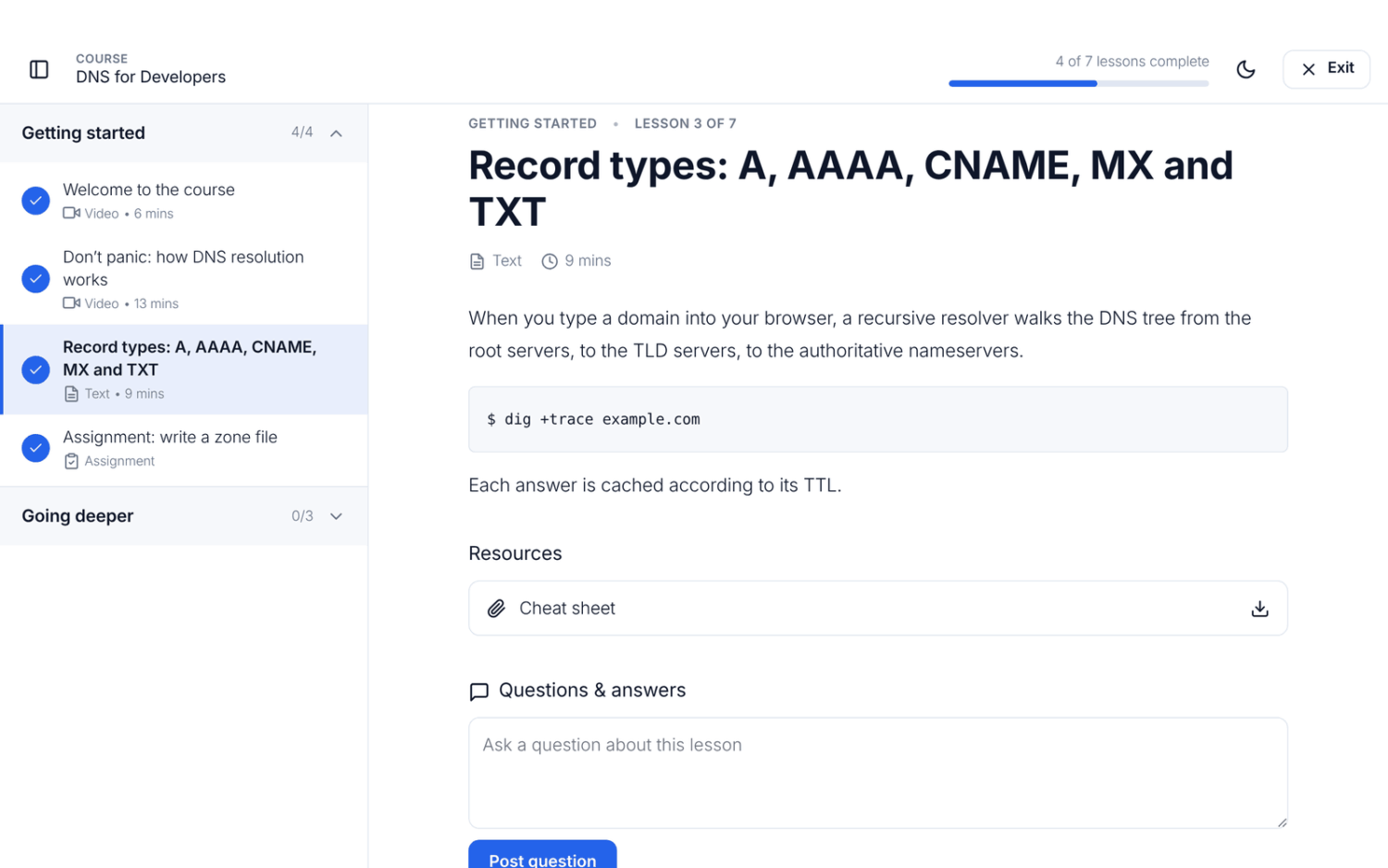
New to course creation? Our guide on how to create an online course takes you from choosing a topic to publishing.
Everything you need to run a school, free
- Selling: free, members-only or paid courses; bundles of several courses in one plan, with a page that shows the savings; coupons; Stripe and bank transfer checkout.
- Access: prerequisites, access that expires and renews, a start date for cohorts, and lessons that unlock a set number of days after enrolling.
- Quizzes: six question types, question banks that pick random questions, time limits and attempt limits.
- Certificates that anyone can verify with a link. On paid courses, only students who’ve paid get one, so a free trial can’t earn it.
- Emails when students enroll, unlock a lesson or finish a course, and a reminder when they stop showing up.
- Reports on progress, drop-off by lesson and quiz results, with CSV export.
- Community: course reviews and ratings, and lesson Q&A that only enrolled students can read.
- Your site: a course catalog with search and filters, six Gutenberg blocks and Elementor widgets.
- Tools: duplicate, export and import courses, and preview any course as a student. Buyers land on a receipt that links straight to their courses.
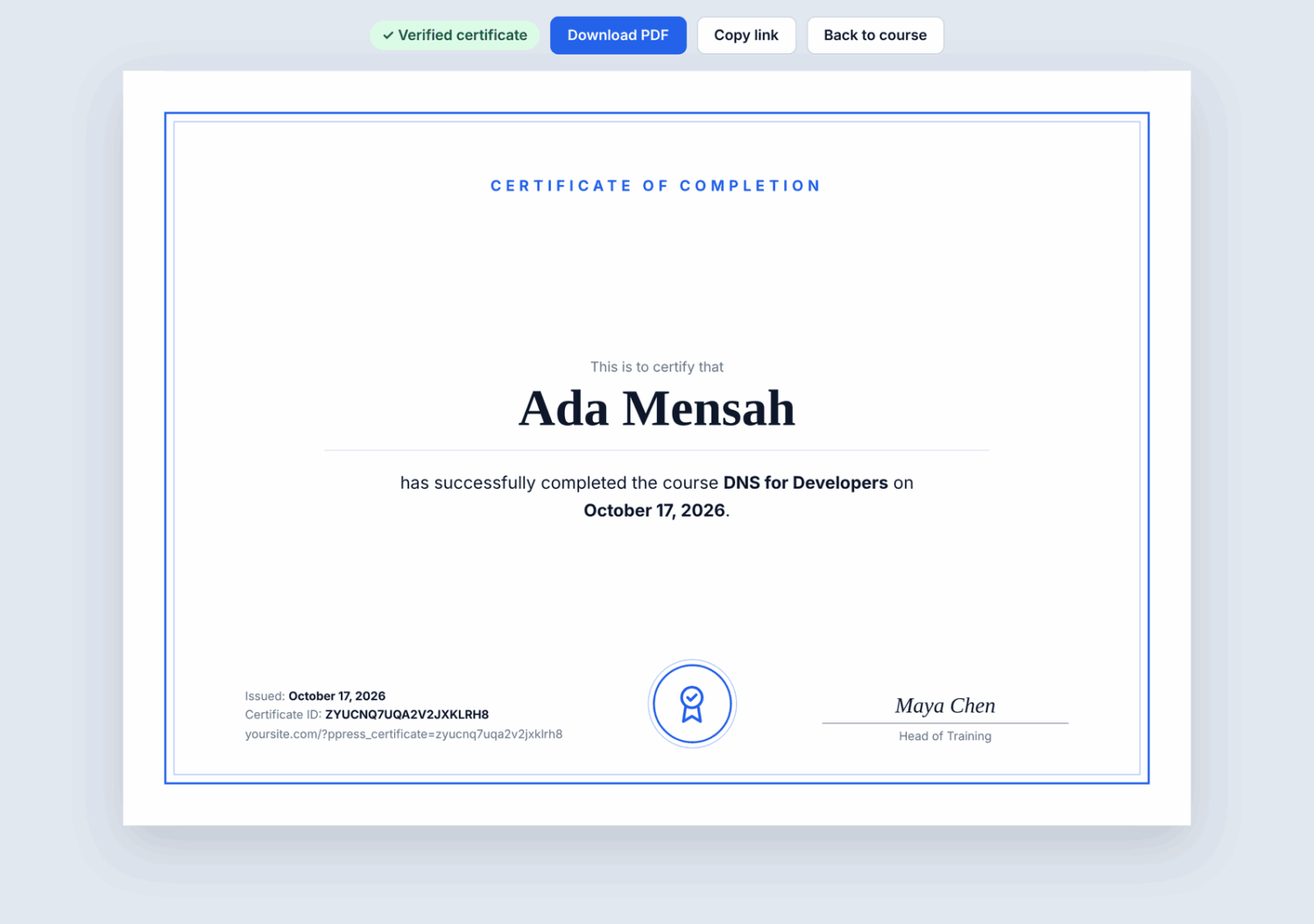
Ready to sell? See how to sell online courses for pricing models, checkout and getting your first students.
Advanced Courses (Pro Plus and Agency)
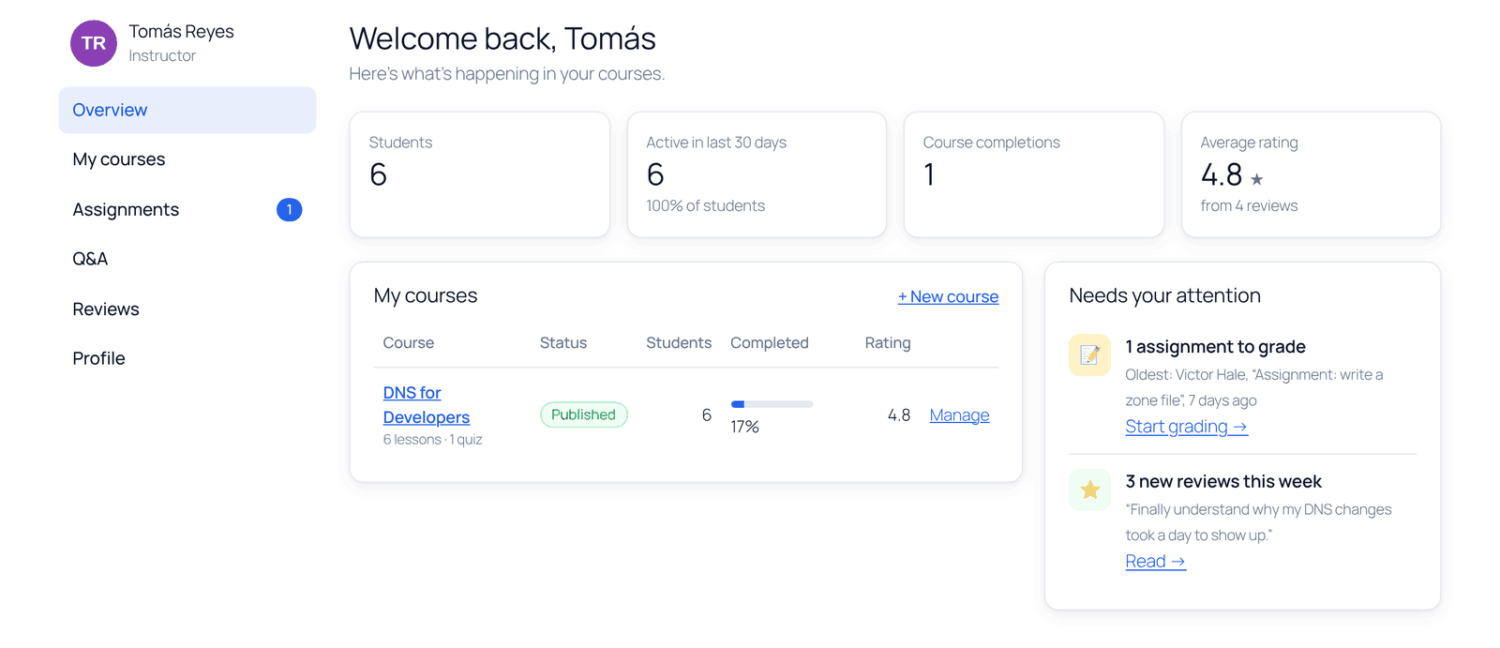
For schools with several teachers and graded work, the new Advanced Courses add-on adds:
- Instructors who build and teach their own courses, with co-instructors and a front-end instructor dashboard. New courses wait for your approval before they go live.
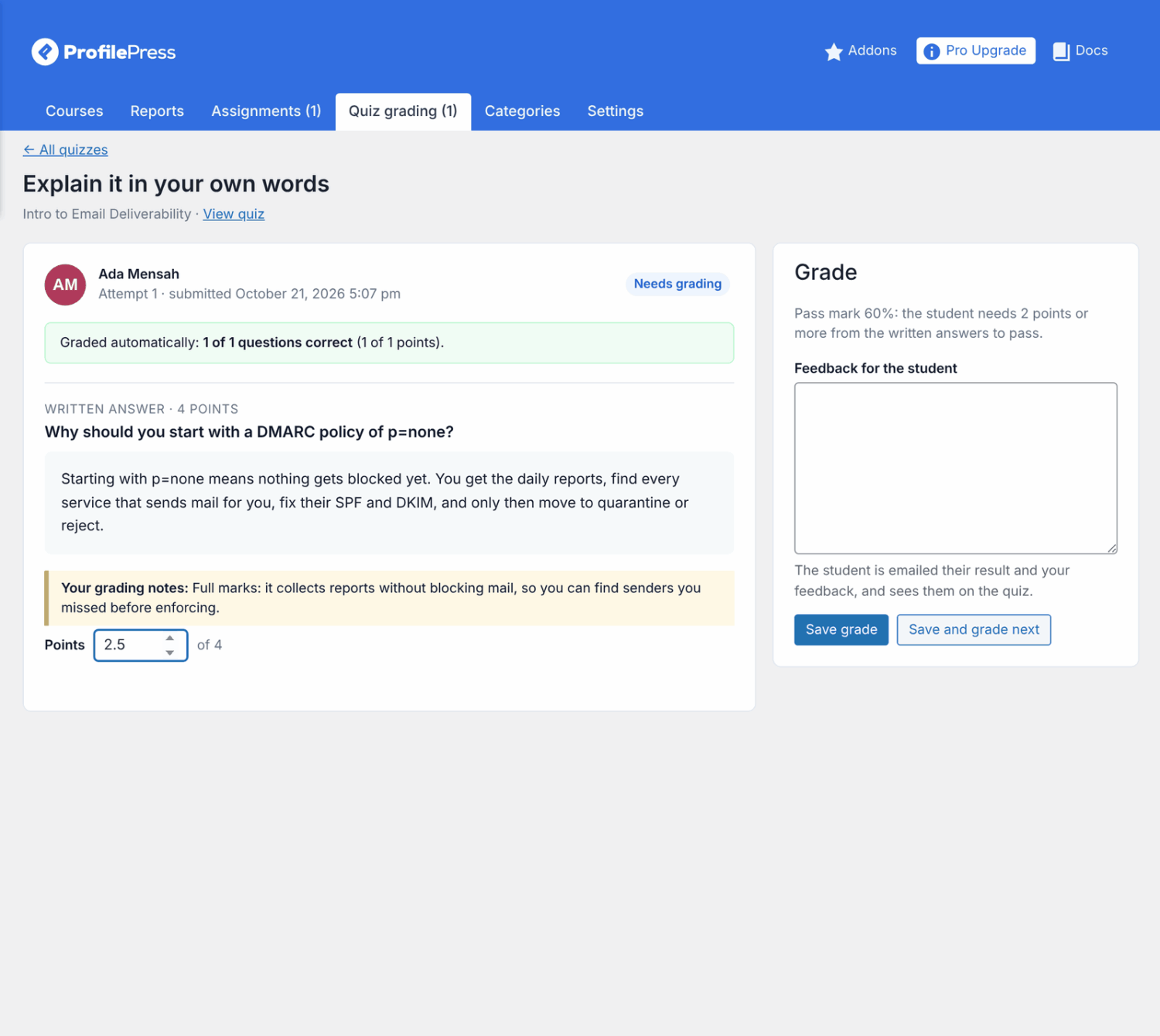
- Assignments: students hand in text or files, and instructors grade them with feedback.
- Written-answer quiz questions graded by hand.
- Completion actions: when a student finishes a course, enroll them in the next one, add them to your email list, give them a role or plan, or call a webhook.
- Announcements shown on the course page and emailed to students.
Team Memberships (Pro Plus and Agency)
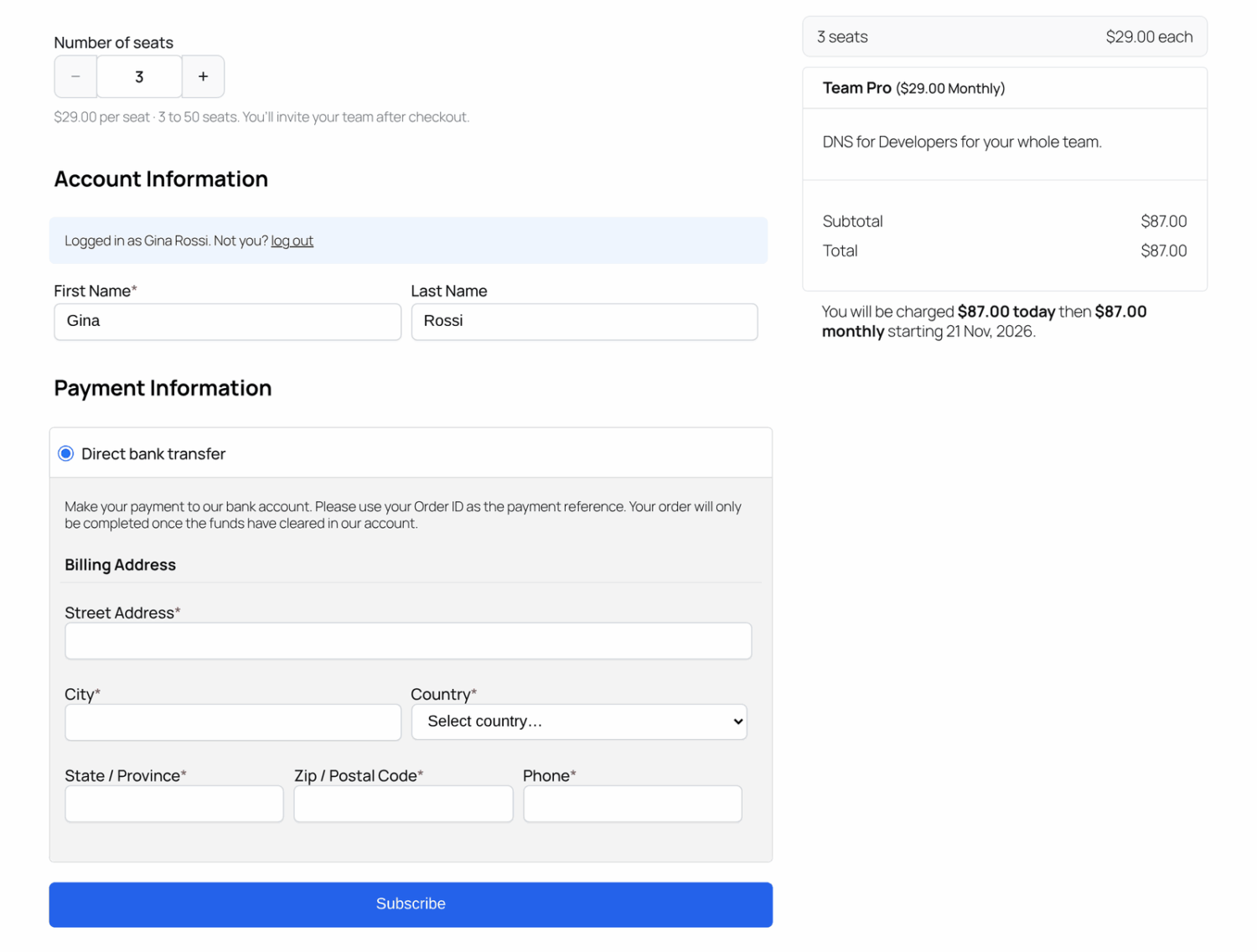
Selling training to companies? With Team Memberships, one person buys a plan with seats, chooses how many at checkout, and invites their colleagues by email or with a join link. Everyone on the team gets the plan’s courses and content, and the owner can see each member’s progress. On per-seat plans, owners add seats themselves (prorated) or remove them (the lower price starts at the next renewal).
Get started
Update ProfilePress to the latest version and go to ProfilePress » Courses. Our getting started guide walks you through your first course. Advanced Courses and Team Memberships are included in the ProfilePress Pro Plus and Agency plans.