
9 Best LMS for Small Businesses & Creators
Are you looking for the best LMS for small businesses and creators but want to avoid spending hours testing various platforms?
Because let’s be honest, nobody has time for that. Between running your business, creating content, and actually serving your audience, the last thing you need is to waste weeks comparing feature tables and decoding pricing pages.
Whether you are training employees, onboarding customers, selling online courses, or building a membership site, the right Learning Management System can help you deliver a better learning experience while saving time and supporting business growth.
The challenge is that not every LMS is built for the same purpose. Some platforms are better for employee training and internal learning, while others are designed for creators who want to sell courses, memberships, coaching programs, or digital products. Choosing the wrong platform can lead to wasted time, higher costs, and limited growth.
In this guide, we’ve done the heavy lifting for you. We’ve tested, compared, and reviewed the best LMS platforms for small businesses and creators, breaking down their features, pricing, pros, and cons in plain English. We’ve also included powerful WordPress LMS plugins for users who want more ownership, flexibility, and control over their learning platform.
Why Small Businesses and Creators Need an LMS
As your business grows, so does the challenge of sharing knowledge efficiently. What starts as a few email attachments, video links, or shared documents can quickly become difficult to manage. Team members struggle to find the latest training materials, customers ask the same questions repeatedly, and creators spend valuable time explaining concepts they’ve already covered.
An LMS (Learning Management System) solves these problems by consolidating all your learning content into a single, organized platform that people can access anytime, from anywhere.
For small businesses, an LMS is more than a place to store training materials. It helps you onboard new employees faster, deliver consistent training across your team, and keep everyone up to date with company policies, products, or compliance requirements.
Instead of repeating the same training sessions every time someone joins your business, you can create structured learning paths that employees complete at their own pace. This saves time, improves consistency, and allows your team to become productive much sooner.
For creators, an LMS provides a professional way to package and sell knowledge. Rather than sending course videos through cloud storage or managing payments and lessons manually, you can build a complete learning experience with videos, quizzes, downloadable resources, certificates, discussion areas, and progress tracking.
Many LMS platforms also include marketing features, subscriptions, and payment processing, making it easier to turn your expertise into a sustainable source of income.
Another major advantage is scalability. Whether you have 20 learners today or 20,000 in the future, a good LMS grows alongside your business. You can add new courses, automate enrollments, monitor learner progress through detailed reports, and integrate with other business software without creating extra work. This allows you to spend less time managing training and more time growing your business.
How We Selected the Best LMS Platforms
To ensure this list is genuinely useful, we evaluated every LMS using the criteria that matter most to small businesses and creators.
Rather than focusing on the platforms with the biggest names, we looked at how well each one performs in real-world scenarios, from creating courses and training employees to selling digital products and scaling as your business grows.
Here are the factors we considered:
1. Ease of Use: An LMS should be easy to set up and manage, even if you have little or no technical experience. We prioritized platforms with intuitive dashboards, drag-and-drop course builders, and simple navigation so you can spend more time creating content rather than learning to use the software.
2. Course Creation: The ability to build engaging learning experiences was another important factor. We looked for LMS platforms that support video lessons, quizzes, assignments, downloadable resources, certificates, drip content, and learner progress tracking.
3. Pricing and Value for Money: Budget matters, especially for small businesses and independent creators. We compared pricing plans, free trials, and free versions to determine whether each platform offers good value for the price.
4. Sales and Monetization Features: For creators selling online courses, built-in sales features can eliminate the need for extra software. We gave higher ratings to platforms that include payment processing, subscriptions, memberships, coupons, affiliate programs, landing pages, and integrations with popular payment gateways.
5. User Management and Reporting: Tracking learner progress is essential for both businesses and creators. We assessed how well each LMS handles user enrollment, learning paths, completion reports, certificates, and analytics. Platforms with detailed reporting make it easier to measure learner performance and identify areas for improvement.
6. Integrations: An LMS should fit into your existing workflow. We considered how well each platform integrates with popular services like WordPress, Zoom, email marketing platforms, CRM software, payment processors, and automation tools. Better integrations mean less manual work and a more connected business.
7. Customization and Branding: Your learning platform should reflect your brand. We favored LMS solutions that allow you to customize course pages, learner dashboards, logos, colors, domains, and emails. This helps create a more professional experience for students and employees.
8. Scalability: The best LMS should continue to meet your needs as your business grows. We looked for platforms that can accommodate increasing numbers of learners, additional courses, multiple instructors, and more advanced features without requiring you to switch systems later.
9. Customer Support: Reliable customer support can save hours of frustration when you encounter technical issues. We considered the availability of live chat, email support, knowledge bases, tutorials, webinars, and community forums when evaluating each platform.
Now that you know how we made our selection, let’s explore the platforms that earned a spot on our list.
1. LearnWorlds
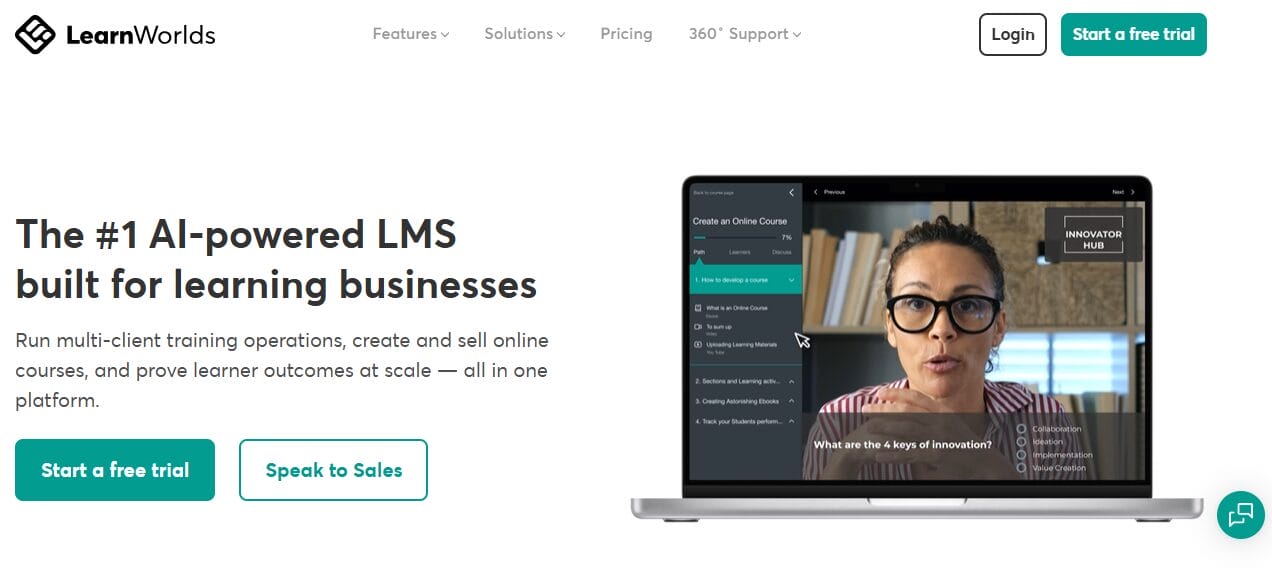
LearnWorlds offers businesses, trainers, coaches, and digital creators a comprehensive learning platform to create, sell, manage, and improve online training programs from a single place.
Whether you want to train employees, onboard customers, educate partners, or sell online courses, LearnWorlds provides the structure and flexibility needed to build an excellent learning experience.
A major reason LearnWorlds is highly rated is its focus on interactive learning. The platform supports multimedia lessons, ebooks, videos, assessments, surveys, certificates, branded mobile apps, and live sessions through Zoom and WebEx integrations.
Its AI assistant also helps users create or repurpose training content faster, with more than 200 prebuilt prompts available. This makes it useful for small businesses and creators who need to produce quality course materials without spending too much time on manual content creation.
LearnWorlds also performs well for businesses that want to grow. It supports multiple schools, custom user roles, bulk actions, advanced security, SCORM content, ecommerce features, and detailed analytics.
You can track learner behavior, course performance, academy activity, and sales reports. For small businesses and creators who want a professional LMS that can handle both learning delivery and online selling, LearnWorlds is a great choice.
Features of LearnWorlds
- Interactive video lessons and multimedia learning content
- Personalized learning paths
- Branded mobile apps for mobile learning
- Built-in authoring tools for ebooks and interactive content
- AI content creator with 200+ pre-built prompts
- Advanced assessment builder with 17+ question types
- Custom certificates
- Built-in survey builder
- Webinars and live sessions through Zoom and WebEx integrations
- SCORM compliance
- Advanced community features, including activity feeds, groups, and discussions
- Ecommerce functionality with payment gateway integrations
- Detailed learner, course, and sales analytics
- Multi-tenancy and custom user roles
- API, webhooks, and Zapier integrations
Pros
- Excellent multimedia and interactive learning capabilities
- Powerful AI-assisted course creation
- Advanced quizzes, assessments, and certificates
- Fully white-labeled website and mobile app options
- Detailed reporting and analytics
- Supports both internal training and external course sales
- Reliable customer support and onboarding assistance
Cons
- Can take time to learn because of the large number of features
- Gamification options are more limited than some competing LMS platforms
- Higher-tier plans may be expensive for very small businesses just starting out
How much does LearnWorlds cost?
LearnWorlds offers a 30-day free trial, which allows users to test many of its features before choosing a paid plan. Its pricing starts with the Starter plan at $29 per month. The Pro Trainer plan costs $84.15 per month, while the Learning Center plan costs $254.15 per month.
For larger organizations, LearnWorlds also offers a Corporate plan with custom pricing. This option is better suited for companies that need advanced setup, greater scalability, custom roles, support for multiple schools, security features, and more support.
2. Thinkific
Thinkific is a reliable LMS for creators and small businesses that want to build and sell online learning products without dealing with unnecessary complexity. Whether you’re creating your first course or expanding an existing education business, the platform provides everything you need to launch, manage, and grow from a single dashboard.
Creating courses with Thinkific is easy. Its drag-and-drop course builder lets you upload videos, PDFs, quizzes, live Zoom lessons, and other learning materials with minimal effort. If you’re starting from scratch, there are ready-made course templates that help you organize your content faster.
You can also build a complete course website using customizable themes, landing pages, checkout pages, and a custom domain, giving your business a polished online presence without hiring a web developer.
Beyond course creation, Thinkific offers plenty of features to help you grow your business. You can build private communities, create memberships, schedule drip content, issue certificates, and accept payments through popular gateways like Stripe and PayPal.
Thinkific also includes marketing features such as coupons, affiliate management, upsells, email integrations, and detailed analytics, allowing you to track student progress and monitor course sales.
Features of Thinkific
- Drag-and-drop course builder
- AI-powered content creation assistance
- Ready-made course templates
- Support for videos, PDFs, quizzes, assignments, surveys, and live Zoom lessons
- Drip content scheduling
- Course completion certificates
- Website builder with customizable themes
- Custom domain support
- Landing pages and sales pages
- Online communities and memberships
- Digital downloads and coaching products
- Flexible payment options, including subscriptions and payment plans
- Coupons, discounts, order bumps, bundles, and upsells
- Affiliate management
- Email marketing integrations
- Student progress tracking and course analytics
- App marketplace with third-party integrations
- Cloud hosting with automatic backups
- API and Zapier integration
Pros
- Clean and easy-to-use interface
- Excellent course builder with flexible content options
- Supports courses, memberships, communities, coaching, and digital downloads
- Attractive website builder with custom branding options
- Built-in marketing and sales features
- Multiple payment options for selling courses
- Good reporting for student progress and sales performance
Cons
- Several advanced integrations require additional paid apps
- Video processing can take longer when uploading large files
- Certain design customization options are limited without custom code
How Much Does Thinkific Cost?
Thinkific offers a 30-day free trial. Paid plans begin at $74 per month when billed annually.
3. TalentLMS
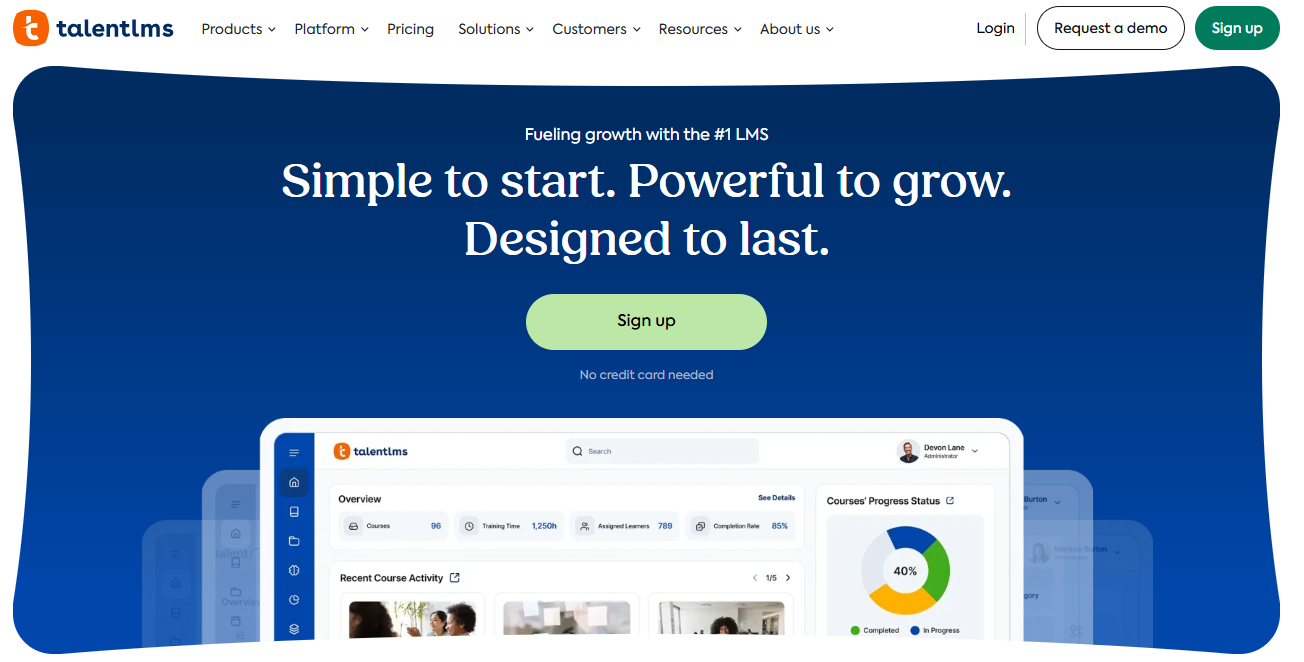
TalentLMS is one of the best LMS platforms for small businesses. It focuses on making online training easy to manage, even for organizations with limited technical experience.
Setting up TalentLMS is quick, and features such as auto-enrollment, bulk user imports, and account syncing reduce the amount of manual work required to get learners started.
What really sets TalentLMS apart is its gamification engine. If you’ve ever struggled to keep learners engaged or wished your courses had that addictive “just one more level” feel, this platform delivers. Leaderboards, badges, levels, and points are built right in, turning even the driest compliance training into something people actually want to complete.
That said, TalentLMS isn’t for everyone. Its ecommerce capabilities are notably limited, so it’s not the best choice if you’re primarily selling courses. But for internal training, employee onboarding, or partner education? It’s an absolute workhorse. Think of it as the practical, get-it-done option that doesn’t overcomplicate things.
Features of TalentLMS
- Drag-and-drop course builder
- AI-powered course creation with TalentCraft
- Auto-enrollment and bulk user imports
- Custom learning paths
- Gamification with badges, points, levels, and leaderboards
- White-label learning portal
- White-label mobile app
- Offline learning support
- Training automation
- Multiple training portals and sub-accounts
- Detailed reporting and learner analytics
- Scheduled reports and training infographics
- Account synchronization
- Certificates and assessments
- SCORM and xAPI support
Pros
- Easy to set up and use
- Excellent gamification features that encourage learner engagement
- AI assistance for creating training content
- Supports offline learning
- Free plan available for small teams
- Detailed reporting and learner tracking
- White-label mobile app available
- Suitable for employee onboarding, compliance, and internal training
Cons
- Limited ecommerce features for selling online courses
- Homepage customization options are limited
- Community features are fairly basic
- Certain integrations may require additional configuration
- User and training portal limits vary by plan
How Much Does TalentLMS Cost?
TalentLMS offers a free plan for up to 5 users, making it a good option for businesses that want to explore the platform before committing to a paid subscription. Its paid plans start at $119 per month.
4. Kajabi
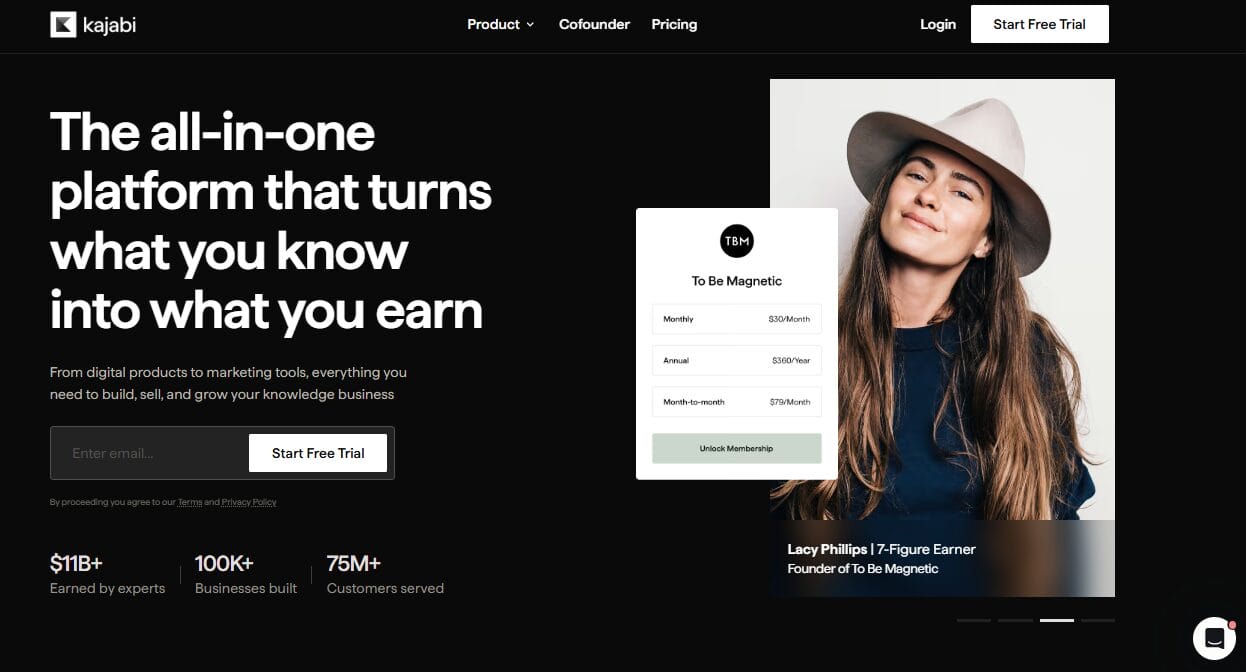
Kajabi is a marketing-focused LMS built for small businesses, coaches, consultants, and creators who want to sell online courses, digital programs, memberships, and coaching offers from a single platform.
Unlike a traditional LMS that focuses mainly on course delivery, Kajabi combines learning content, website building, email marketing, sales funnels, checkout pages, and customer management in a single platform. This makes it a suitable option for businesses that want their training platform to support sales and brand growth as well.
The platform provides users with a clean course-creation environment to upload lessons, organize modules, manage students, and build a professional learning experience. Beyond course hosting, Kajabi also allows users to create blogs, landing pages, sales pages, email campaigns, and automated customer journeys.
However, Kajabi may not be the best choice for every small business. Its pricing is relatively high compared to many LMS platforms, especially for companies that only need internal employee training. It is better suited for businesses that plan to generate revenue from online programs, digital products, or paid memberships.
Features of Kajabi
- Course creation and online course hosting
- Website builder with customizable themes
- Landing page builder
- Built-in blog
- Email marketing and automation
- Sales funnels and pipeline builder
- Customer relationship management (CRM)
- Memberships and subscription management
- Payment processing
- Analytics and sales reporting
- Community features
- Mobile-friendly learning experience
- Third-party integrations
Pros
- Combines course hosting, website creation, CRM, and marketing in one platform
- Attractive website templates and page builder
- Built-in email marketing and automation
- Sales funnels included
- Suitable for courses, memberships, coaching, and digital products
- Detailed marketing and sales analytics
Cons
- More expensive than many competing LMS platforms
- No permanent free plan; Kajabi only offers a 14-day free trial
How Much Does Kajabi Cost?
Kajabi offers a 14-day free trial, which allows users to test many of its features before choosing a paid plan. Its pricing starts at $143 per month when billed annually.
5. iSpring LMS
iSpring LMS is a cloud-based LMS designed for businesses that want a reliable way to train employees, onboard new hires, deliver compliance courses, and support ongoing professional development. Instead of focusing on selling online courses, the platform is built around workplace learning, making it a good fit for small businesses that need to manage internal training from a single location.
The platform supports courses, quizzes, videos, documents, role-play exercises, assessments, and instructor-led training sessions. It also includes AI-powered course creation to help reduce the time spent building new learning materials.
Another useful feature is the built-in Events Calendar, which allows businesses to organize virtual and in-person training sessions from one dashboard. Managers can automate many administrative tasks, assign learners to groups, issue certificates after course completion, and monitor learner progress through the Supervisor Dashboard.
iSpring LMS performs particularly well in learner management and reporting. Administrators can generate detailed reports, monitor completion rates, and identify employees who may need additional training. The platform also includes gamification features, social learning through chats and newsfeeds, and 360-degree feedback surveys to encourage participation.
Features of iSpring LMS
- AI-powered course creation
- Built-in content authoring
- Automated course assignments and management
- User groups and multiple administrator roles
- Supervisor Dashboard
- Detailed learner reports
- Certificate management
- Assessments and quizzes
- Role-play learning activities
- Gamification features
- Social learning through chats and newsfeeds
- 360-degree feedback surveys
- Events Calendar for online and in-person training
- White-label mobile app
- Progress tracking and learner analytics
Pros
- Easy to set up and manage
- AI assistance helps speed up course creation
- Built-in content authoring reduces the need for additional software
- Gamification and social learning keep learners engaged
- White-label mobile app available
- Automated course management saves administrative time
- Supports instructor-led and online training from a single platform
Cons
- Reporting can feel complicated for new users
- Course design options have a few limitations
- No built-in ecommerce functionality
How Much Does iSpring LMS Cost?
iSpring LMS offers a 30-day free trial. Its paid plans are billed annually and are based on active users, meaning businesses pay for learners who log in during a billing period rather than every registered user.
Pricing usually depends on the plan, number of active users, and business requirements. For example, the cost per user may reduce as the number of users increases.
6. Podia
Podia is an effective LMS for small businesses and creators who want to sell online courses, memberships, coaching programs, digital downloads, and community access without dealing with a complicated setup.
The platform focuses on keeping everything in one place, allowing you to create courses, sell digital products, build memberships, and manage your audience from a single dashboard. If you value ease of use over an endless list of advanced features, Podia is well worth considering.
Building and selling a course with Podia is a pleasant experience. You can upload videos, documents, and other course materials, organize them into lessons, and release content over time using drip scheduling.
The platform also includes a built-in checkout, email marketing, coupons, and affiliate management, so you can promote your courses and accept payments without relying on several different services. This makes it a practical option for creators who want to launch quickly and start generating revenue.
While Podia does an excellent job of covering the essentials, it isn’t designed for businesses with advanced training requirements. Reporting is fairly basic, there is no SCORM support, and website customization options are more limited than those offered by certain competitors. Even so, Podia delivers everything many creators need to launch and grow an online education business without unnecessary complexity or a steep learning curve.
Features of Podia
- Online course creation and hosting
- Digital product sales
- Memberships
- Drip content scheduling
- Built-in checkout
- Email marketing and email broadcasts
- Affiliate management
- Coupons and discounts
- Landing pages
- Website builder
- Customer messaging
- Payment processing
- Student management
Pros
- Easy to set up and use
- Built-in email marketing
- Integrated checkout for selling courses and digital products
- Affiliate program support
- No transaction fees on the Shaker plan and Earthquaker plan
- Suitable for creators selling courses, memberships, and downloads
Cons
- Reporting features are fairly basic
- No SCORM support
- Website customization options are limited
- Mover plan has transaction fees
How Much Does Podia Cost?
Podia offers a 30-day free trial, which allows users to test many of its features before choosing a paid plan. Its pricing starts with the Mover plan at $42 per month.
Why WordPress-Based LMS Plugins Are Better
So far, we’ve reviewed SaaS LMS platforms that are ideal for businesses and creators who want to get started quickly without worrying about hosting, maintenance, or software updates. These platforms usually include everything you need to create, manage, and sell online courses from a single dashboard.
While that level of convenience is appealing, it often comes with recurring monthly subscription fees. As your business grows, those costs can increase, and you may eventually run into limitations when you want more control over your website, branding, or course experience. If flexibility and long-term ownership are important to you, a WordPress LMS plugin is another option worth considering.
Unlike hosted platforms, a WordPress-based LMS gives you complete ownership of your website, courses, student data, and content. You can choose your own hosting provider, change themes whenever you like, and expand your website with new features without waiting for a platform to introduce them.
What makes WordPress even more appealing is its flexibility. Its vast plugin ecosystem allows you to add payment gateways, email marketing services, CRM integrations, discussion forums, analytics, appointment booking, and much more. Rather than being limited by your subscription plan, you can build a learning platform that fits your business today and continues to grow alongside it.
Cost is another factor worth considering. Although you’ll need web hosting and, in many cases, an LMS plugin, the long-term expense can be lower than paying recurring monthly subscription fees for a hosted platform. This is especially true if you expect your audience or course library to grow over time.
WordPress also gives you complete control over your brand. You can design your website however you like, use your own domain name, and create a learning experience that feels like a natural extension of your business. Since your courses are hosted on your own website, they can also benefit from WordPress SEO, helping your course pages and blog content attract visitors through search engines.
Below, we will review the three best WordPress LMS plugins for small businesses and creators.
7. LearnDash
LearnDash is a WordPress LMS plugin for small businesses and creators who want to build and sell online courses directly from their own website. Instead of moving your training business to a hosted SaaS platform, LearnDash allows you to add course delivery, quizzes, drip schedules, certificates, assignments, learner profiles, and progress tracking to an existing WordPress site.
With LearnDash, you can create structured courses, sell individual courses, offer subscriptions, build course bundles, and award certificates. It is a good choice for coaches, educators, training companies, consultants, and small teams that want to turn their WordPress website into a paid learning platform.
LearnDash also works well with ProfilePress for creators who want better control over memberships and payments. The ProfilePress LearnDash addon allows you to sell access to LearnDash courses and groups, enroll users after signup through a custom LearnDash registration form, and let users view their enrolled courses from the My Account page.
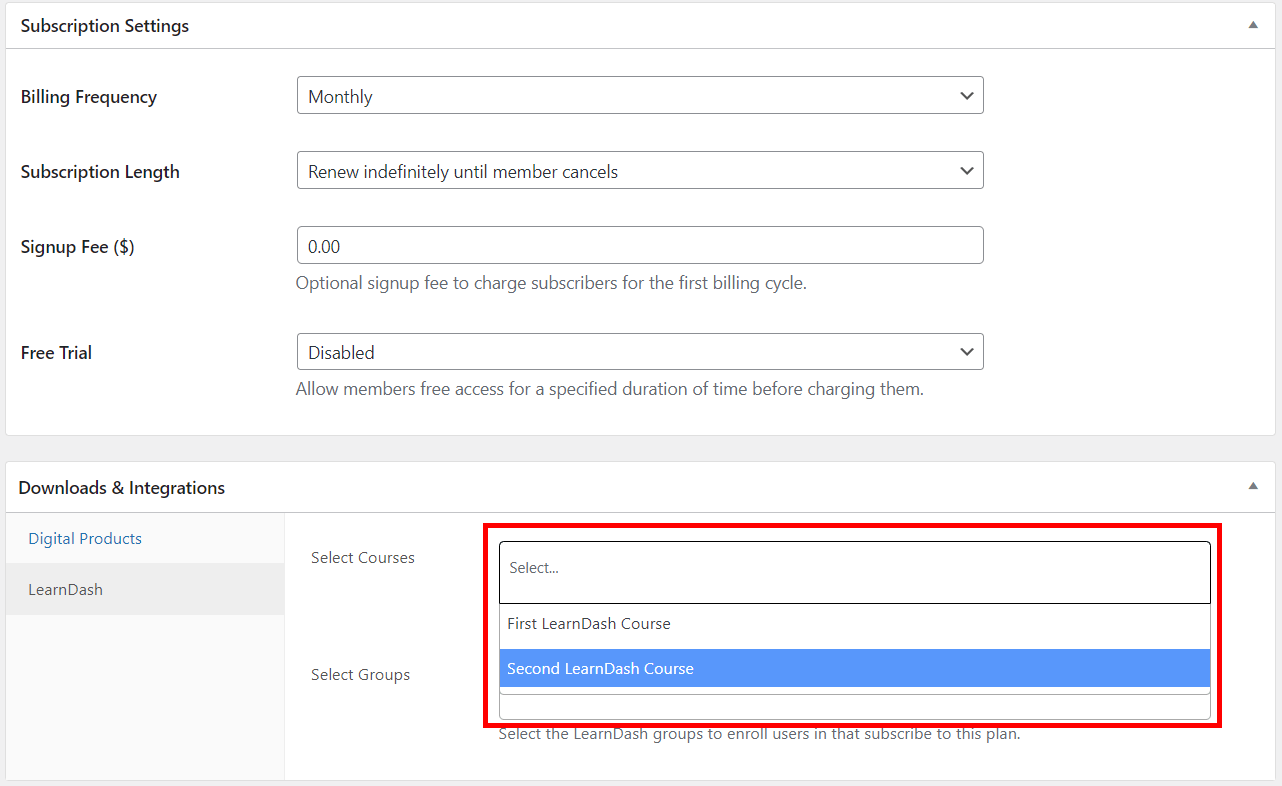
In this setup, LearnDash handles course creation and learning delivery, while ProfilePress supports checkout, memberships, user registration, subscriptions, and course access control.
Features of LearnDash
- Drag-and-drop course builder
- Drip content scheduling
- Advanced quizzes and assessments
- Assignments and certificates
- Course prerequisites
- Learner progress tracking
- Course analytics and reporting
- Group management
- Content protection
- WordPress integration
- Payment gateway integrations
- Support for memberships and subscriptions
- Works with the ProfilePress LearnDash Addon for course sales and access management
Pros
- Runs directly on your WordPress website
- Gives you full ownership of your courses and learner data
- Flexible course creation with quizzes, certificates, and drip content
- Large ecosystem of WordPress integrations
- Annual pricing instead of recurring monthly subscription fees
- ProfilePress integration makes it easy to sell course access and manage memberships
Cons
- Requires a WordPress website and web hosting
- You’ll be responsible for plugin updates and website maintenance
- No built-in email marketing or sales features
How Much Does LearnDash Cost?
LearnDash offers a 48-hour free trial, which allows users to test many of its features before choosing a paid plan. Its pricing starts at $259 per year.
8. Tutor LMS
Tutor LMS is a freemium WordPress LMS plugin built for small businesses, creators, coaches, tutors, and training websites that want to create and sell online courses from their own WordPress site. It provides the core features you need to build a learning platform, including course creation, quizzes, lessons, certificates, student dashboards, instructor profiles, course reviews, and monetization options.
What makes Tutor LMS appealing is that it goes beyond basic course publishing. You can use it to create a full learning website, sell individual courses, offer course bundles, run subscriptions, manage instructors, issue certificates, and track student progress.
Tutor LMS also works well with ProfilePress if you want better control over course access, registration, and paid memberships. The ProfilePress Tutor LMS addon lets you sell access to Tutor LMS courses, enroll users after registration into specific courses, and create custom student and instructor WordPress registration forms.
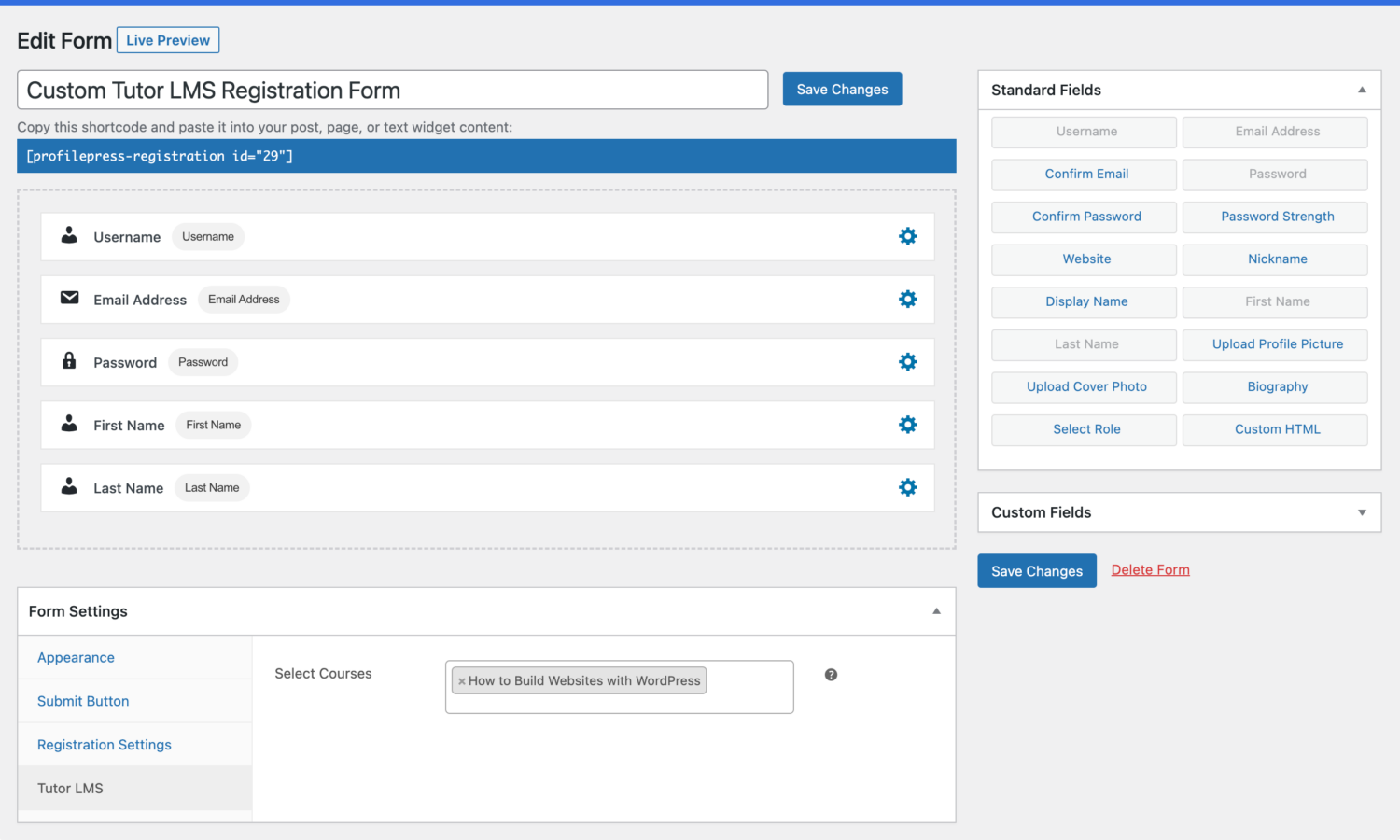
This means Tutor LMS handles course delivery, while ProfilePress helps with checkout, membership plans, subscriptions, registration forms, and student access. For small businesses and creators that want to build a WordPress-based learning business, this combination can be very useful.
Features of Tutor LMS
- Drag-and-drop course builder
- Unlimited courses, lessons, and quizzes
- AI-powered course creation
- Built-in ecommerce functionality
- Native recurring subscriptions
- Course bundles
- Content drip scheduling
- Advanced quiz builder with multiple question types
- Certificates
- Assignments and grading
- Student and instructor dashboards
- Multi-instructor marketplace
- Commission management
- Course reviews and ratings
- Live classes with Zoom and Google Meet
- Advanced reporting and analytics
- Course progress tracking
- Multimedia lesson support
- Email notifications and automation
- Supports WooCommerce and other payment solutions
- Integrates with the ProfilePress Tutor LMS Addon for selling courses, and custom WordPress registration forms
Pros
- Runs directly on WordPress with full ownership of your website and content
- Free version includes plenty of useful features
- Built-in ecommerce and subscription support
- Excellent course builder with AI assistance
- Supports multi-instructor marketplaces
- Wide range of integrations and premium add-ons
- Works seamlessly with ProfilePress for memberships and course access
Cons
- Some advanced features require the Pro version
- Managing WordPress updates and hosting remains your responsibility
- The large number of settings may take time to learn
How Much Does Tutor LMS Cost?
Tutor LMS offers a generous free version on the WordPress repository, with premium plans starting at $199 per year.
9. Sensei LMS
Sensei LMS is a WordPress learning management plugin developed by Automattic, the company behind WordPress.com, WooCommerce, and Jetpack. That pedigree alone makes it worth a serious look.
What I find particularly compelling is that Automattic actually uses Sensei LMS internally to power all their employee training courses. If it’s good enough to train the people who build WordPress, it’s probably good enough for your small business or creator venture.
With Sensei, you can build structured courses with lessons and quizzes, monitor student progress through built-in reporting, and include multimedia content from platforms like YouTube, Vimeo, and VideoPress. If you need more advanced capabilities, Sensei Pro expands the plugin with features such as content dripping, interactive lesson blocks, learning groups, course access periods, enhanced quizzes, and WooCommerce integration for selling courses.
If you’re using ProfilePress, the ProfilePress Sensei LMS addon works well alongside Sensei LMS by adding membership and access control features. It allows you to sell access to Sensei LMS courses and groups through subscription plans, automatically enroll users after registration or purchase, and display enrolled courses on the user’s My Account page.
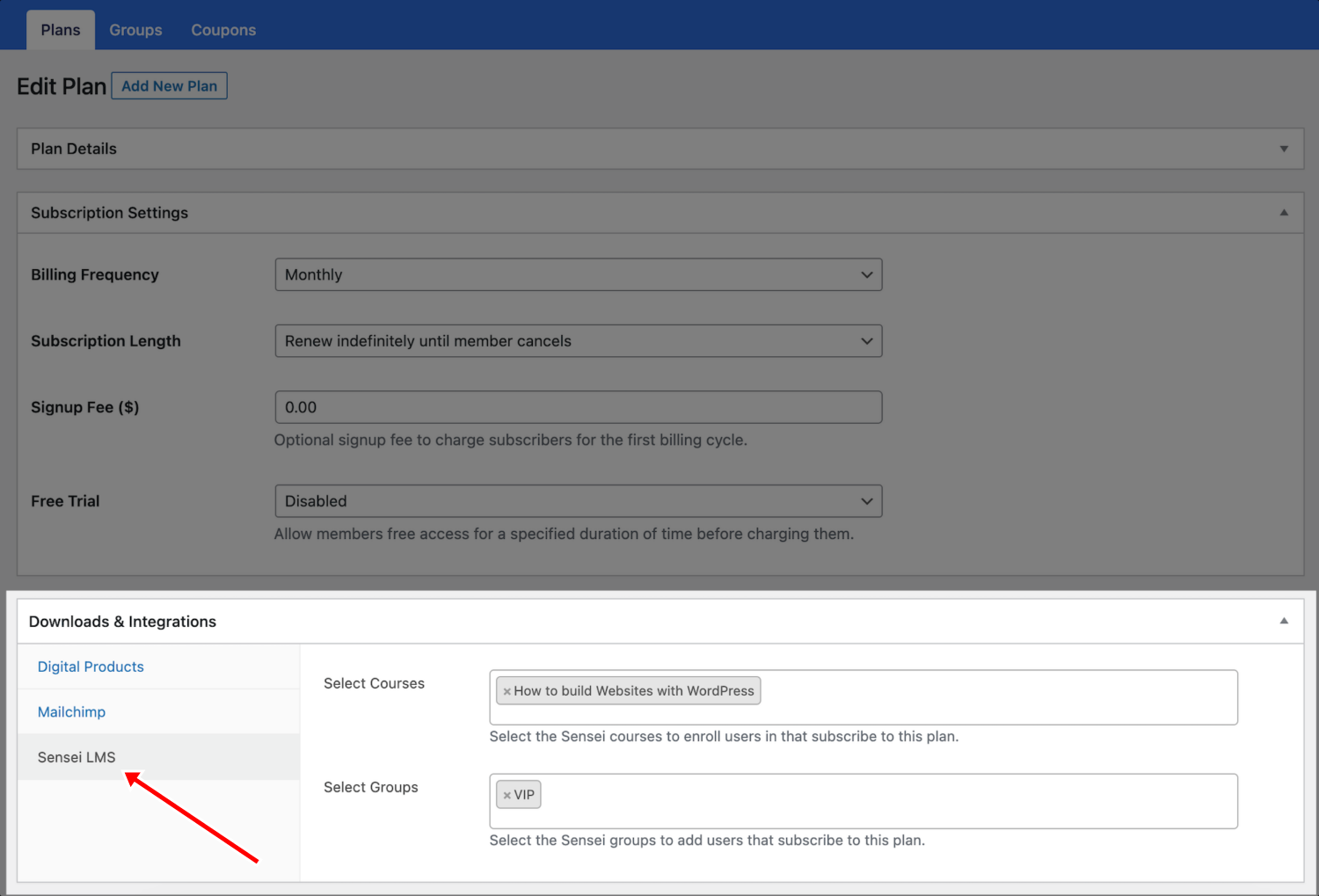
This makes it a practical option for businesses and creators who want to combine course delivery with recurring memberships and gated content.
Features of Sensei LMS
- Create unlimited courses, lessons, and quizzes.
- Build courses using the native WordPress Block Editor.
- Dedicated Learning Mode for a distraction-free student experience.
- Multiple quiz question types, including multiple choice, true/false, fill-in-the-blank, file uploads, and essay questions.
- Student progress tracking and reporting.
- Support for embedded videos from YouTube, Vimeo, and VideoPress.
- Course listing block for displaying courses anywhere on your site.
- WooCommerce integration for selling courses.
- Scheduled content dripping and course access periods.
- Interactive lesson blocks such as flashcards, image hotspots, and task lists
- Student groups and cohorts for managing enrollments
- Conditional content based on enrollment status, groups, or dates
- ProfilePress integration for selling course access, automatic enrollment, and displaying enrolled courses on the My Account page.
Pros
- Clean, minimalist interface that’s easy to navigate
- Content drip, conditional content, and course access periods
- Groups and cohorts for organized student management
- Co-teacher support for collaborative course creation
- Detailed progress tracking and reporting
- Public course showcase for increased visibility
- Works perfectly with ProfilePress for membership and payment management
Cons
- Requires maintaining your own WordPress hosting and security
- Many advanced features are only available with Sensei Pro.
- Can feel basic if you need advanced gamification or community features
How much does Sensei LMS cost?
Sensei LMS offers a free version that includes course creation, lessons, quizzes, student management, and progress tracking. This is sufficient for users who want to publish basic online courses without advanced automation.
For additional capabilities such as WooCommerce integration, content dripping, interactive lesson blocks, advanced quizzes, groups, conditional content, and course access periods, you’ll need Sensei Pro, which starts at $60 per year.
Conclusion
We hope this article helped you learn about the best LMS for small businesses and creators and brought you closer to choosing the right platform for your needs.
The platforms covered in this guide all serve different needs. Some excel at course creation and learner management, while others prioritize ease of use, ecommerce, or community features. By comparing their features, pricing, and integrations, you can confidently choose an LMS that fits your goals and budget.
If you’re building your learning platform on WordPress, combining your preferred LMS with ProfilePress can help you do even more. ProfilePress lets you sell memberships, protect premium content, create subscription plans, manage user access, and automate enrollments, making it an excellent companion for many WordPress LMS plugins.
Ready to launch your online school? Pick your platform, start creating, and change lives with your knowledge. You’ve got this.